System Settings and Adjustments
System Settings and Adjustments
OCS LED Indicator Lights 24
System Menu 25
Set Networks &Set Network Baud Rate 27
View Status & Diags 29
View Protocols 31
Set Keys, Serial Ports, Time/Date, Beeper & Screen 32
Removable Media 37
I/O Calibration 38
Fail – Safe System 39
Clone Unit 42
WebMI License Details 45
Touch Screen Calibration 46
OCS LED Indicator Lights
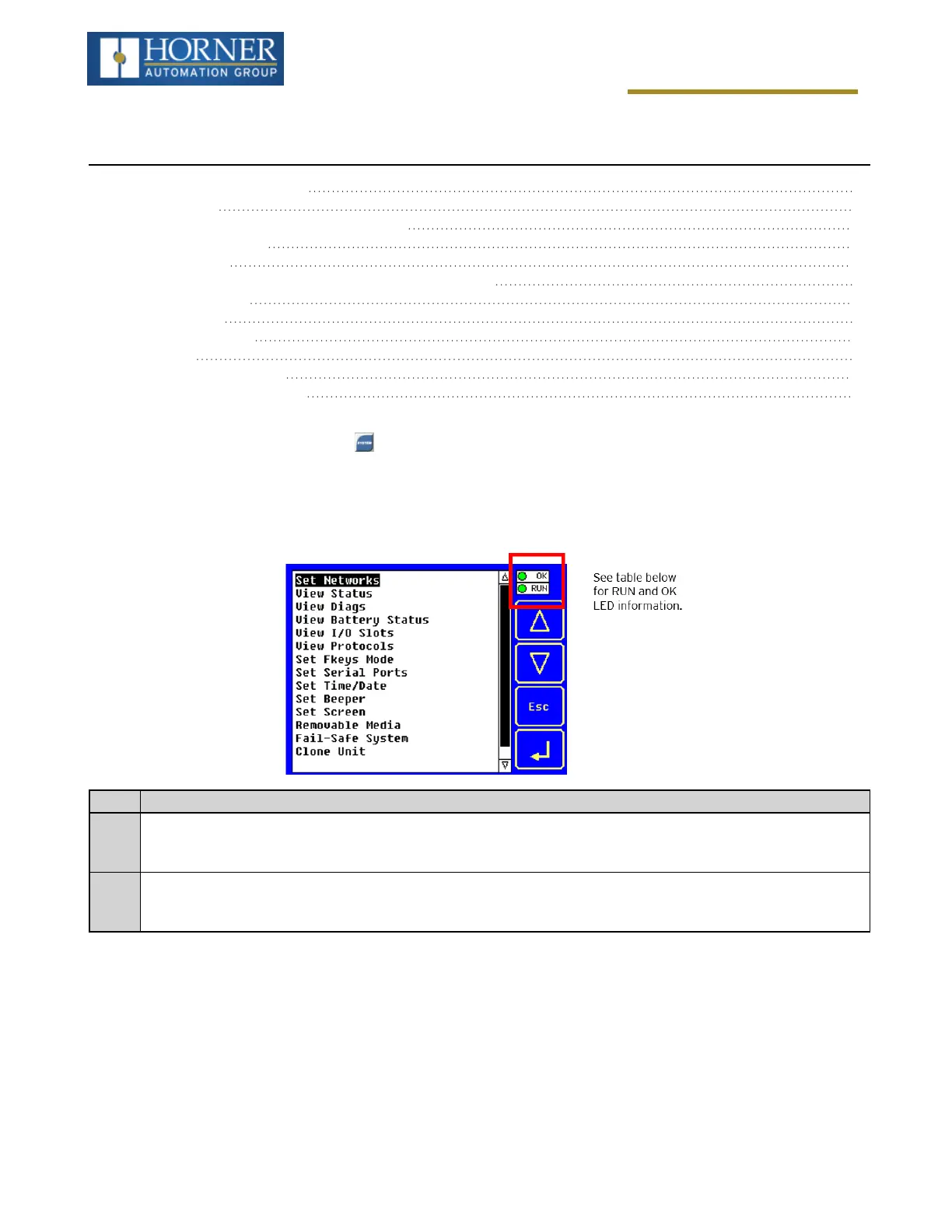
The X4 OCS has a built-in System Menu, which lets the user view System Settings and makes adjustments. To
start the System Menu, press the SYSTEM key (or set %SR3 to 1), which will display the Main Menu. Then use the
↑ and ↓ (Up Arrow or Down Arrow) keys to select a Main Menu item and press Enter (Return Arrow) to display the
item’s Sub-Menu.
OCS LEDs
RUN
n
OFF indicates OCS is in IDLE/STOP mode.
n
Flashing indicates DO / IO mode or RUN with no ladder program.
n
ON indicates ladder code running.
OK
n
OFF indicates one or more self-tests failed.
n
ON indicates all self-tests passed.
n
Flashing at 1 Hz indicates forcing is active.
Page 24 of 163



 To Next Page