User Interface
Ladder Based Screen Navigation
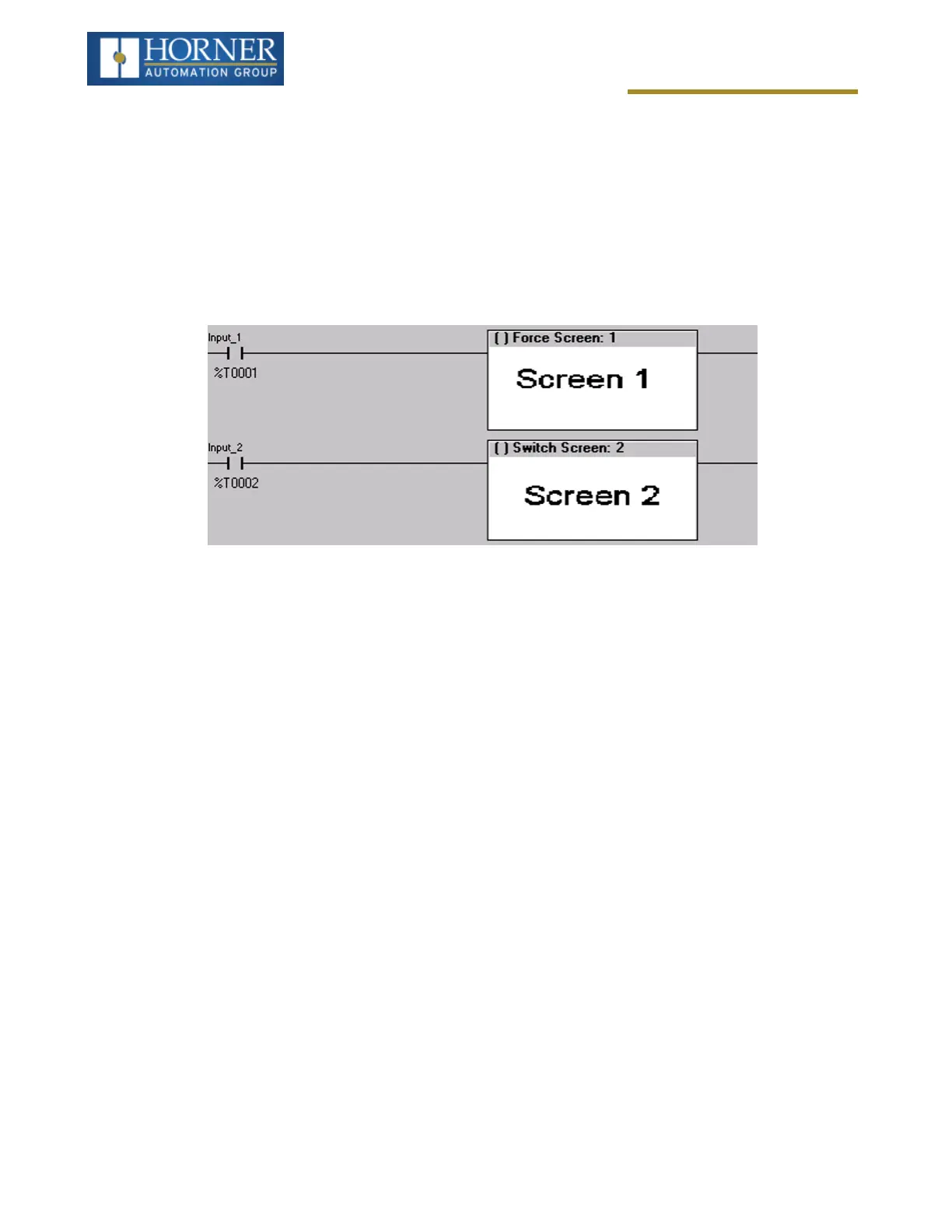
Ladder logic can use several techniques to control screen navigation. Coils can be tied to %D registers to make
them screen coils. These coils have two modes: switch and alarm. If the ladder program energizes an alarm display
coil, the screen associated with this coil is displayed and overrides the normal user screens. This is designed to
show alarm conditions or to display other ladder-detected events. When the text coil is de-energized, the previous
screen that was being viewed before the alarm is returned.
The switch display coil switches to the associated screen when it is energized. Once it is de-energized the screen
remains until it is switched by the user or ladder.
There is also a system register that can be used to for control-based screen navigation. %SR1 can be read to
determine the current screen or written to change the current screen.
Refer to the Cscape Help file for more information on control-based screen navigation.
Touch (Slip) Sensitivity
Touch slip sensitivity is preset to meet most applications; however, adjustment is available to reduce the sensitivity
for touch release. That is, once a graphical object (button) is touched and held by a finger, the default touch slip
sensitivity allows for a slight slip of the finger on the graphical object before the X4 assumes touch been released
(equates to approximately a quarter inch of movement with a stylus).
In some applications (such as jog buttons) where the operator is pushing a button for a period of time, the amount of
slip while holding a button pressed may exceed the default sensitivity. To increase the amount of tolerable slip and
prevent false releases of the button, the X4 allows adjustment of the allowable slide up to 5x the default value.
To enable the touch (slip) sensitivity, first an OCS data register must be allocated through the Graphics Editor Con-
figuration menu for Display Settings. Once a Touch Sensitivity register is assigned, that register may be modified
[range = 1(Low) to 5 (High)] to the desired slide amount. If a value outside the valid range is entered in the touch
sensitivity register, it is ignored, and the last valid value is used.
Page 124 of 163



 To Next Page