System Settings and Adjustments
I/O Calibration
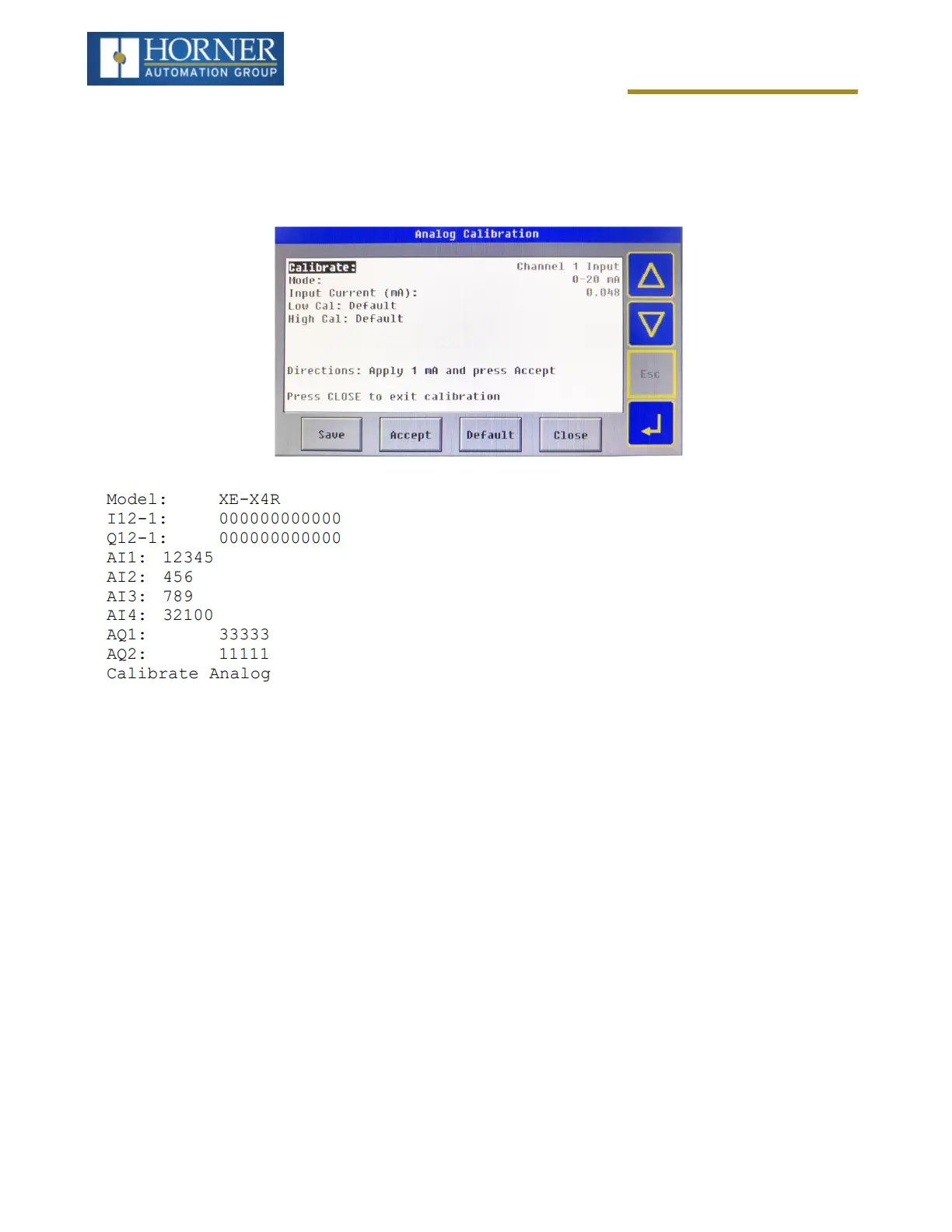
When first entering this option, the user is presenting with information about the X4 model and current state of the
IO points. Refer to "General I/O Configuration" on page60 for more details.
The I and Q sections indicate the ON and OFF status of the individual digital inputs and outputs respectively. The AI
values show the raw analog inputs scaled from 0 to 32,000. The AQ items show the raw analog outputs scaled from
0 to 32,000.
The “Calibrate Analog” item is a sub-menu that, when selected, allows entering the field calibration for analog inputs
and outputs.
NOTE: The X4 must be power-cycled (or reset) before the changes take effect.
Page 38 of 163



 To Next Page