System Settings and Adjustments
Clone Unit
See also:"Clone Unit" on page136
‘Clone Unit’ feature allows the user to “clone” the OCS of the exact same model. This feature “clones” application
program and unit settings stored in battery-backed RAM of an OCS into the RM. Refer to "Removable Media" on
page130 for details on using RM. It can then be used to clone a different OCS (same model).
This feature can be used for:
n
Replacing an OCS by another unit of the same model.
n
Duplicating or “clone” units without a PC.
Make Clone
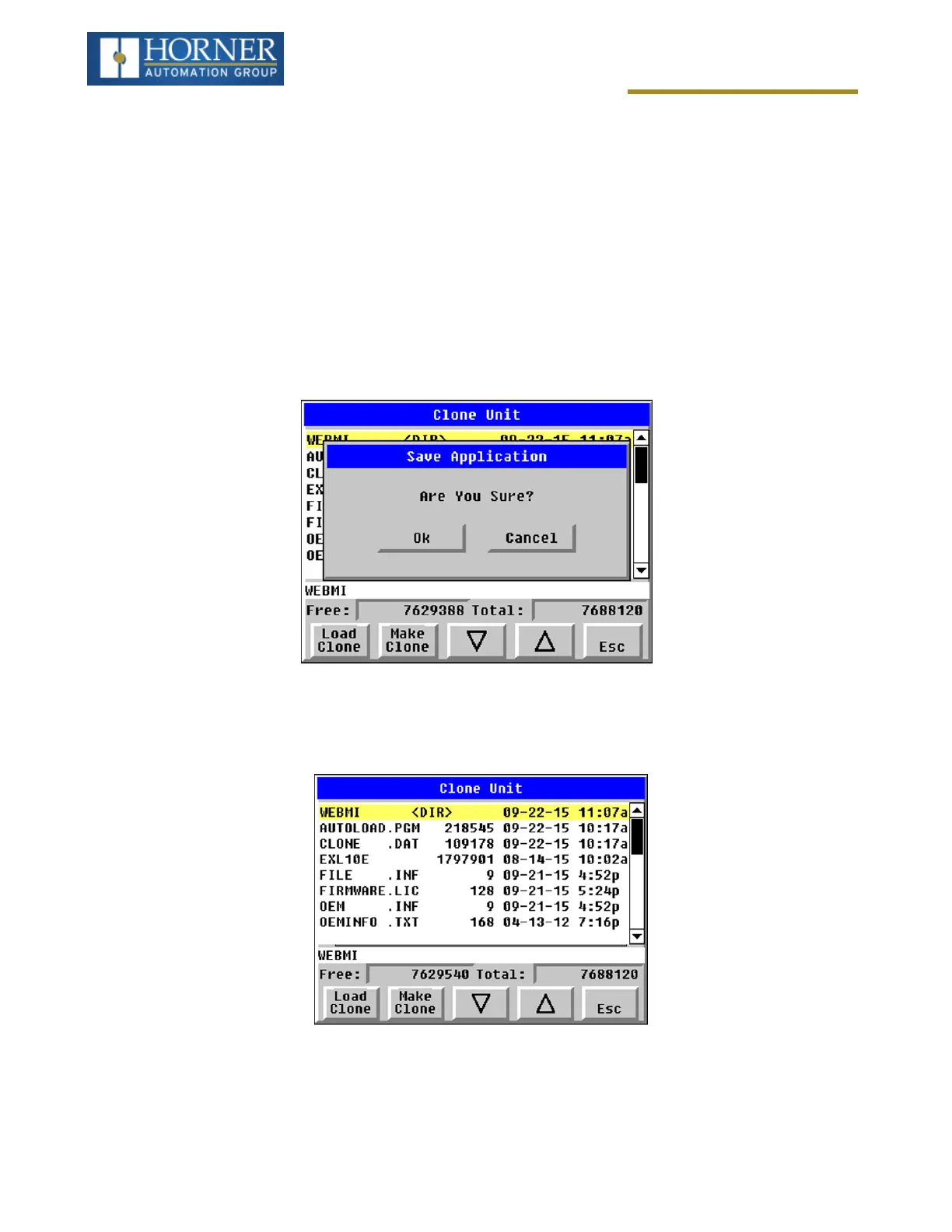
Selecting “Clone Unit” menu will open the following menu screen:
Load Clone and Make Clone virtual buttons are below the screen. Free/Total: Displays number of Free and Total
bytes in Removable Media.
Selecting Make Clone brings up the screen below for the user:
Page 42 of 163


 To Next Page