System Settings and Adjustments
Removable Media
See also:"Removable Media" on page130
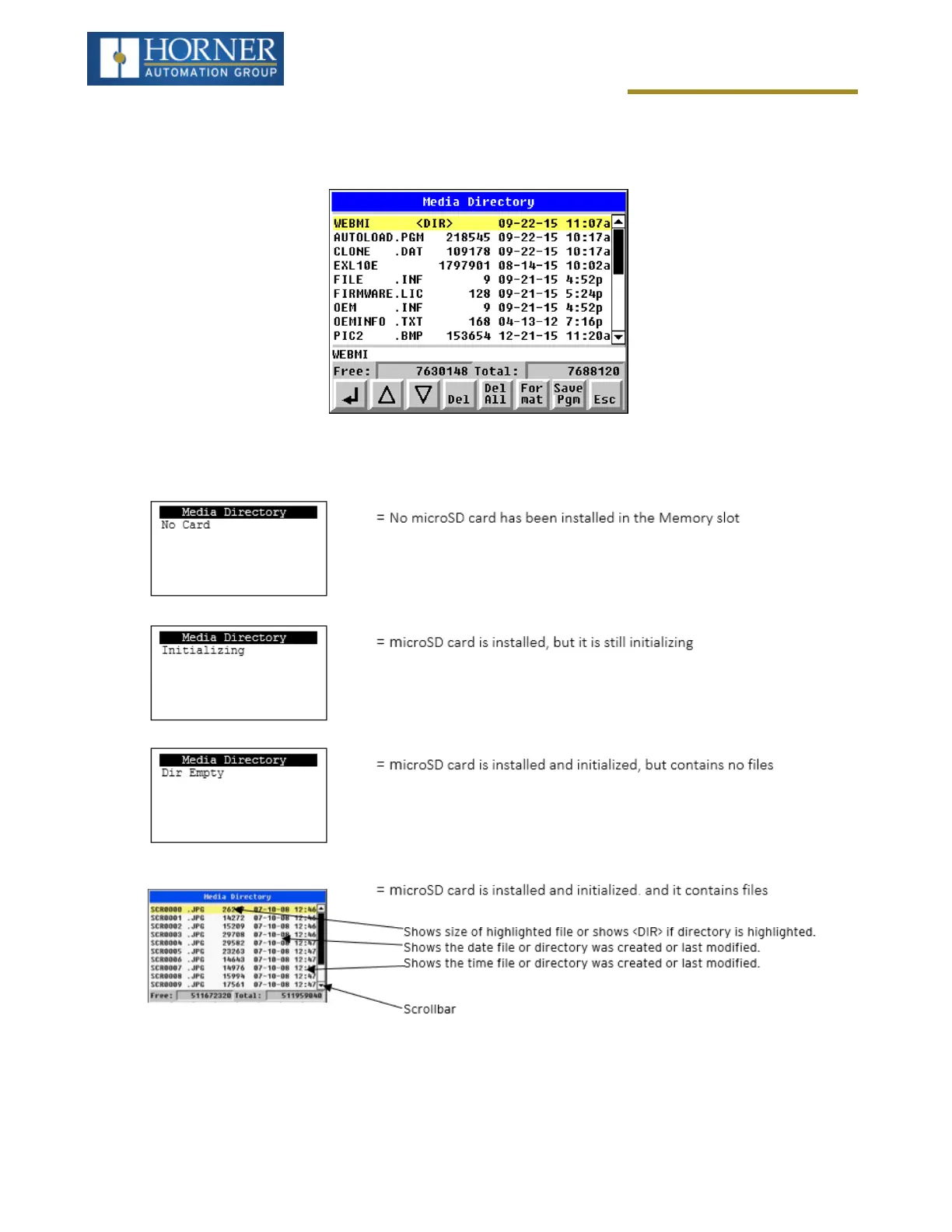
The Removable Media Sub-Menu displays the Removable Media Manager. After selecting Removable Media from
the Main Menu, one of four Sub-Menu screens will appear:
If a directory name is highlighted, pressing Enter will switch to that directory showing its files and sub-directories. In
a sub-directory, highlighting .. (dot dot) and pressing Enter will move up one directory.
Page 37 of 163



 To Next Page