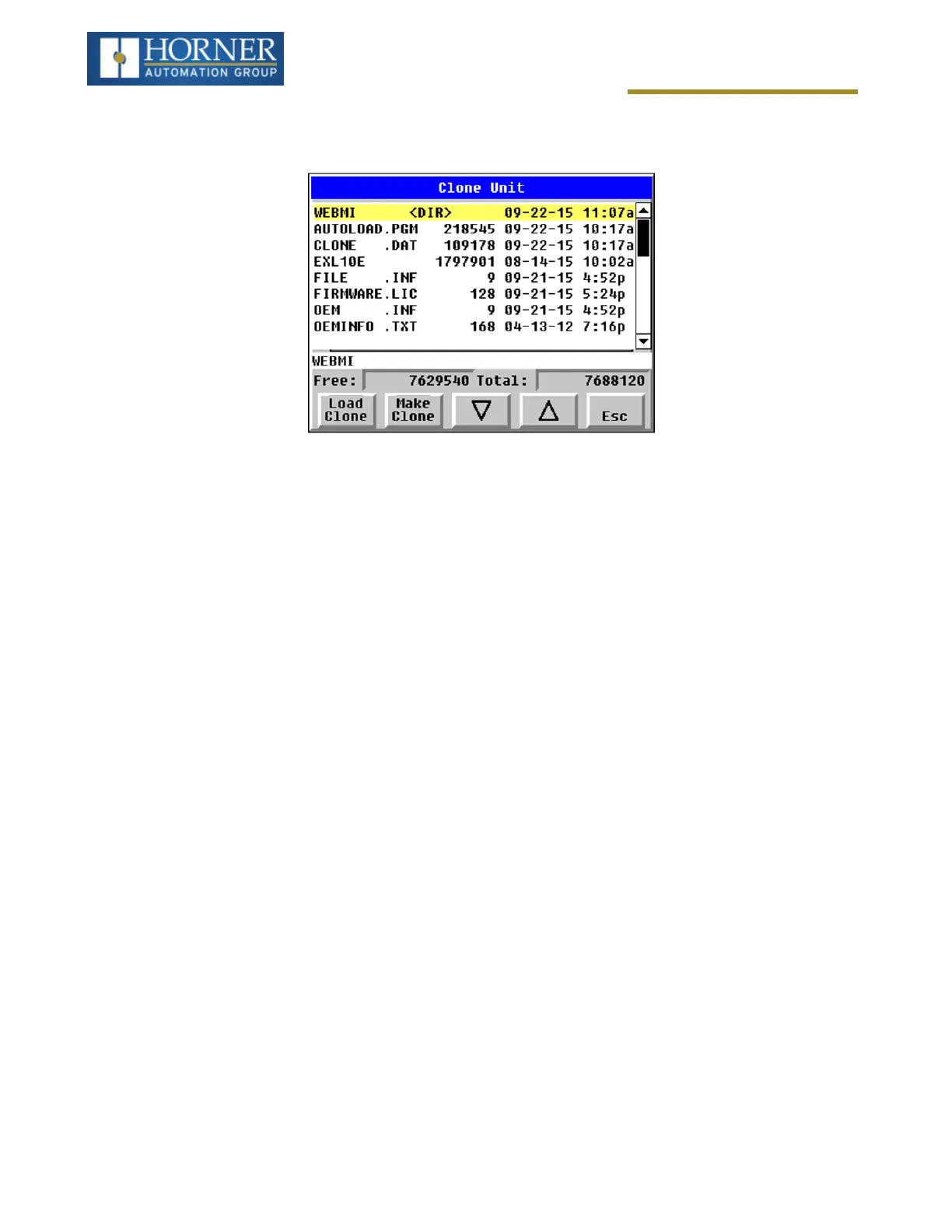
Clone Unit
Step 2:Selecting “Make Clone” will open the following menu screen. NOTE: Free/Total – displays number of free
and total bytes in Removable Media.
Make/Create Clone option enables user to duplicate / Clone application file, all unit settings and all register values
from battery-backed RAM. Selecting Make Clone brings up the screen below for the user:
Make/Create clone can also be triggered by setting %SR164.9 bit to “1” from Ladder program or graphics. Once the
operation is completed, this bit is made zero by the firmware. When Make Clone operation is triggered by this SR
bit, it does not ask the user for confirmation for making clone. The success / failure of the operation is also not noti-
fied on screen to the user.
In case of failure of “Make Clone” operation, %SR164.11 bit is set to “1” by the firmware and never reset.
NOTE: Backup of registers in flash memory is not performed by Clone Feature. Refer to "Fail-Safe System" on
page1.
Page 137 of 163


 To Next Page