General I/O Configuration
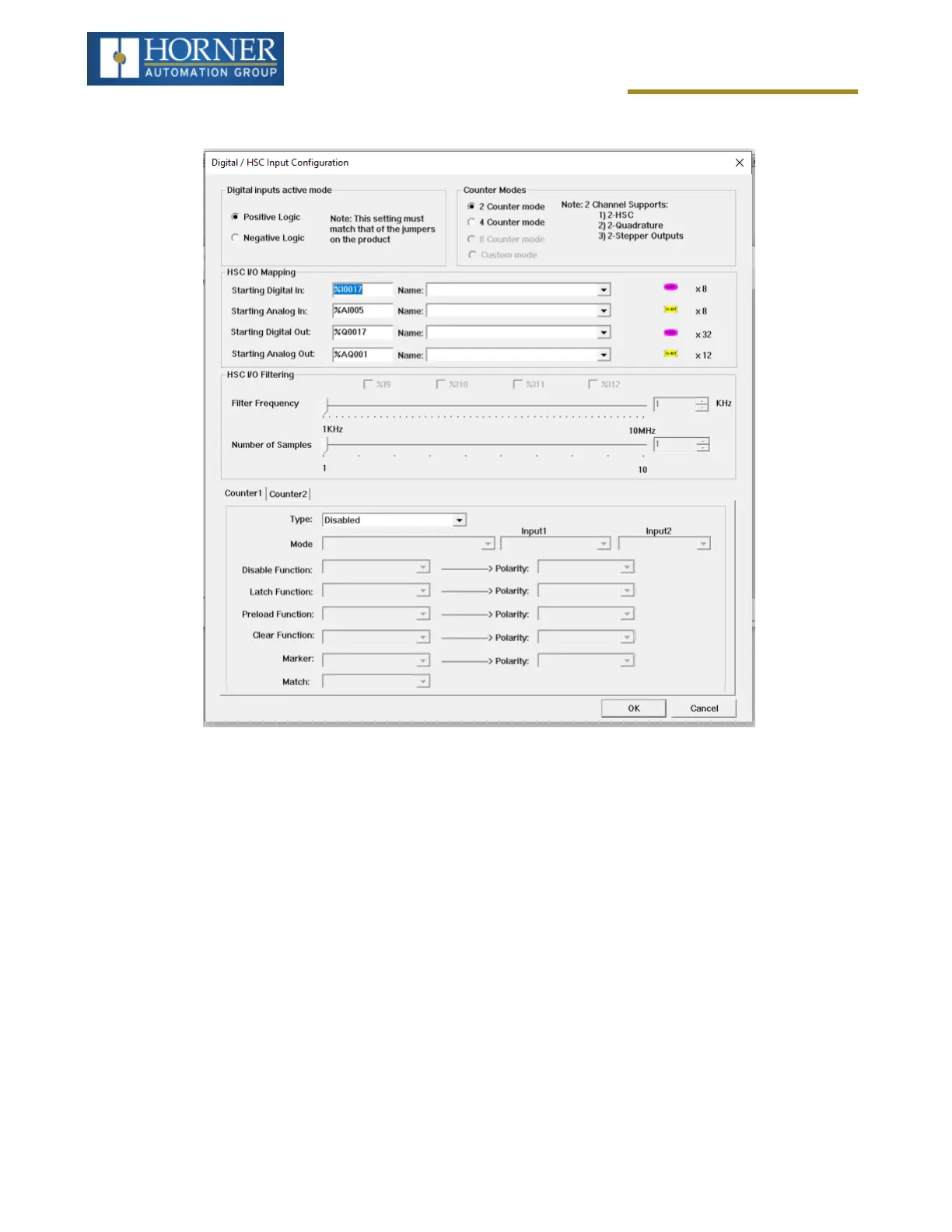
Select Digital In/HSC to open the Digital / HSC Input configuration dialog for a specific controller.
The Active mode group box allows the user to select if inputs are active high (Positive logic) or active low (Negative
logic). It is important that this setting matches the jumper settings on the hardware.
The High-Speed Counters group box contains all the windows that are used to configure the four available high-
speed counters on the Horner OCS. To configure a counter, the user needs to set the type, mode, and counts per
rev.
The type drop down includes the following options:
l
Disabled
l
Frequency
l
Totalize
l
Pulse
l
Quadrature
l
Marker (Only available in counter #3 if counter #1 is set to quadrature.)
Page 64 of 163



 To Next Page