General I/O Configuration
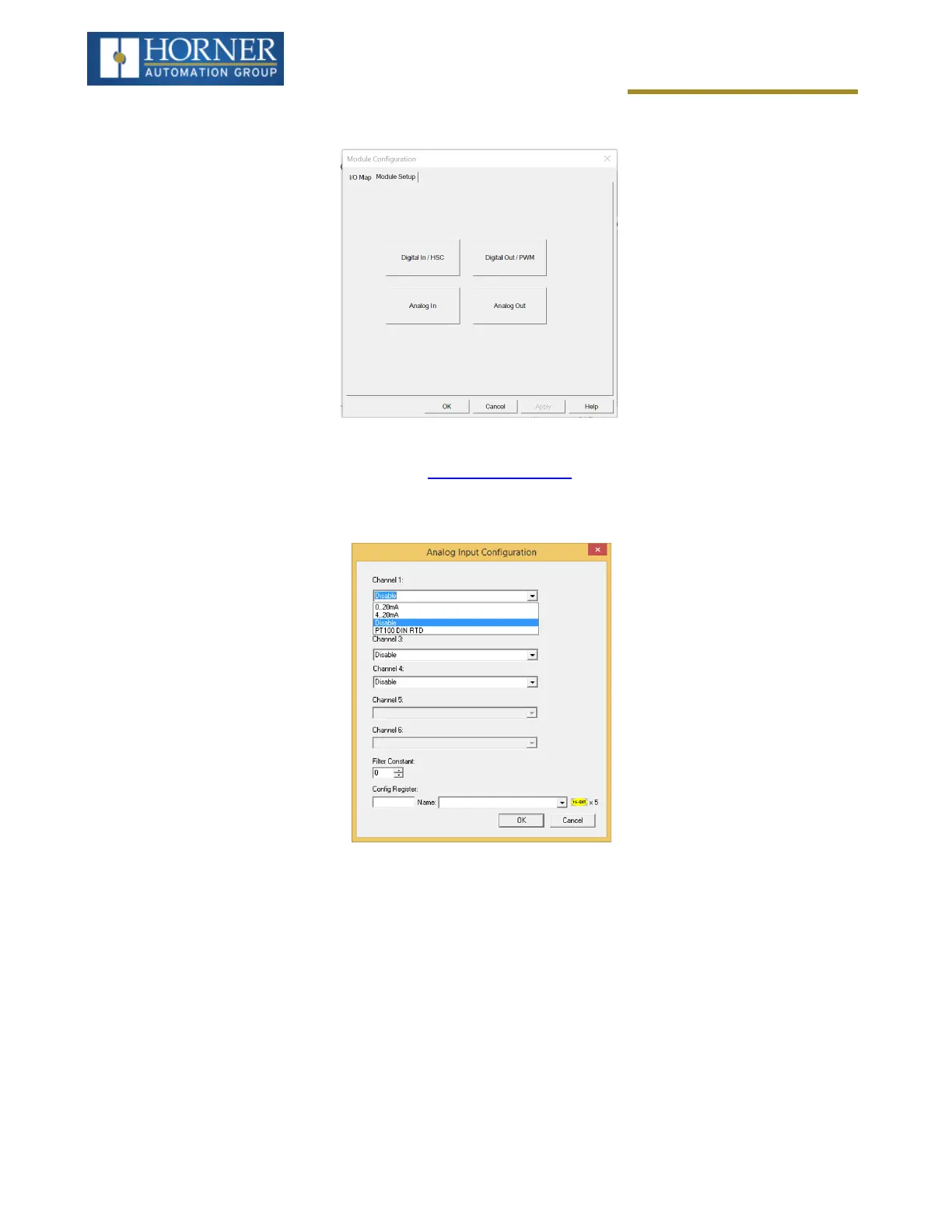
The Module Configuration screen will appear, select the Module Setup tab. See below.
The Module Setup allows a user to configure four types of I/O. NOTE: Not all controllers offer all four types. Refer to
the controller's datasheet on the Horner website's Documentation Page for more information regarding specific
models.
Select Analog In to open the Analog Input Configuration dialogue:
The Channel x drop down windows allow the user to specify the mode for each analog input to operate. The Chan-
nel x drop down windows are enabled/disabled according to which model is being configured. All of the models
have the following modes available:
l
0..20mA
l
4..20mA
l
0..10V (Models HE-X4R-20 and HE-X4R- 42 only)
NOTE: Each unused channel should be set to “Disable”.
The Filter Constant provides digital filtering to all channels. Valid filter values are 0-7. Refer to the datasheet
[MAN1138] for more information on digital filtering. For the Voltage Units, refer to MAN1409 for the HE-X4R-V20 or
MAN1410 for the HE-X4R-42.
Page 73 of 163



 To Next Page