General I/O Configuration
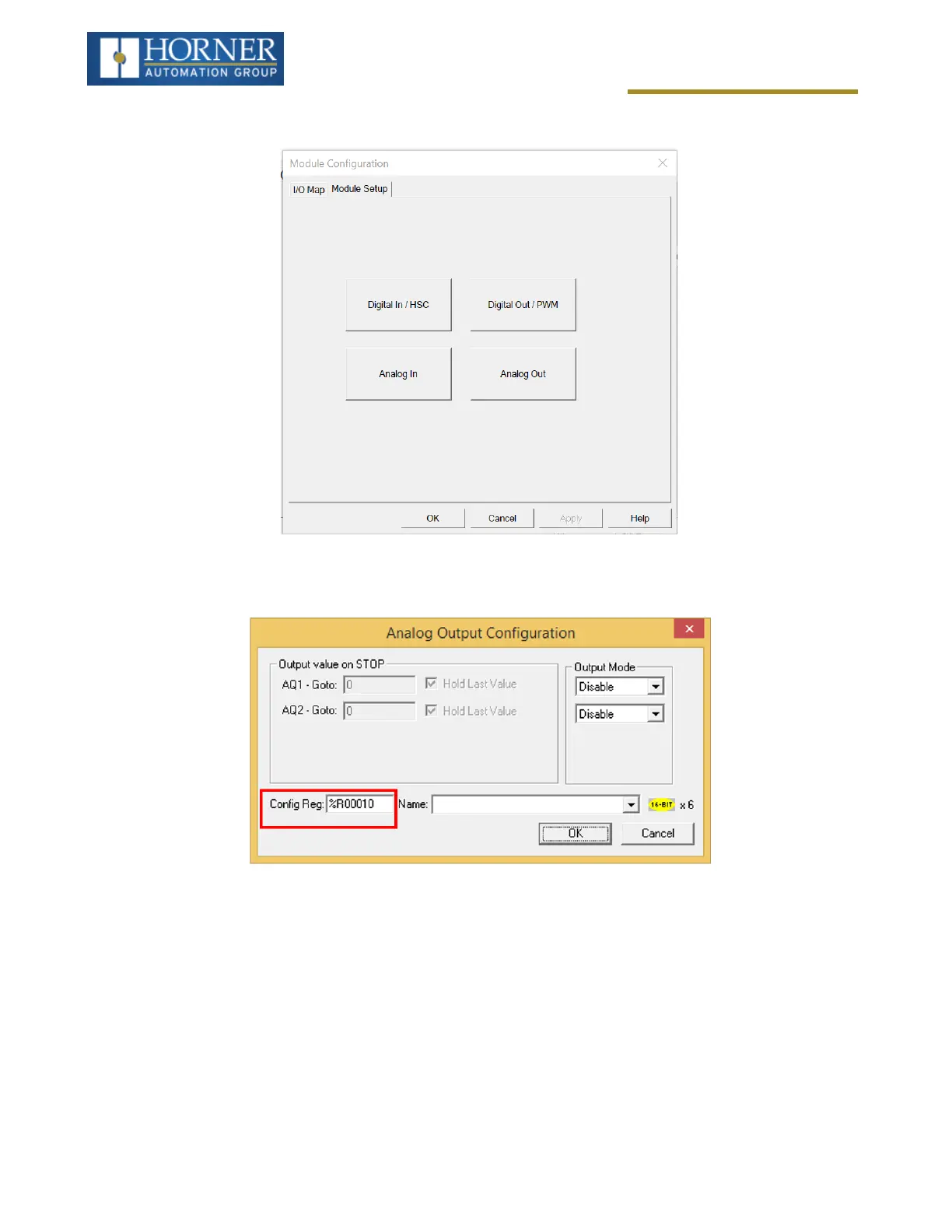
The Module Configuration screen will appear, select the Module Setup tab. See below.
Select Analog Out to open the following dialogue:
The Output value on Stop group box contains items that allow the user to specify how the analog output channels
behave when the controller is stopped. The outputs can either hold their value or default to a value when the con-
troller is stopped.
The Output Mode group box allows the user to select the operating modes for each of the analog outputs. The
available mode is 4..20mA. NOTE:0-10 Volts is available on the HE-X4R-20 & HE-X4R-42.
Page 77 of 163



 To Next Page