20
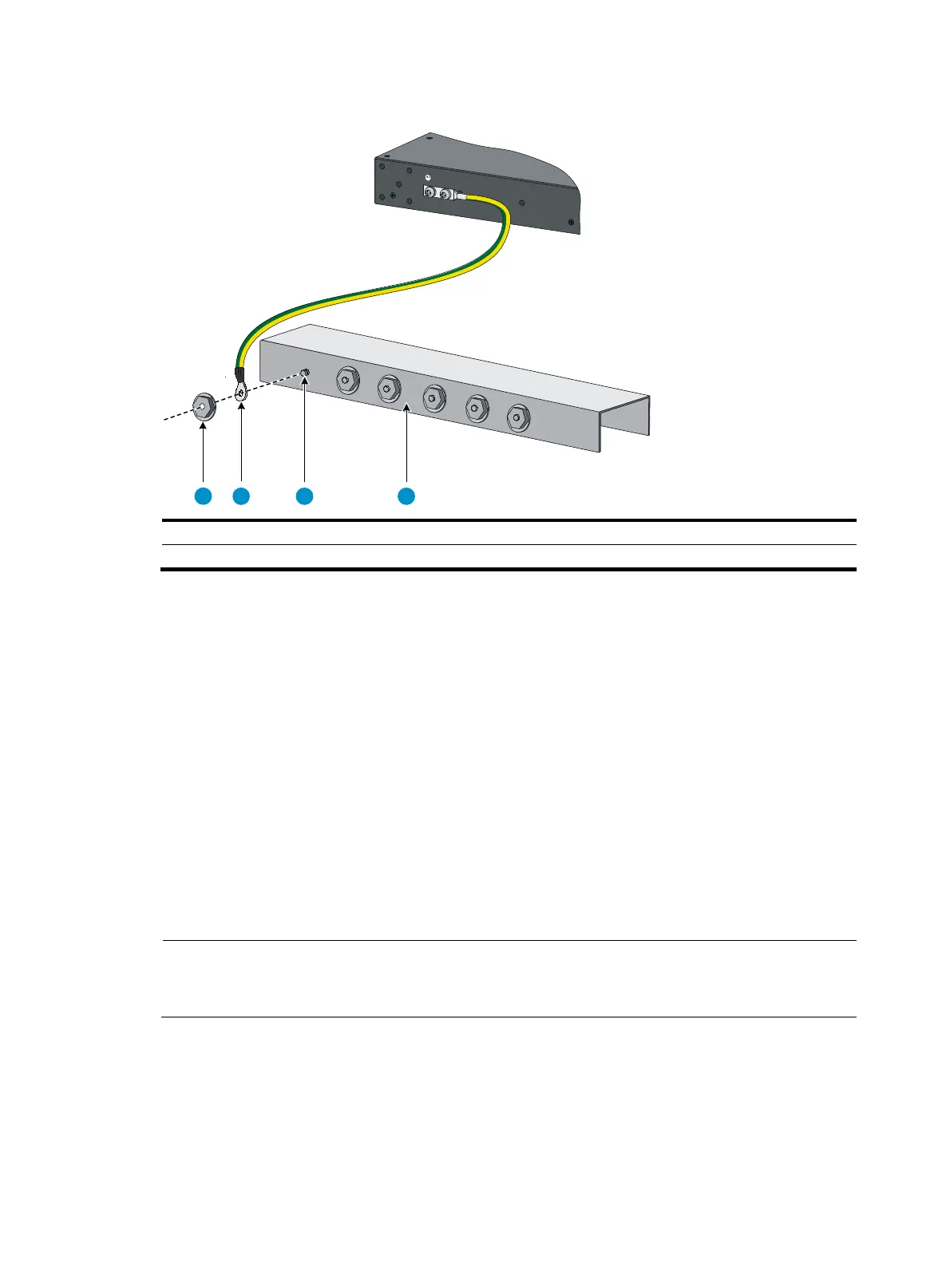
Figure 22 Connecting the grounding cable to a grounding strip
(1) Hex nut (2)
Rin
terminal
(3) Grounding post (4) Grounding strip
HP recommends that you use the primary grounding point or auxiliary grounding point 1 on the switch,
because the grounding cable and grounding screw provided with the switch are applicable only to these
two grounding points.
To use auxiliary grounding point 2, prepare a grounding cable yourself. The connection method is the
same as connecting to the other two grounding points.
Grounding the switch by using the AC power cord
If the installation site has no grounding strips, you can ground an AC-powered switch through the
protective earth (PE) wire of the power cord, but must make sure:
• The power cord has a PE terminal.
• The ground contact in the power outlet is securely connected to the ground in the power distribution
room or on the AC transformer side.
• The power cord is securely connected to the power outlet.
NOTE:
If the
round contact in the power outlet is not connected to the
round, report the problem and reconstruc
the grounding system.
1 2 3 4



 To Next Page