21
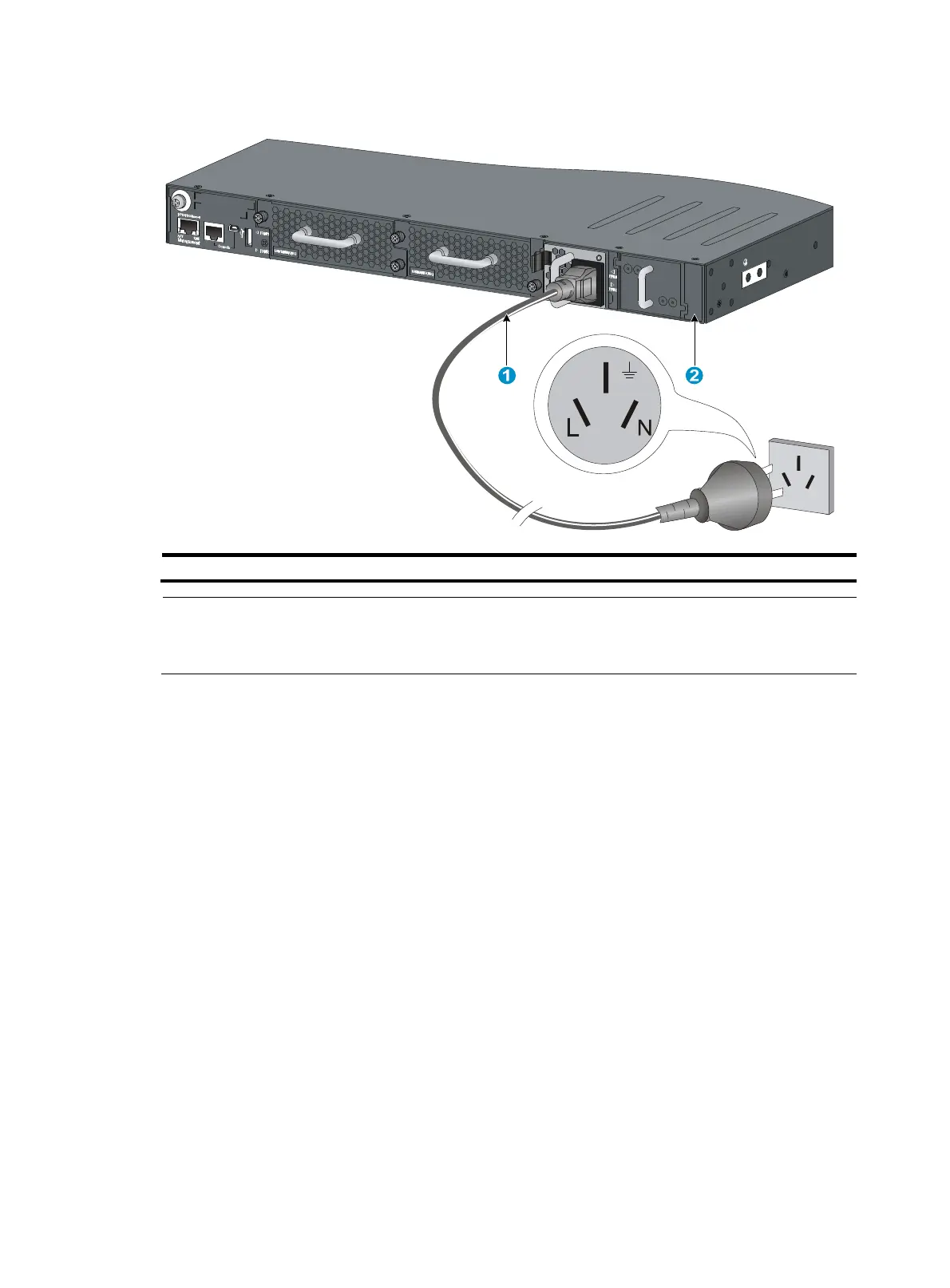
Figure 23 Grounding through the PE wire of the AC power cord
(1) Three-wire AC power cable (2) Chassis
rear panel
NOTE:
To guarantee the grounding effect, use the grounding cable provided with the switch to connect to the
grounding strip in the equipment room as long as possible.
Installing/removing a fan tray
Follow these guidelines when you install or remove a fan tray:
• Do not power on the switch when the switch has no fan trays installed.
• You must install two fan trays of the same model for the switch.
• When a fan tray fails during the switch operation and the ambient temperature is not higher than
27°C (80.6°F), replace the fan tray within 24 hours and keep the failed fan tray in position before
replacement. If the ambient temperature is higher than 27°C (80.6°F), replace the fan tray
immediately.
• Make sure all slots have a module or filler panel installed when the switch is operating.
• When two fan trays fail during switch operation:
{ Finish replacing the fan trays within 2 minutes on an HP 5930-32 QSFP+/HP 5930-32 QSFP+
TAA or HP 5930-2Slot+2QSFP+/HP 5930-2Slot+2QSFP+ TAA switch.
{ Finish replacing the fan trays within 1 minute on an HP 5930-4Slot/HP 5930-4Slot TAA switch.



 To Next Page