40
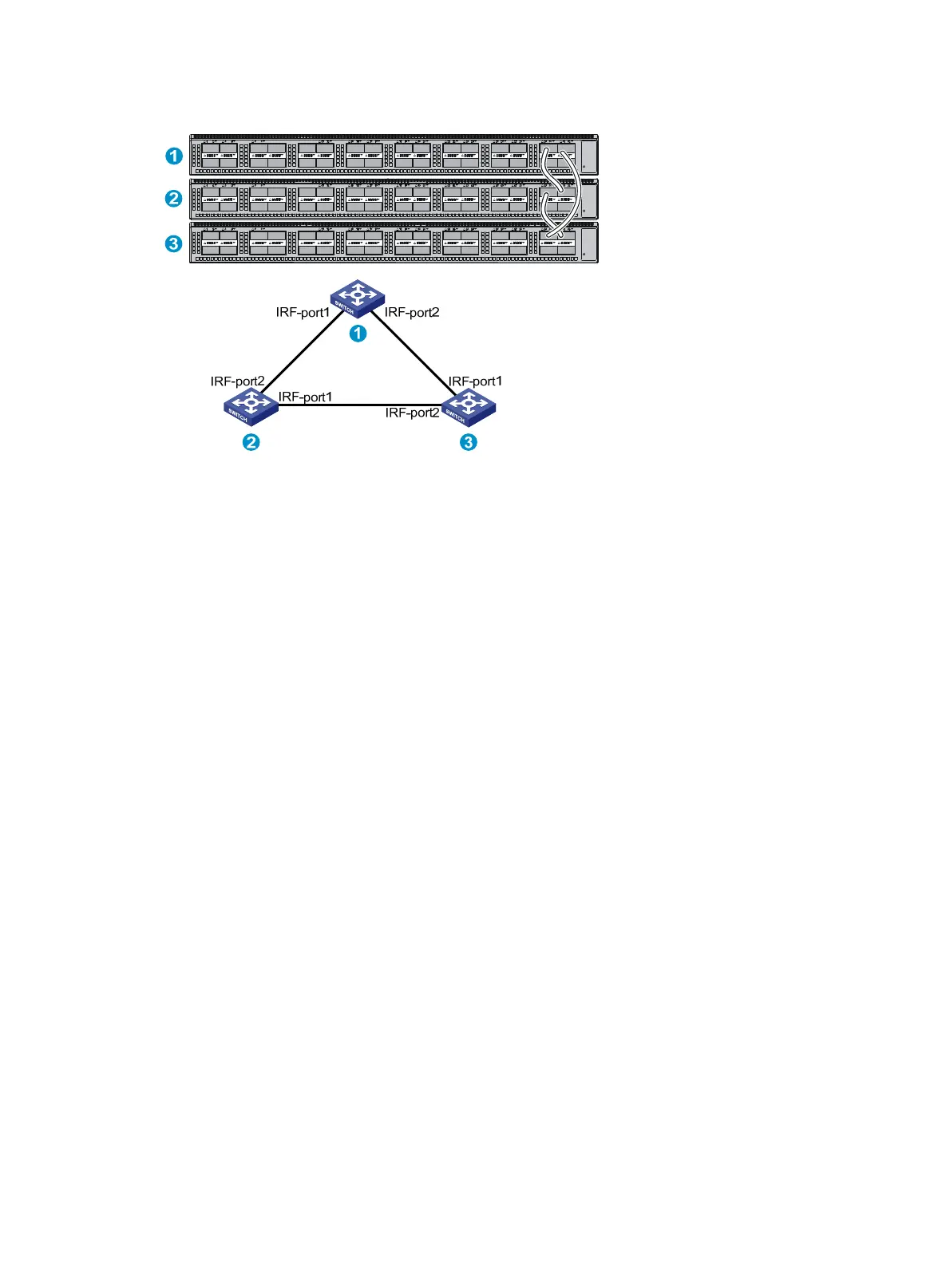
Figure 46 IRF fabric in ring topology
You can provide the following IRF physical connections between HP FlexFabric 5930 switches:
• 10-GE IRF physical connection by connecting 1/10-GE Ethernet ports or SFP+ ports.
• 40-GE IRF physical connection by connecting QSFP+ ports.
• IRF physical connection by using a 40G QSFP+ to SFP+ DAC cable to connect a QSFP+ port and
four SFP+ ports.
You can bind several ports to an IRF port for increased bandwidth and availability.
Identifying physical IRF ports on the member switches
Identify the 1/10-GE Ethernet ports, SFP+ ports, and QSFP+ ports to be used for IRF connections on the
member switches according to your topology and connection scheme.
All the 1/10-GE Ethernet ports, SFP+ ports, and QSFP+ ports on the HP FlexFabric 5930 switch can be
used for IRF connections.
Planning the cabling scheme
You can use twisted pair cables, SFP+/QSFP+ DAC cables, or SFP+/QSFP+ transceiver modules and
optical fibers to connect the switches for IRF connections. If the IRF member switches are far away from
one another, choose the SFP+/QSFP+ transceiver modules and optical fibers. If the IRF member switches
are all in one equipment room, choose twisted pair cables or SFP+/QSFP+ cables. For more information
about available transceiver modules and cables, see "Appendix C Ports and LEDs."
T
he following subsections describe several HP recommended IRF connection schemes, and all these
schemes use a ring topology.
Connecting the IRF member switches in one rack
Figure 47 shows an example for connecting four IRF member switches in a rack by using QSFP+ DAC
cables and QSFP+ transceiver modules and optical fibers. The switches in the ring topology (see Figure
48) ar
e in the same order as connected in the rack.



 To Next Page