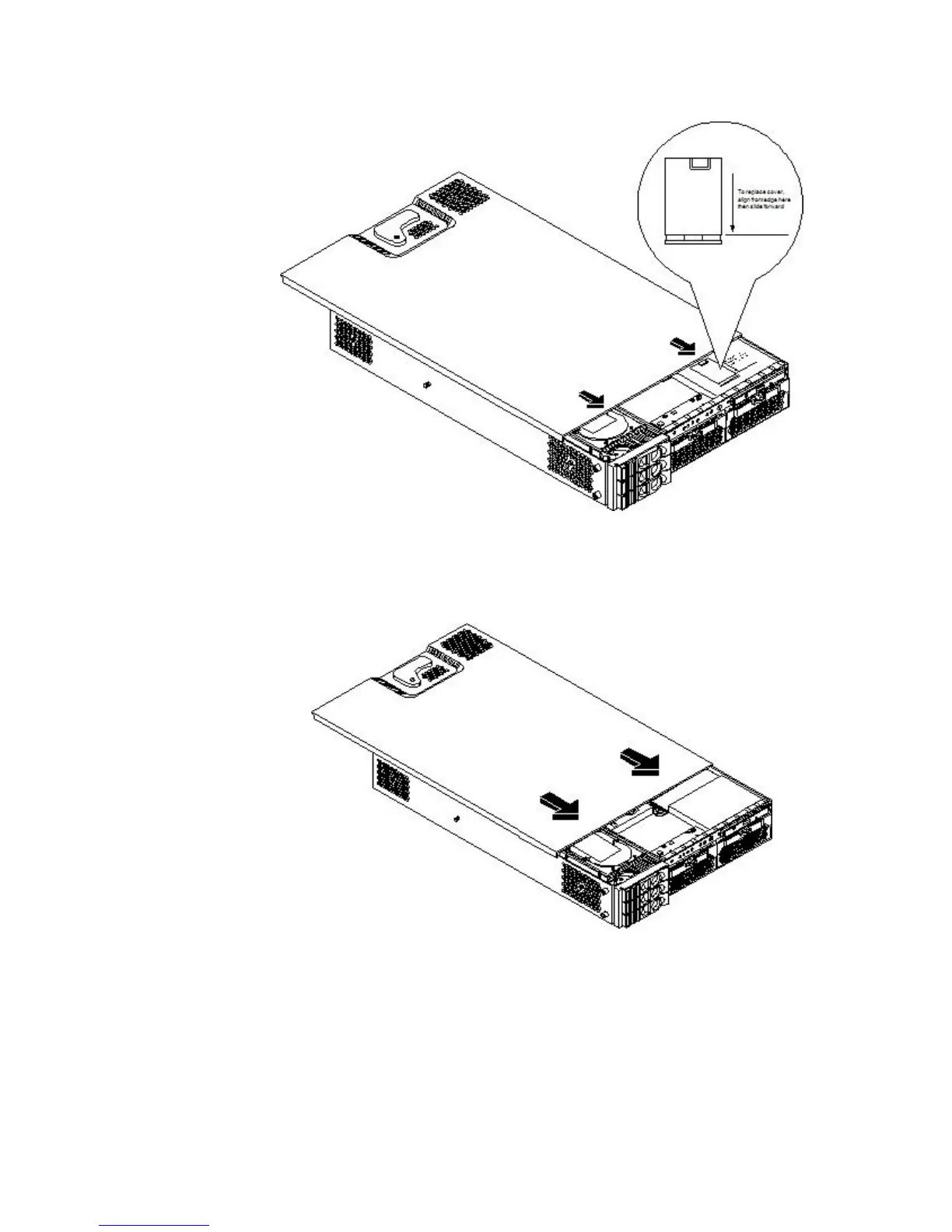
1. Align the front edge of the cover with the alignment mark on the optical drive bay.
Figure 3-7 Aligning the Top Cover
2. Grasp the blue release lever and slide the cover toward the front of the server until the lever
snaps into place.
Figure 3-8 Closing the Top Cover
3. Slide the server into the rack enclosure and reconnect the power and external cables.
Removing and Replacing the Front Bezel on a Rack-Mounted Server
You must remove the front bezel from the chassis to gain access to the power supplies and optical
drive.
Removing the Front Bezel on a Rack-Mounted Server
To remove the front bezel, follow these steps:
Installing Additional Components 55



 To Next Page