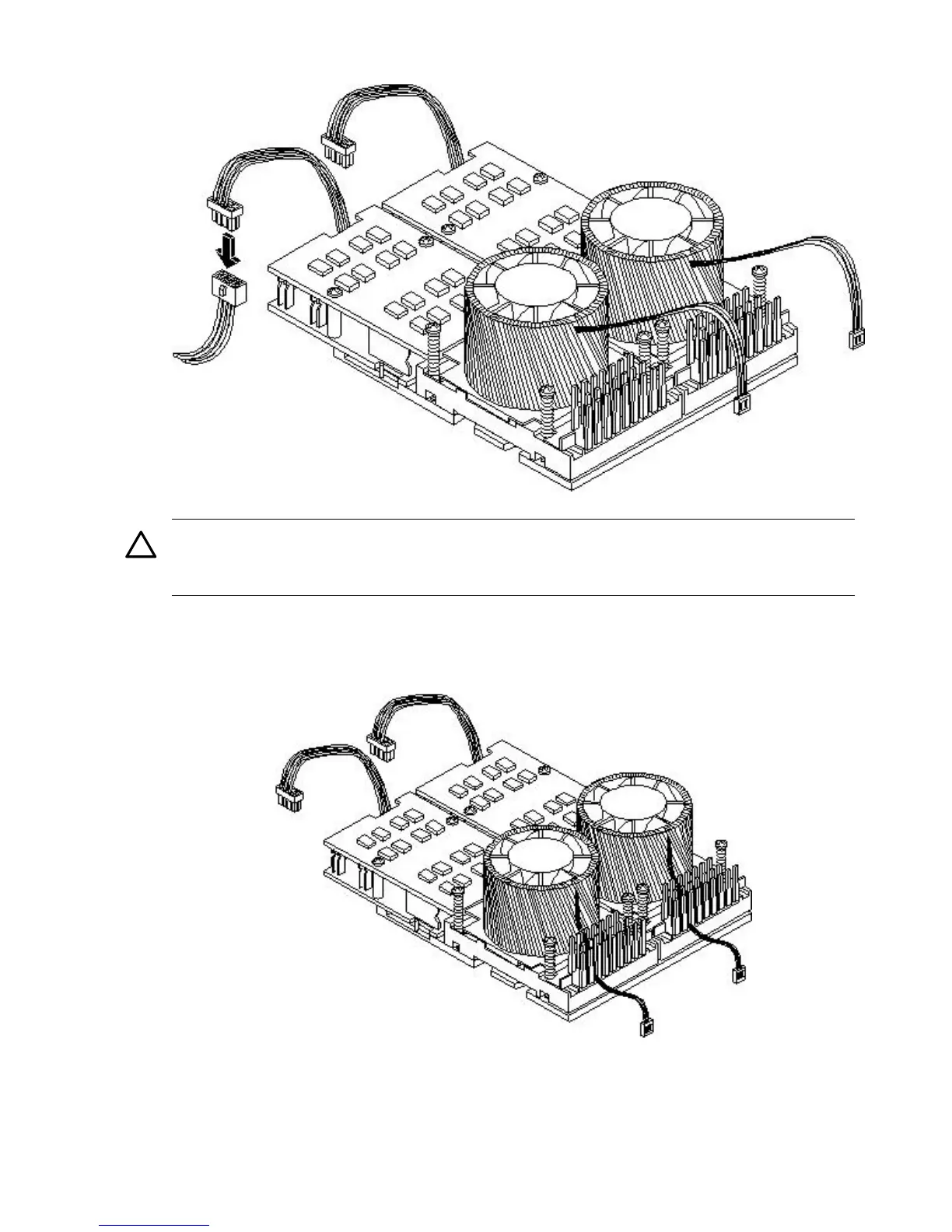
Figure 3-45 Connecting the Power Pod Cable
CAUTION: Turbo fan power cables can be damaged if pinched between the heatsink posts
and the processor airflow guide. Ensure that the cables are below the top surface of the
heatsink posts before installing the processor airflow guide.
15. Route the turbo fan power cables through the heatsink posts so that the cables will not be
pinched when the processor airflow guide is set in place.
Figure 3-46 Routing the Turbofan Power Cables through Heatsink Posts
16. Connect the turbo fan power cable to the system board.
17. Replace the processor airflow guide. (See “Replacing the Processor Airflow Guide” (page 69).)
18. Replace the memory airflow guide. (See “Replacing the Memory Airflow Guide” (page 66).)
84 Installing the System



 To Next Page