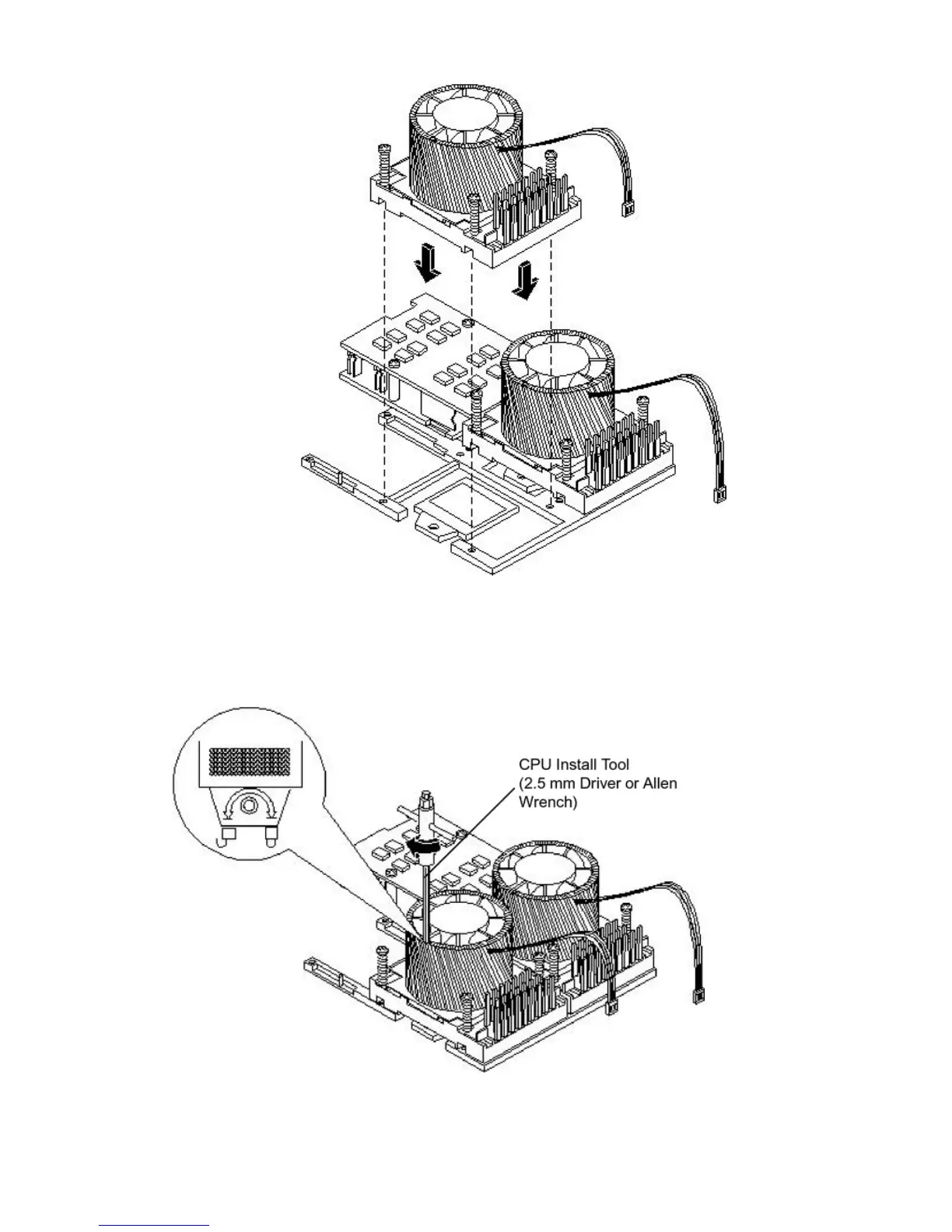
Figure 3-38 Aligning the Processor Module
8. Use the special CPU install tool (2.5 mm driver or Allen Wrench) to lock the dual processor
module in place on the system board. To do this, insert the CPU install tool into the hole
that runs down the side of the heatsink and rotate it clockwise 180 degrees.
Figure 3-39 Locking the Dual Processor Module in Place
9. Slide the sequencing retainer plate toward the front of the server.
80 Installing the System



 To Next Page