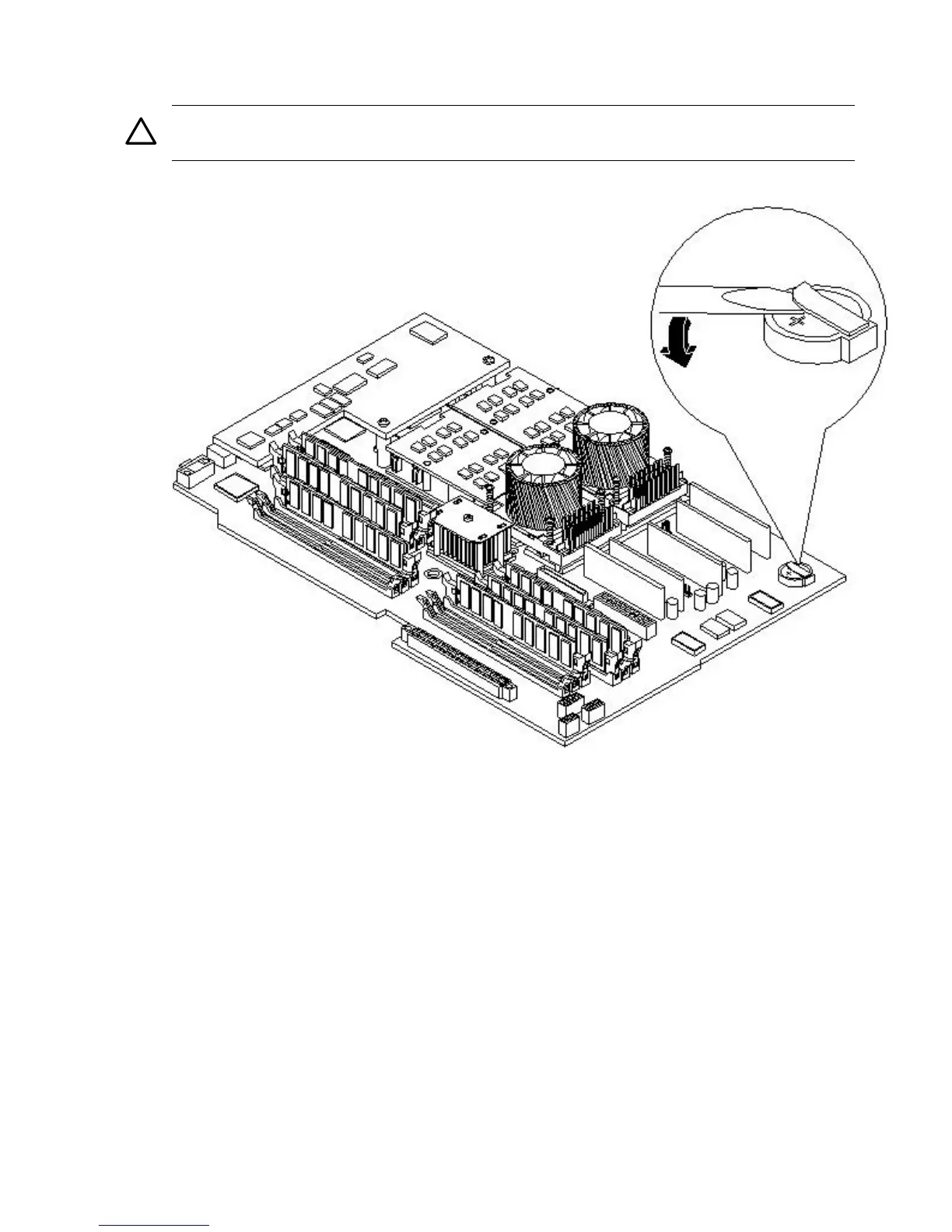
6. Lift up on the battery holder retaining clip with a flat-head screwdriver and slide the battery
into the holder. The positive (+) terminal of the battery faces up.
CAUTION: Only lift the battery high enough to clear the holder. Excessive stress on the
battery holder retaining clip can damage the clip.
Figure 3-47 Replacing the System Battery
7. Replace the cover. (See “Removing and Replacing Server Covers and Bezels” (page 52) for
instructions.)
8. Reconnect the power and external cables and turn on the server.
9. Reset the server time and date using the BCH DATE command. Once you have set the time
and date:
a. Power off the server.
b. Unplug the power cord, and wait for a minute before turning it back on.
c. Execute the DATE command again. If the time and date are now correct, you have
installed the battery correctly.
10. If necessary, reconfigure the iLO MP.
Installing the Server Into a Rack, Non-HP Rack, or Pedestal
The following information describes how to install the server into an HP rack. Information is
also provided on approved non-HP rack and pedestal-mounted alternatives.
86 Installing the System



 To Next Page