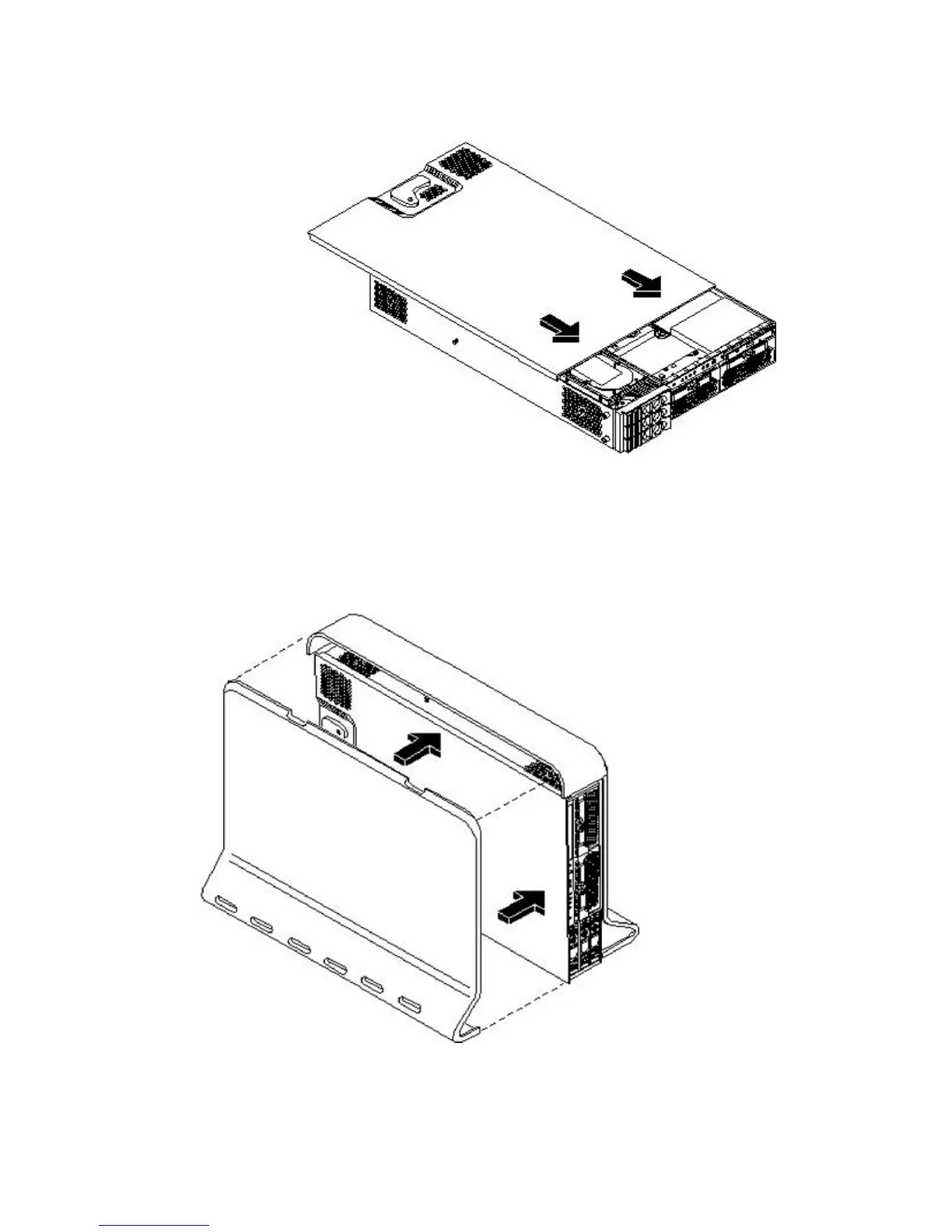
2. Place the top cover on the chassis and slide it toward the front of the server until the blue
release lever snaps in place.
Figure 3-14 Replacing the Top Cover on a Pedestal-Mounted Server
Replacing the Side Cover on a Pedestal-Mounted Server
To replace the side cover, follow these steps:
1. Align the cover mounting holes with the matching tabs on the server chassis.
Figure 3-15 Replacing the Side Cover on a Pedestal-Mounted Server
2. Close the cover until it snaps onto the server chassis.
Installing Additional Components 59



 To Next Page