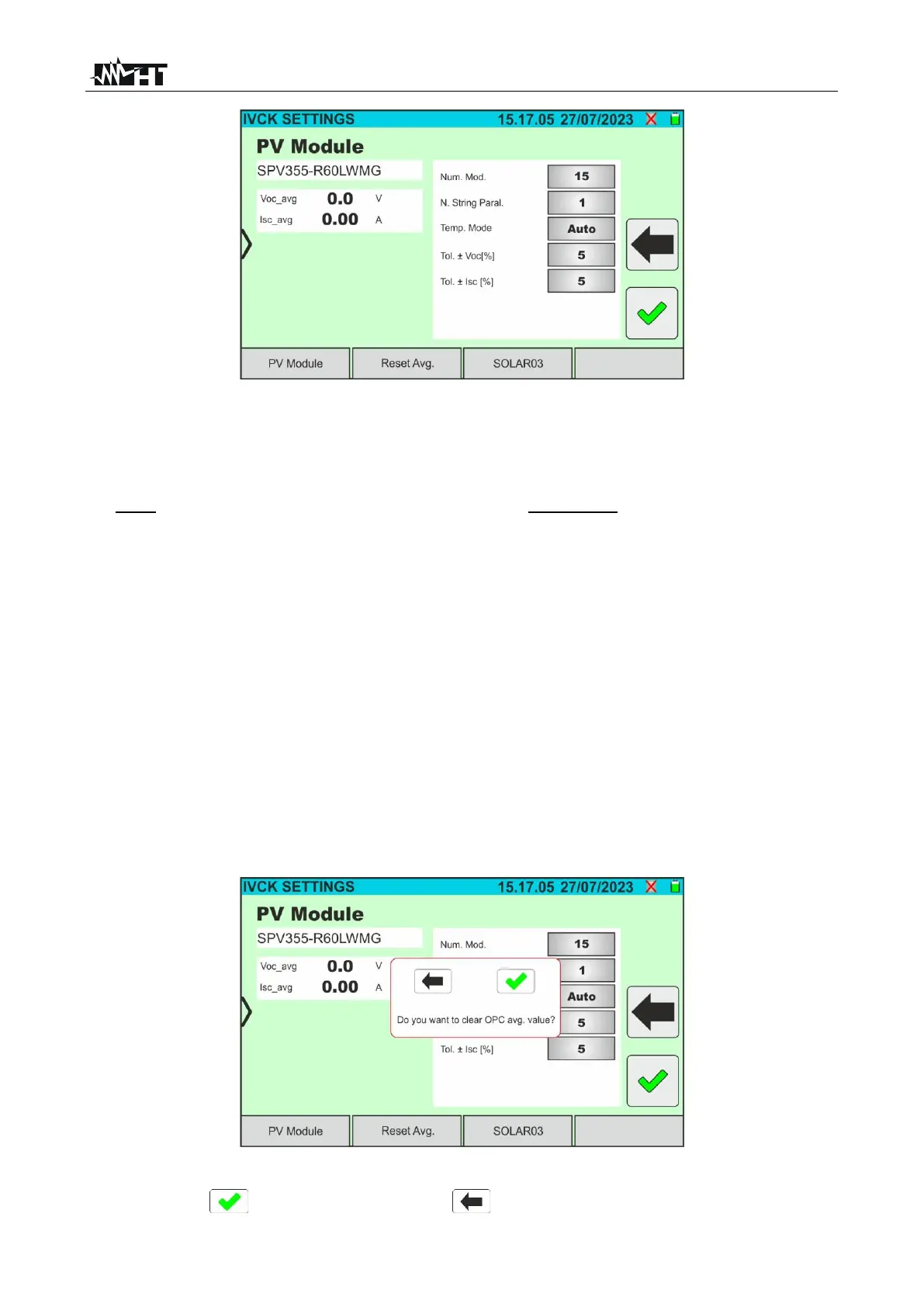
Fig. 48: IVCK test parameter settings
7. Tap on the "PV Module” key to change the PV module to be tested. The instrument
opens the DB section, where a new module can be selected from the list in the DB
section (see § 6.3)
8. Drag each of the 5 available thumb wheels to the right or left in order to set the desired
value of the following parameters:
➢ Num. Mod → to set the number of modules in the string being tested(max. 35)
➢ N. String Paral. → to set the number of strings in parallel (max. 5). Setting "1”
indicates the presence of only one string
➢ Temp. Mode → to set the module temperature measurement mode. The following
options are available: Auto (temperature calculated by the instrument based on Voc
measurement - no probe connected and recommended option), Meas.
(temperature measured via PT305 probe connected to the SOLAR03 remote unit)
➢ Tol. ± Voc [%] → setting of the percentage tolerance in the measurement of Voc in
the range: 1% ÷ 20% (typical 5%)
➢ Tol. ± Isc [%] → setting of the percentage tolerance in the measurement of Isc in
the range: 1% ÷ 20% (typical 10%)
9. Tap on the "Reset AVG” key to reset the average values of the Voc_avg and Isc_avg
parameters (average values of Voc and Isc in the 10 previously saved tests) before
starting a new measurement. The following screen will appear:
Fig. 49: Resetting average Voc and Isc values in the IVCK test
10. Tap on the key to confirm or on the key to exit without proceeding



 To Next Page