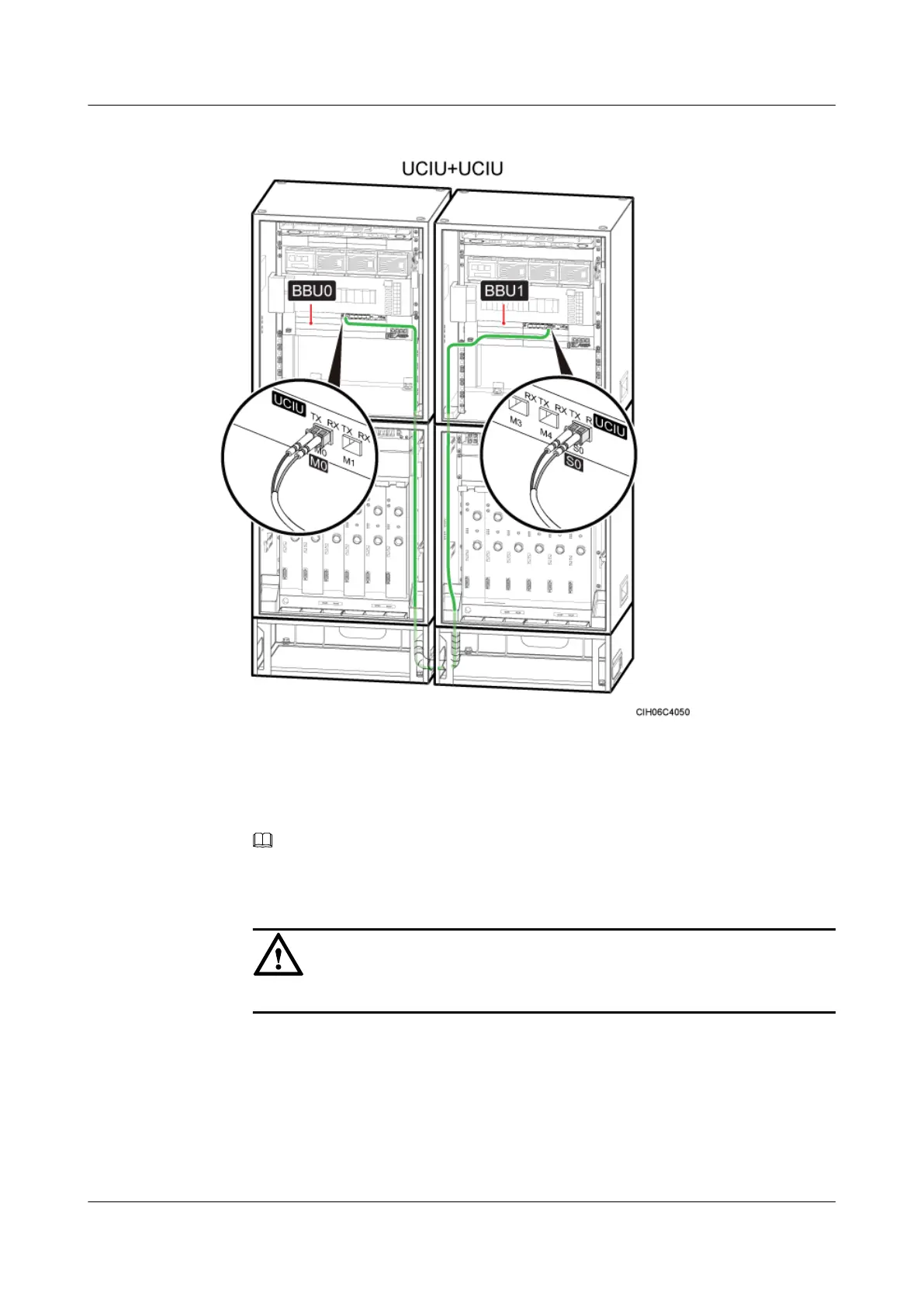
Figure 12-66 Installing Inter-BBU Signal Cable
Step 3 Install the cable on the BBU1 side, For details, see Installing Optical Modules and Cables.
1. Install the same type of optical module to the port S0 on the UCIU on BBU1.
NOTE
The optical modules with the same label are of the same type.
2. Insert one end of the DLC connector labeled 1A and 1B on the cable into the optical module.
CAUTION
The TX and RX ports on one UCIU must be connected to the TX and RX ports, respectively.
Step 4 Attach labels to the installed cables. For details, see Attaching an L-Shaped Label.
----End
BTS3900A(Ver.B)
Installation Guide 12 Installing the Cables
Issue 01 (2011-10-25) Huawei Proprietary and Confidential
Copyright © Huawei Technologies Co., Ltd.
146












 To Next Page