11.1 Installing the SLPU
The SLPU can work as a protection unit of trunk signals or monitoring signals. This section
describes the procedure for installing the SLPU that is used to protect monitoring signals. The
SLPU used to protect monitoring signals is installed below the BBU, occupying a 1 U space.
Prerequisite
The tools, such as a screwdriver and a pair of ESD gloves, are available.
Context
The SLPU that is used to protect monitoring signals is configured with two Universal Signal
Lightning Protection unit type 2 (USLP2s) before delivery. Figure 11-1 shows the panel of the
USLP2.
Figure 11-1 The panel of the USLP2
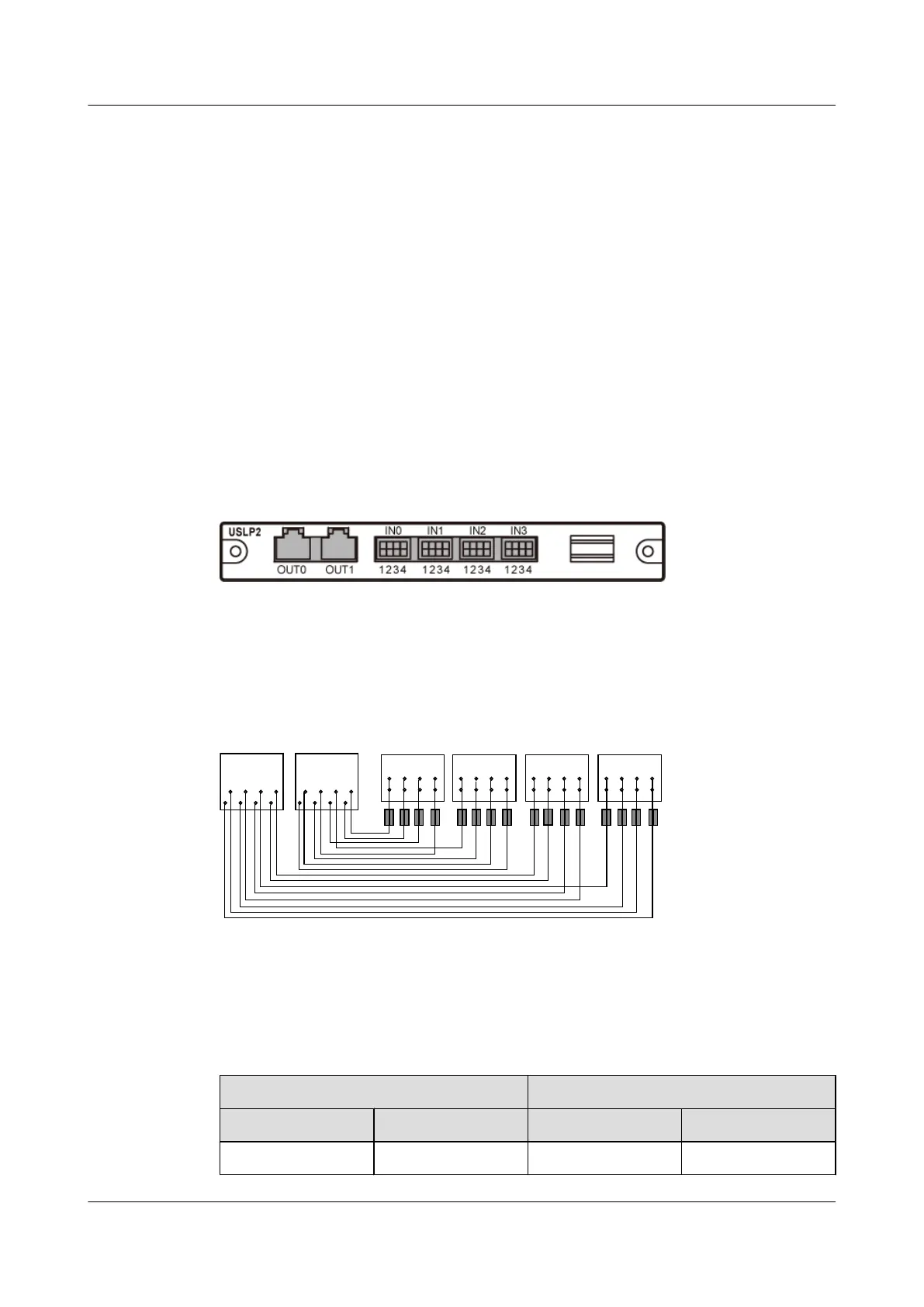
Figure 11-2 shows the mapping relationship between the pins in the input and output ports on
the USLP2.
Figure 11-2 Mapping relationship between the pins in the input and output ports on the USLP2
1
2
3 4 1
2
3 4 1
2
3 4 1
2
3 4
8 6 4 2
7 5 3 1
8 6 4 2
7 5 3 1
IN0 IN1 IN2 IN3
OUT0 OUT1
Table 11-1 lists the mapping relationship between the pins in the input and output ports on the
USLP2.
Table 11-1 Mapping relationship between the pins in the input and output ports on the USLP2
Input
Output
Label Pin Label Pin
IN0 IN0.1 OUT1 OUT1.1
BTS3900A(Ver.B)
Installation Guide 11 Installing Optional Modules
Issue 01 (2011-10-25) Huawei Proprietary and Confidential
Copyright © Huawei Technologies Co., Ltd.
58












 To Next Page