v 1.0 — August 2018 Altanium Neo5
Page 119
Chapter 13 Data Exchange
You can store reports and images to the Neo5 hard drive. From the file management screen
you can move the reports/images to a network or USB device for sharing, storing or printing.
Or you can save directly to the USB device or network>
13.1 Select Reports Process Data and Settings
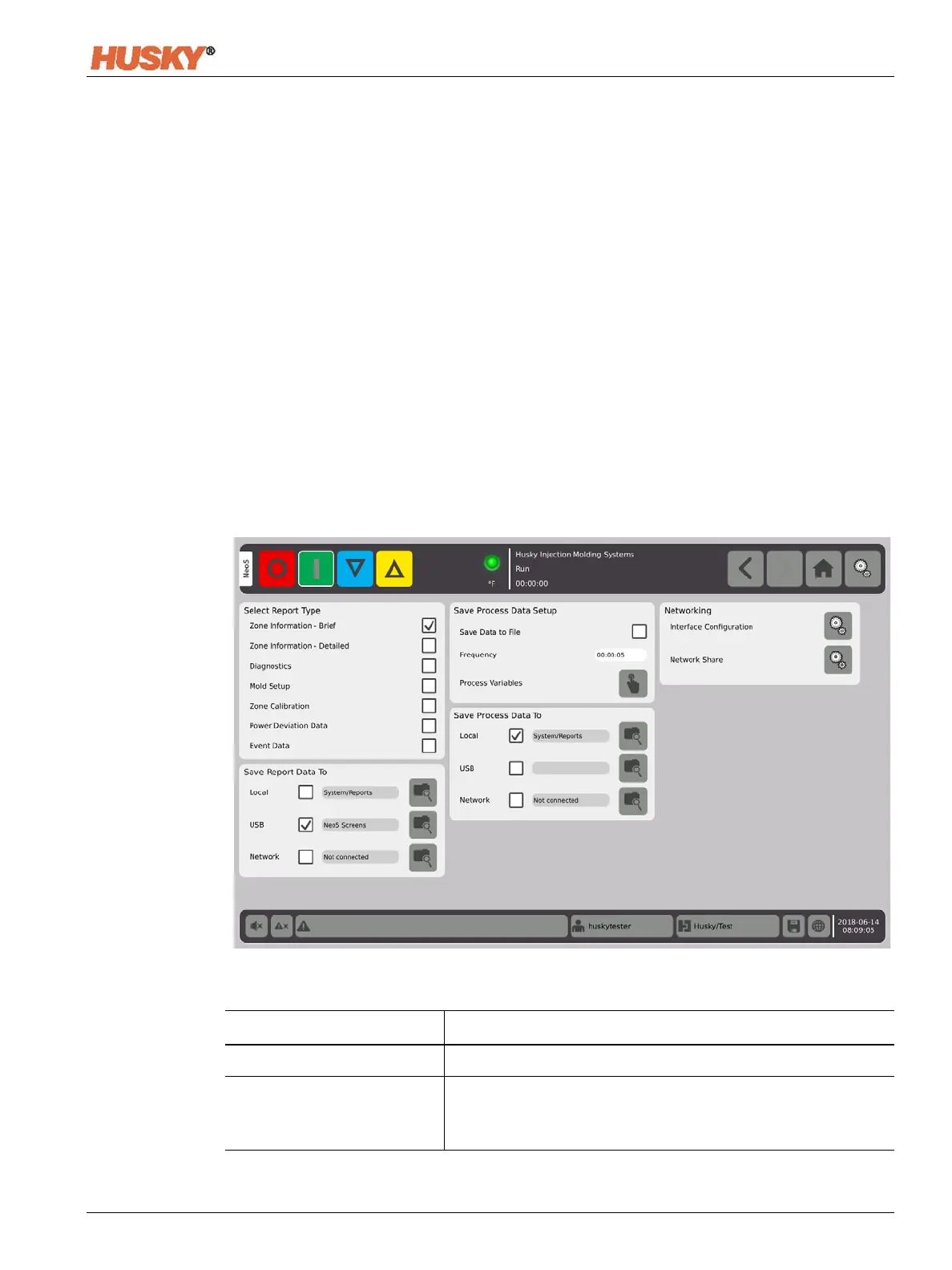
1. On the Home Screen, in the Data Collection and Monitoring row, select Data Exchange.
2. On the Data Exchange screen, select the reports that you want to save.
Item Description
Select Report Type Put a check in the box next to the report that you want to save.
Save Report Data To Put a check in the box next to where you want to save the report.
A USB Device must be installed in the USB port or the Neo5 must
be connected to a network.


 To Next Page