v 1.0 — August 2018 Altanium Neo5
Page 76
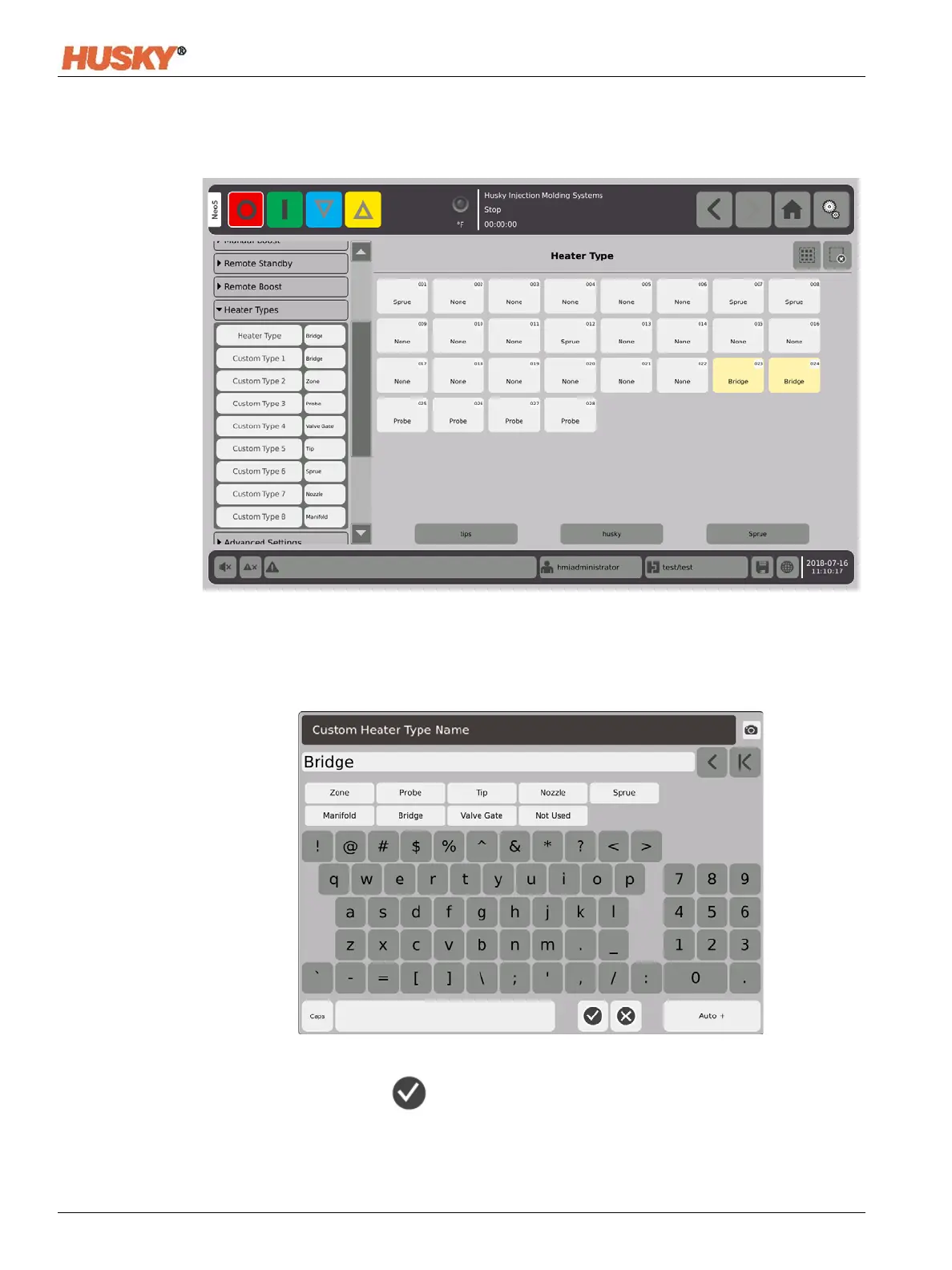
7.5.9 Heater Types
1. Assign names to one or more of the Custom Heater Types (1 thru 8).
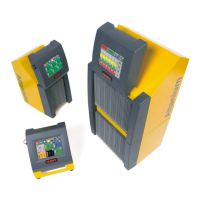
a. Touch the field to the right of the Custom Type 1. The Custom Heater Type Name
keyboard screen will be displayed.
b. Use the keyboard to enter in the heater type name or select one of the nine heater
type names, then .
c. As necessary, do steps 1.a. and 1.b. to enter the Custom Type 2 thru Custom Type 8
names.



 To Next Page