C-8
i-CAT FLX Installation Manual
032-0330-EN Rev K
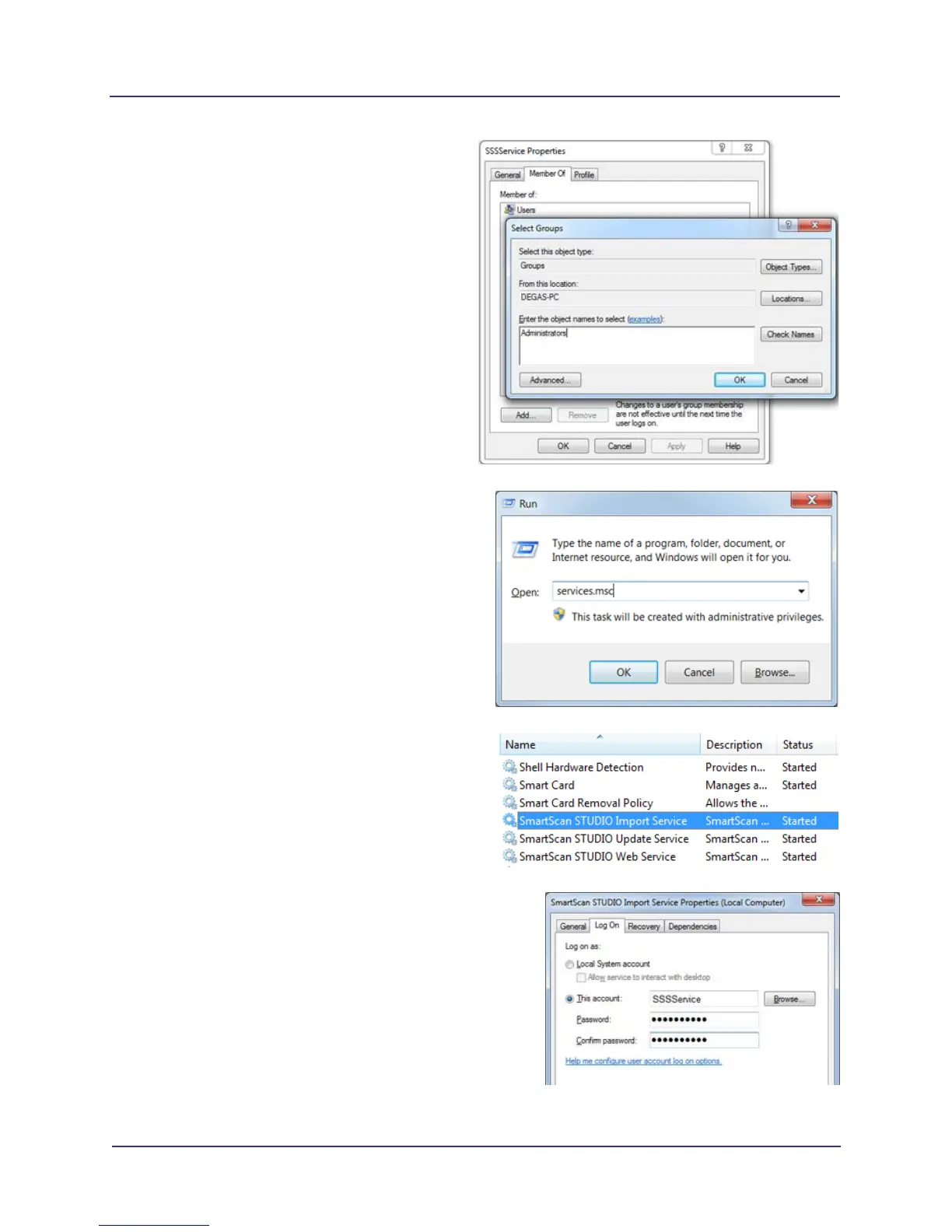
b. On the Member Of tab, click Add.
c. Enter Administrators in object name field,
then click OK to close any open windows.
The user is now a member of the
Administrators group.
3. Update the SmartScan STUDIO Integration
Services to use the SSSService account for
logon so that the network share can be
accessed.
a. Open the Services control panel by
pressing the Windows key and R key.
b. Type services.msc, then click OK.
c. On the resulting list, double-click one of the
three SmartScan STUDIO services to
display the Properties window.
d. Click the Log On tab, then select This
account button.
e. Enter the username and password created
in step 1, and click OK. Click OK again on
the dialog.
f. Repeat for all SmartScan STUDIO
services.



 To Next Page