29
6
REPEATER AND DUPLEX OPERATIONS
1
2
3
4
5
6
7
8
9
10
11
12
13
14
15
16
17
18
19
■ Repeater operation
When using a repeater, the transmit frequency is shifted from
the receive frequency by the offset frequency.
(p. 97) It is con-
venient to program repeater information into memory chan-
nels.
(p. 66)
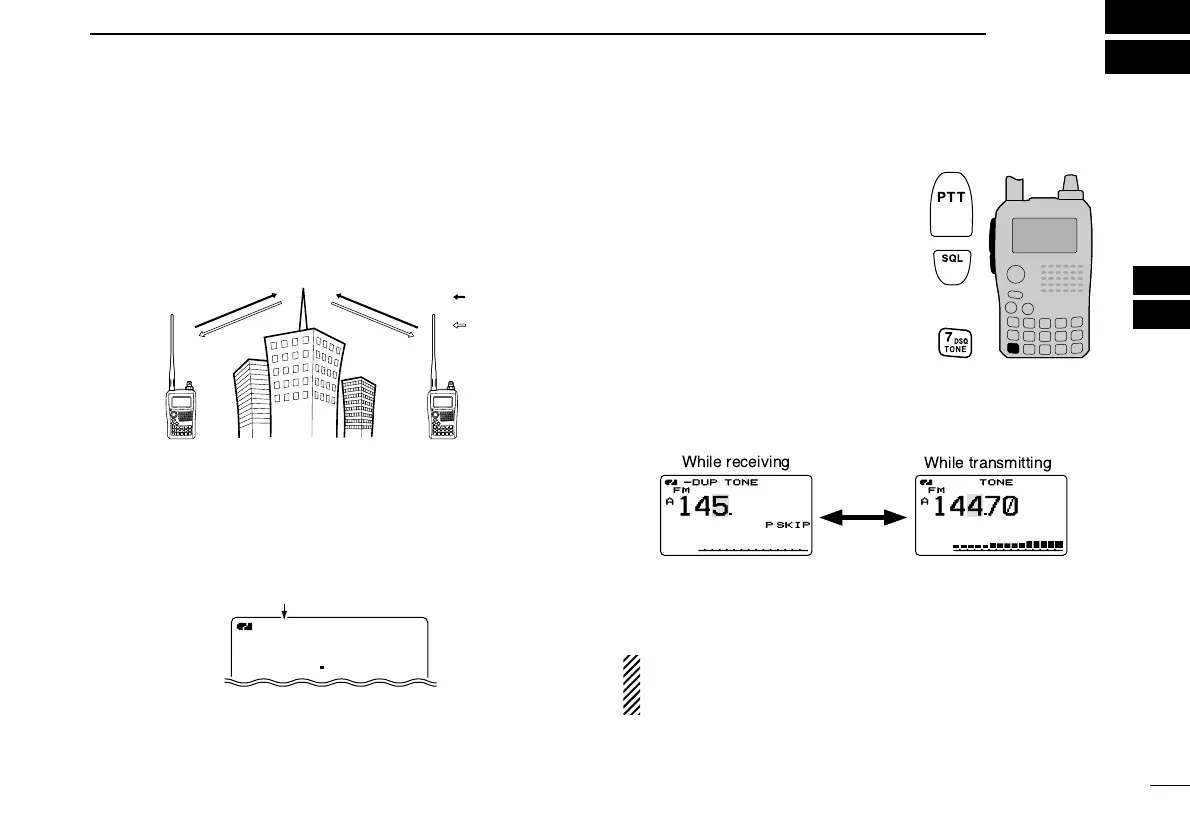
q Set the receive frequency (repeater output frequency).
w Set the shift direction of the transmit frequency.
(–DUP or
+DUP; see p. 31 for details.)
• When the auto repeater function is in use (U.S.A. and Korean
versions only), this selection and step e are not necessary.
(p. 32)
e Push and hold [TONE](7) for 1
sec. to activate the subaudible
tone encoder, according to re-
peater requirements.
•“TONE” appears.
Refer to p. 107 for tone frequency
settings.
r Push and hold [PTT] to transmit.
• The displayed frequency automati-
cally changes to the transmit frequency (repeater input fre-
quency).
• If “OFF” appears, check the offset frequency or shift direction.
(p. 30)
t Release [PTT] to receive.
y Push and hold [SQL] to check whether the other station’s
transmit signal can be directly received or not.
U.S.A. and Korean versions:
Auto repeater function uses standard values of the re-
peater tone frequency and offset frequency.



 To Next Page