77
9
SCAN OPERATION
1
2
3
4
5
6
7
8
9
10
11
12
13
14
15
16
17
18
19
■ Memory scan
IMPORTANT!: To perform memory scan, 2 or more mem-
ory channels MUST be programmed, otherwise the scan
will not start.
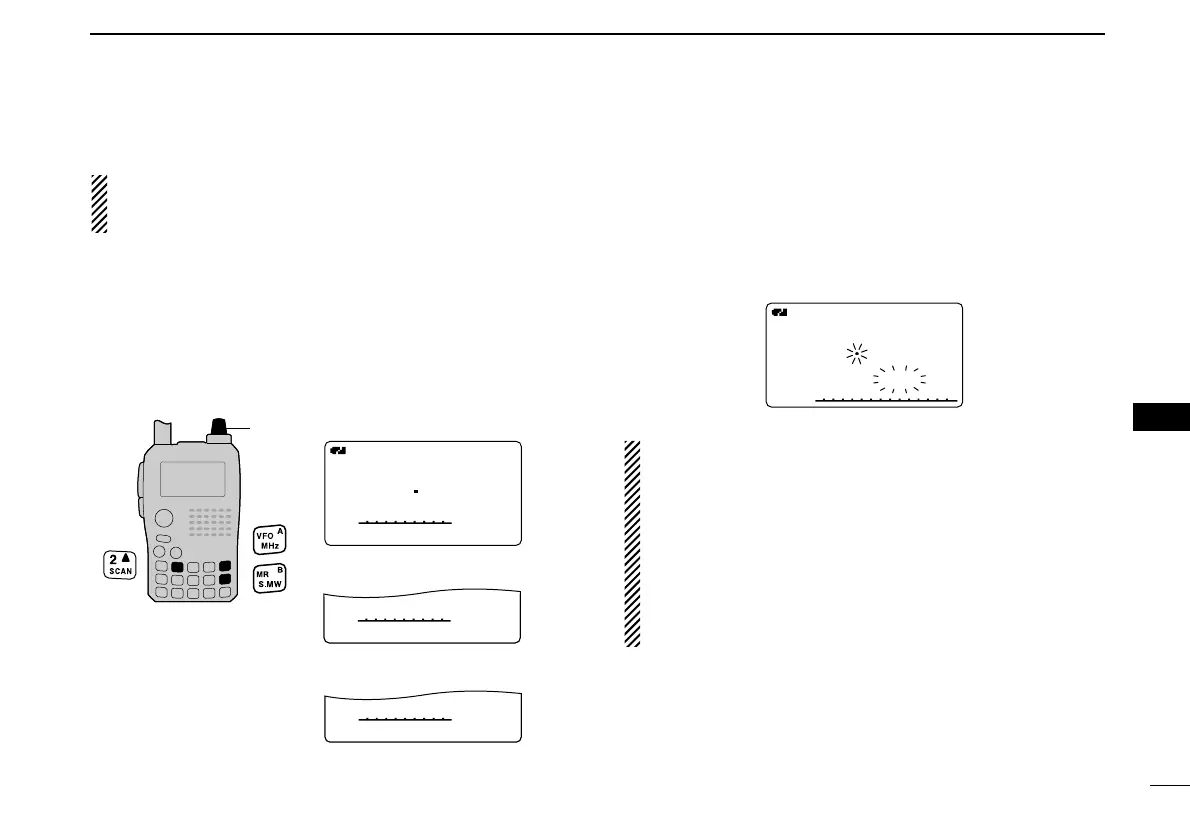
qPush [MR] to select memory mode.
wSet the squelch level.
eWhile pushing and holding [SCAN](2), rotate [DIAL] to se-
lect the desired scanning type.
•“ALL” for full memory scan; “BAND” for band memory scan,
“MODE” for mode scan, “DUP” (appears only when duplex oper-
ation is set) for duplex scan.
rRelease [SCAN](2) to start the selected scan.
• Scan pauses when a signal is received.
• Rotate [DIAL] to change the scanning direction, or resumes
manually.
tTo stop the scan, push [VFO].
Band memory scan function: Repeatedly scans all
memory channels programmed with any frequencies of the
band programmed in the memory channel selected for
scanning.
Mode scan function: Repeatedly scans all memory chan-
nels in which the same operating mode as the selected
memory channel has been programmed.
Duplex scan function: Repeatedly scans two frequencies
(transmission/reception) during duplex scan operation.



 To Next Page