73
8
MEMORY/CALL CHANNELS
1
2
3
4
5
6
7
8
9
10
11
12
13
14
15
16
17
18
19
■ Erasing/transferring bank contents
The bank contents of programmed memory channels can be
cleared or reassigned to another memory bank.
INFORMATION: Even if the memory bank contents are
cleared, the memory channel contents still remain pro-
grammed.
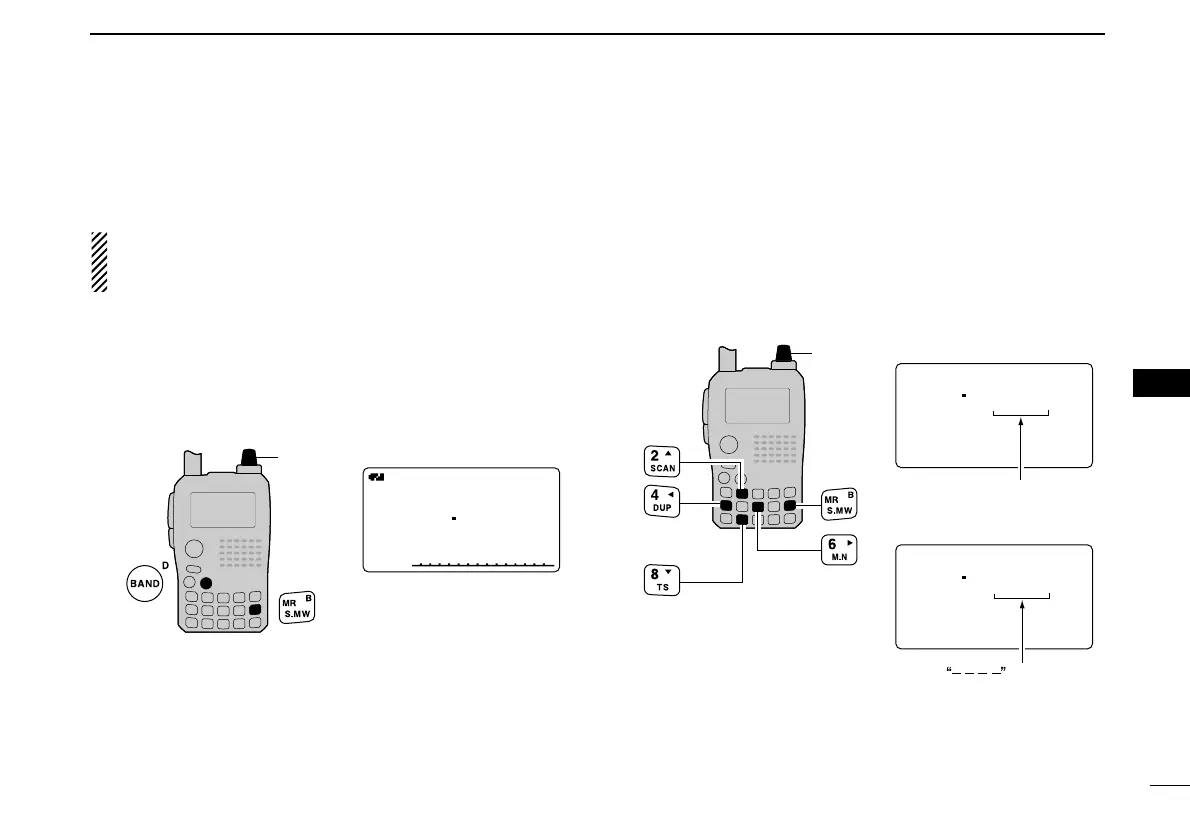
qSelect the desired bank contents to be transferred or
erased from the bank.
(p. 68)
➥ Push [MR] several times to select memory bank mode.
➥ While pushing [BAND], rotate [DIAL] to select the de-
sired memory bank group.
➥ Rotate [DIAL] to select the bank channel.
wPush [S.MW](MR) for 1 sec. to enter select memory write
mode.
• 1 short and 1 long beeps sound.
• Displays the original memory channel number automatically and
“
µµ
” indicator blinks.
• Do not hold [S.MW](MR) for more than 2 sec., otherwise the
memory contents will be copied to VFO.
ePush [
∫∫
](2) or [
√√
](8) to select “BANK.”
rPush [
≈≈
](6) or [
ΩΩ
](4) several times to select the desired
bank group to be transferred.
• Select “– – – –” indication when erasing the contents from the
bank.
tRotate [DIAL] to select the desired bank channel.
• Skip this step when “––––” indication is selected in step r.
yPush [S.MW](MR) for 1 sec. to erase/transfer the bank
contents.



 To Next Page