33
8
DSC OPERATION
New2001
1
2
3
4
5
6
7
8
9
10
11
12
13
14
15
16
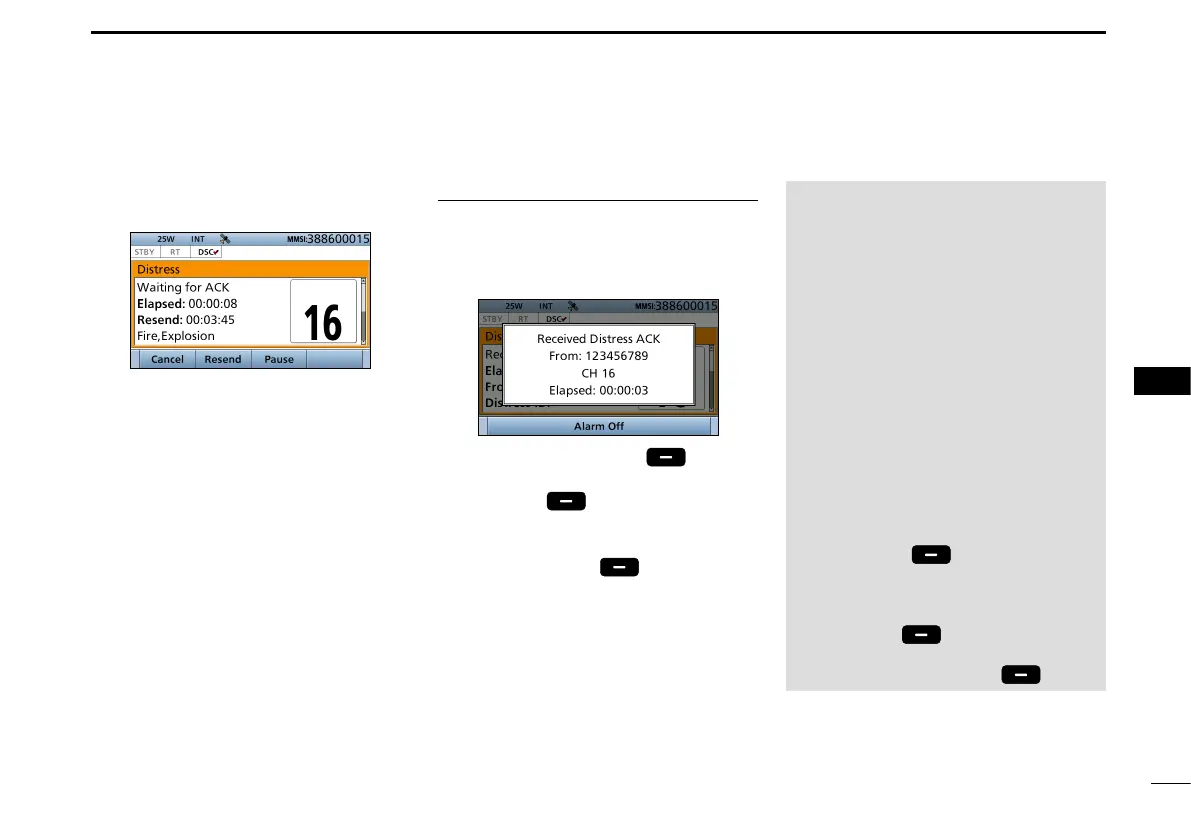
2. After sending, the following screen
is displayed.
• Channel 16 is automatically selected.
L See page 29 or page 30 for
details of the Task mode’s software
key functions.
NOTE:
Transmitting:
• A distress alert default contains:
- Nature of distress:
Undesignated distress (Simple call)
Selected in Step 2 (Regular call)
- Position information:
The latest GPS or manual input
position is held for 23.5 hours, or until
the power is turned OFF.
Waiting for an acknowledgement:
• The transceiver automatically sends a
Distress call every 3.5 to 4.5 minutes,
until receiving an acknowledgement (‘Call
repeat’ mode), or sending a DSC Cancel
call. (p. 35)
•
To manually send a Distress Repeat call:
Push [Resend] .
• To view the call contents:
Rotate [CH/ENT].
• To pause the ‘Call repeat’ mode:
Push [Pause] .
To resume it:
Push [Resume Countdown] .
Step 5. Replying
1. When the acknowledgement is
received:
• Alarm sounds.
• The following screen is displayed.
2. Push any [Alarm Off] .
3. Push any [Close Call RCVD
Window]
.
4. Hold down [PTT] to announce your
situation.
5. Push [Standby]
to return to
the Main screen.


 To Next Page