68
9
OTHER FUNCTIONS
New2001
1. Push [MENU].
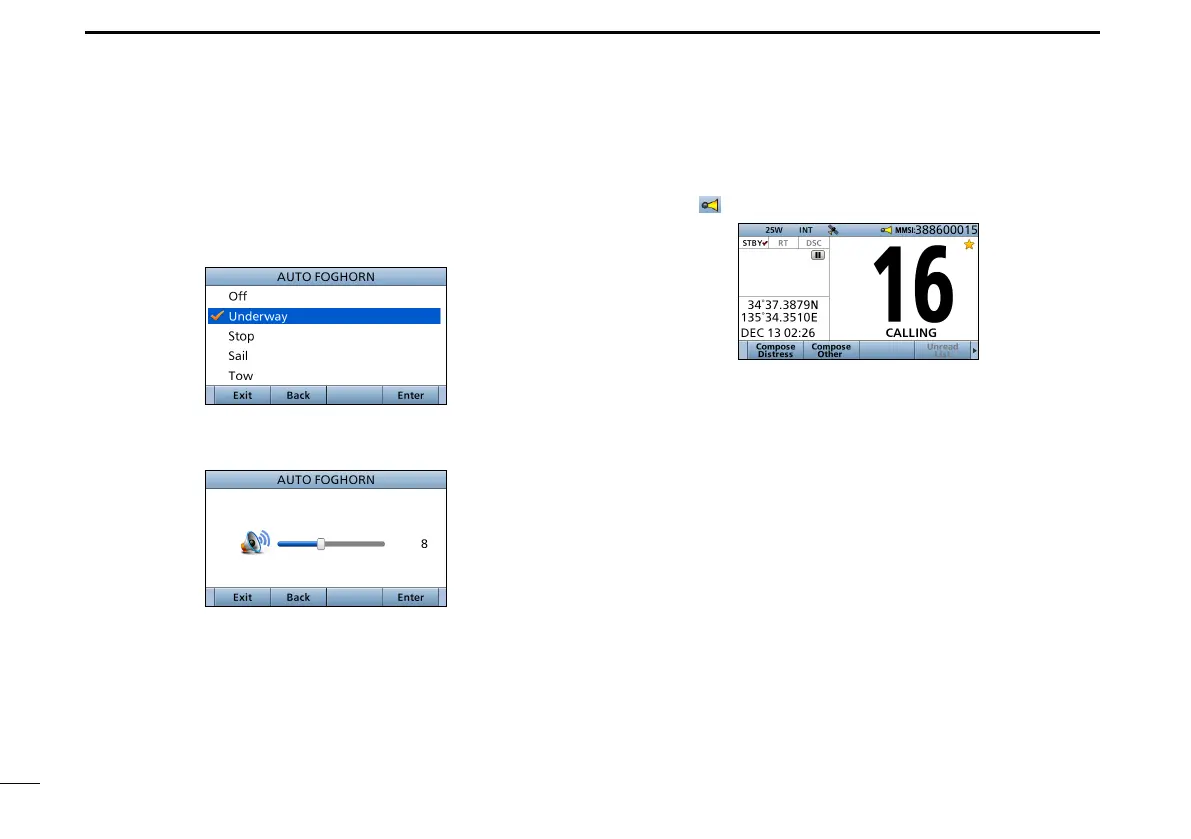
2. Select “Auto Foghorn:,” and then push [ENT].
(Horn > Auto Foghorn:)
3. Select the foghorn pattern, then push [ENT].
4. Rotate [CH/ENT] to adjust the foghorn level.
D Using the Automatic foghorn function (Continued)
5. Push [Exit] to return to the Main screen.
• The “ ”icon is displayed.
L To turn OFF the Auto Foghorn, select “Off” in the “Auto
Foghorn:” menu.
■ Using the horn


 To Next Page