28
7
DTMF MEMORY
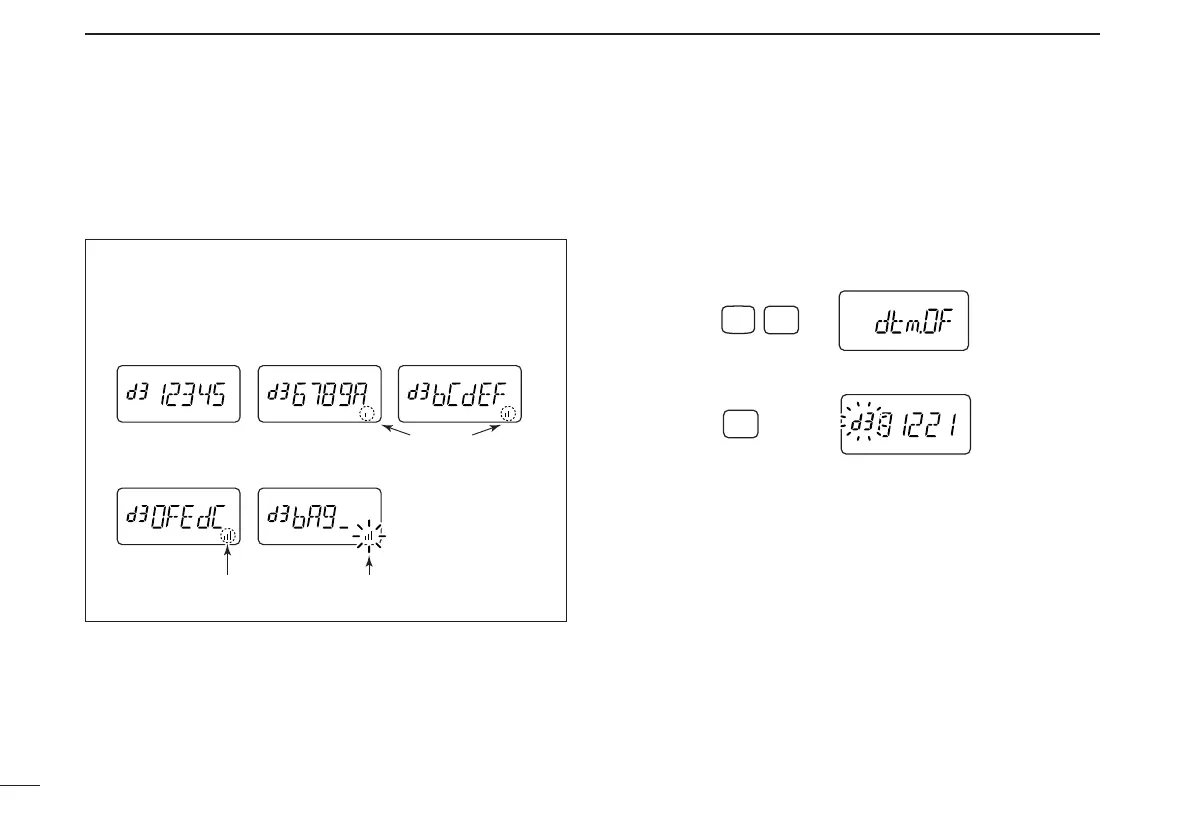
• DTMF memory indication
■ Transmitting a DTMF code
sequence
D Using a DTMF memory channel
qPush [A•
FUNC
], then push [0•
OPT
] to enter
OPTION SET MODE
.
• Rotate [VOL] to select “dtm.OF,” if necessary.
w Push and hold [0•
OPT
] for 1 sec. to select the DTMF memory.
eRotate [VOL] to select the desired memory.
rPush [MONI] or [PTT] to exit the DTMF memory mode.
• Selected DTMF code sequence sounds when [MONI] is pushed.
tWhile pushing [PTT], push [MONI] to transmit the selected
DTMF memory.
• After the DTMF code sequence is transmitted, the transceiver re-
turns to receive automatically.
The DTMF memory consists of 5 pages that are 1st to 5th,
6th to 10th, 11th to 15th, 16th to 20th and 21st to 24th dig-
its.



 To Next Page