32
8
SCAN OPERATION
■ Skip channels
In order to speed up the scan rate, you can select memory
channels you don’t wish to scan as skip channels.
qPush [C•
MR
] to select memory mode, if necessary.
•“
X
” appears.
wSelect a memory channel to set as a skip channel.
ePush [A•
FUNC
] and [6•
SKIP
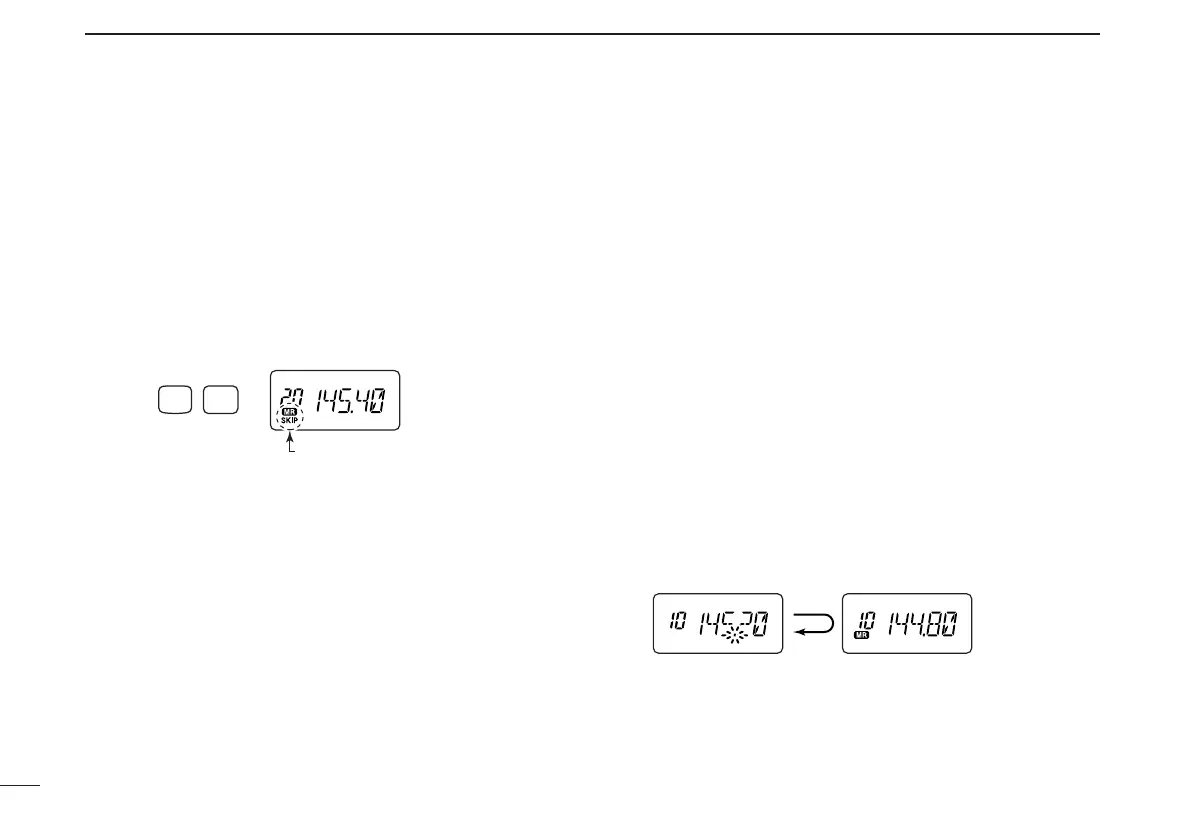
] to toggle the skip setting ON
and OFF.
• “SKIP” appears when the channel is set as a skip channel.
■ Priority watch
Priority watch checks for signals on “priority channels” while
operating on a VFO frequency.
D Memory or call channel watch
While operating on a VFO frequency, memory or call channel
watch monitors for signals in the selected memory or call
channel every 5 sec.
qSelect the desired memory channel or the call channel.
wPush [D•
CLR
] to select VFO mode.
ePush [A•
FUNC
], then push [7•
PRIO
] to start watching.
• VFO is displayed, then the decimal point “.”, on the frequency
readout blinks.
• The priority channel is monitored every 5 sec.
• When the signal is detected on the priority channel, the watching
is suspended according to the setting of the scan resume condi-
tion.
rPush [D•
CLR
] to stop watching.



 To Next Page