ClearMark™ Installation, Operation & User Manual – Page 95
V 1.S.10 January 2021
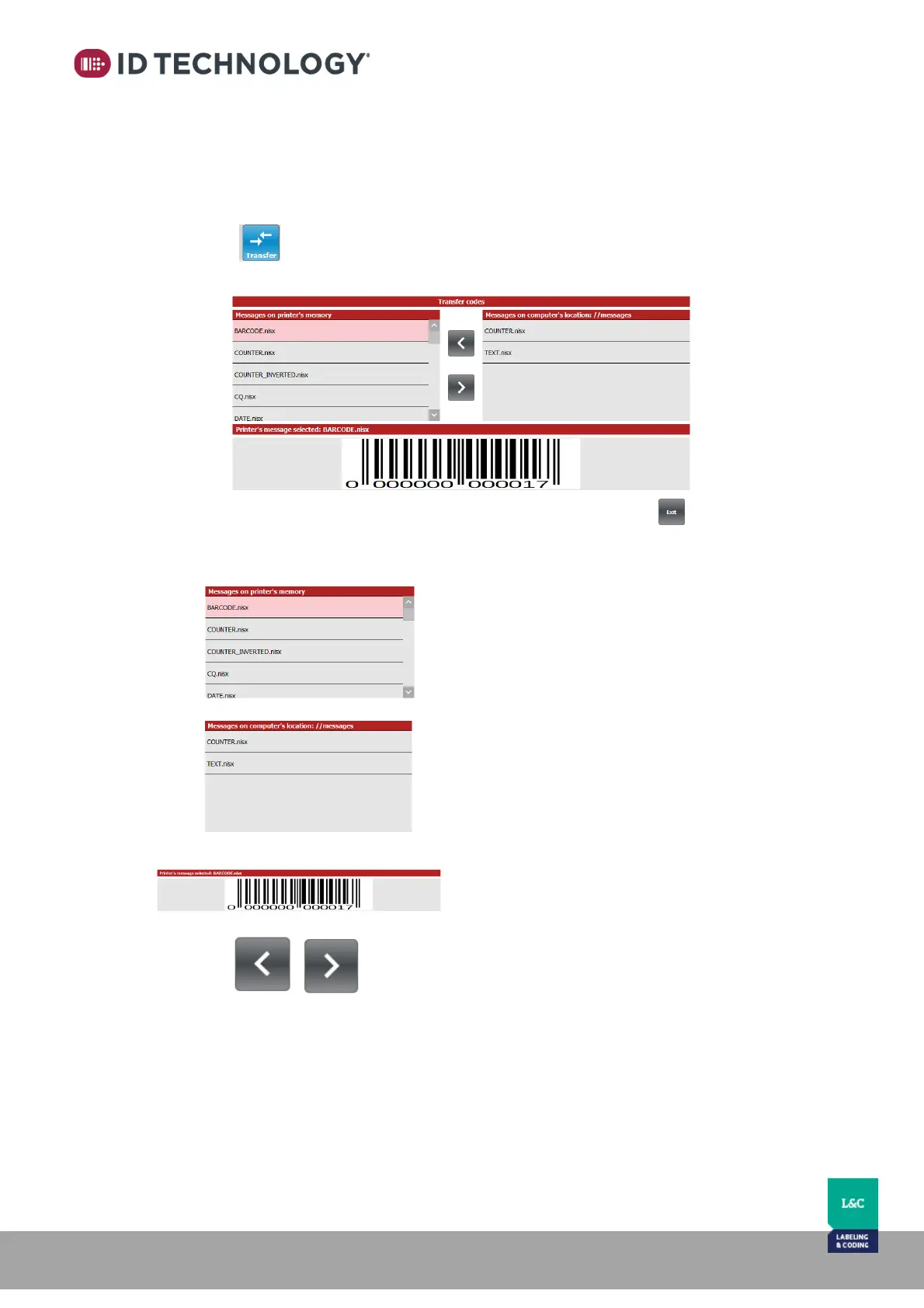
Transfer message files between TIJ Printer and PC.
Follow the next steps to go to the “Transfer codes” screen:
1. Make sure that there is a real TIJ Printer connected. If not, go to “Printers network
settings” and set a connection.
2. Go to “Stored Messages”.
3. Tap on button and the following screen will appear:
Where:
Left side: List of message files loaded in the
internal memory of the TIJ Printer.
Right side: List of message files loaded in the
PC.
Note: The location of these files in the PC is
“installation dir”/bin/messages.
Preview of the selected message.
Buttons to transfer the selected message
from the PC to the TIJ Printer or vice versa.



 To Next Page