Save and load message files directly to the PC
Using the PC Software, it is possible to create and save messages directly on the computer.
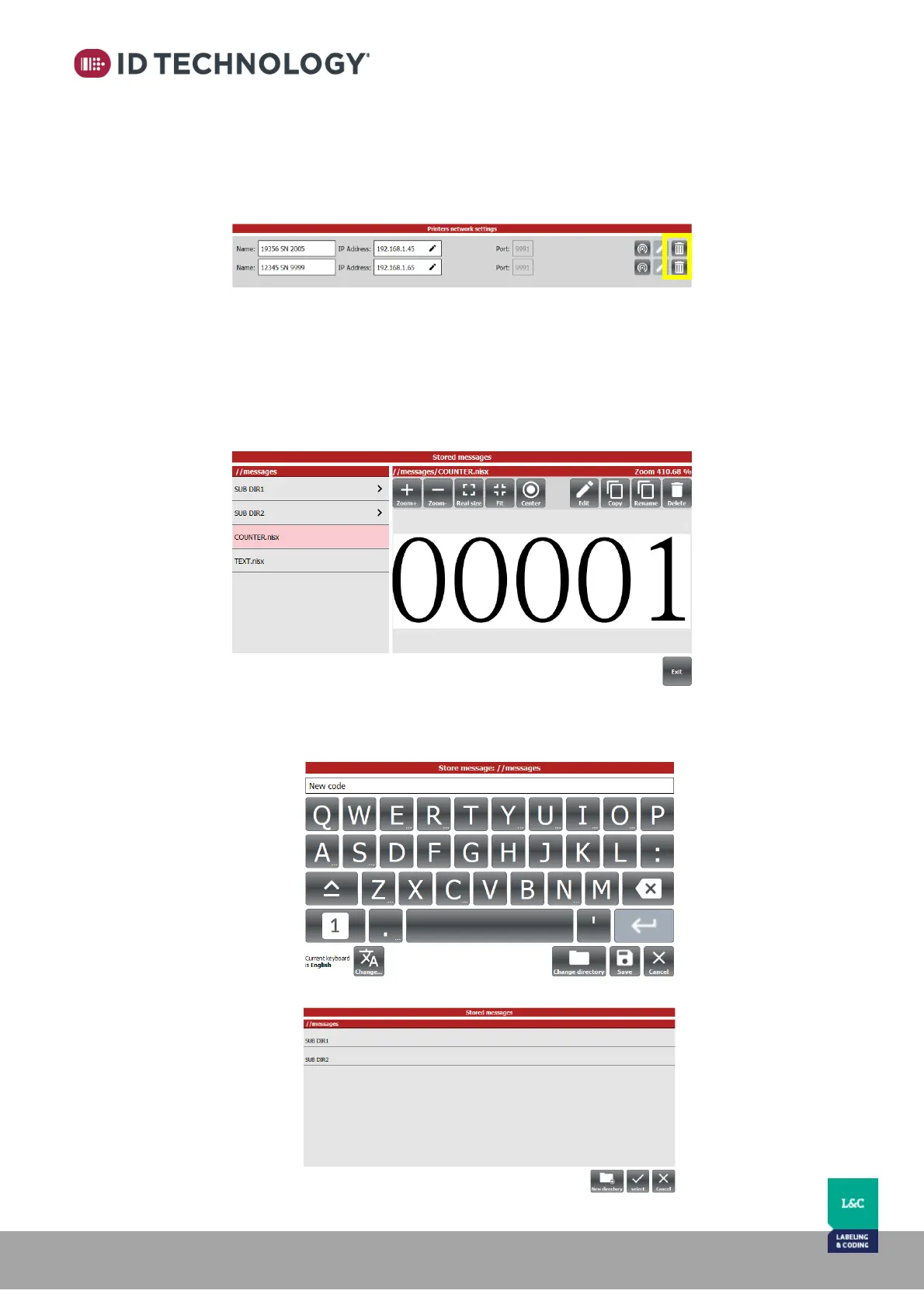
There must be no active connection with a TIJ Printer for this is occur. To remove them go to
“General settings > Advanced Settings tab > Printer network settings” and remove any active
connections. Alternatively, you can simply disconnect any ethernet connections.
Once removed or disconnected, the messages will be saved to computer memory. The
directory where the messages will be saved is: //<<installation directory>>/bin/messages”
This directory can be seen on screen when accessing stored messages or saving messages:
• “Stored messages”: list of the message files from the computer’s directory and
subdirectories:
• When saving a message in the Editor, it will be saved in the assigned computer directory
or in a sub directory within /message:



 To Next Page