4 Using the Data
17-12 WindO/I-NV4 User’s Manual
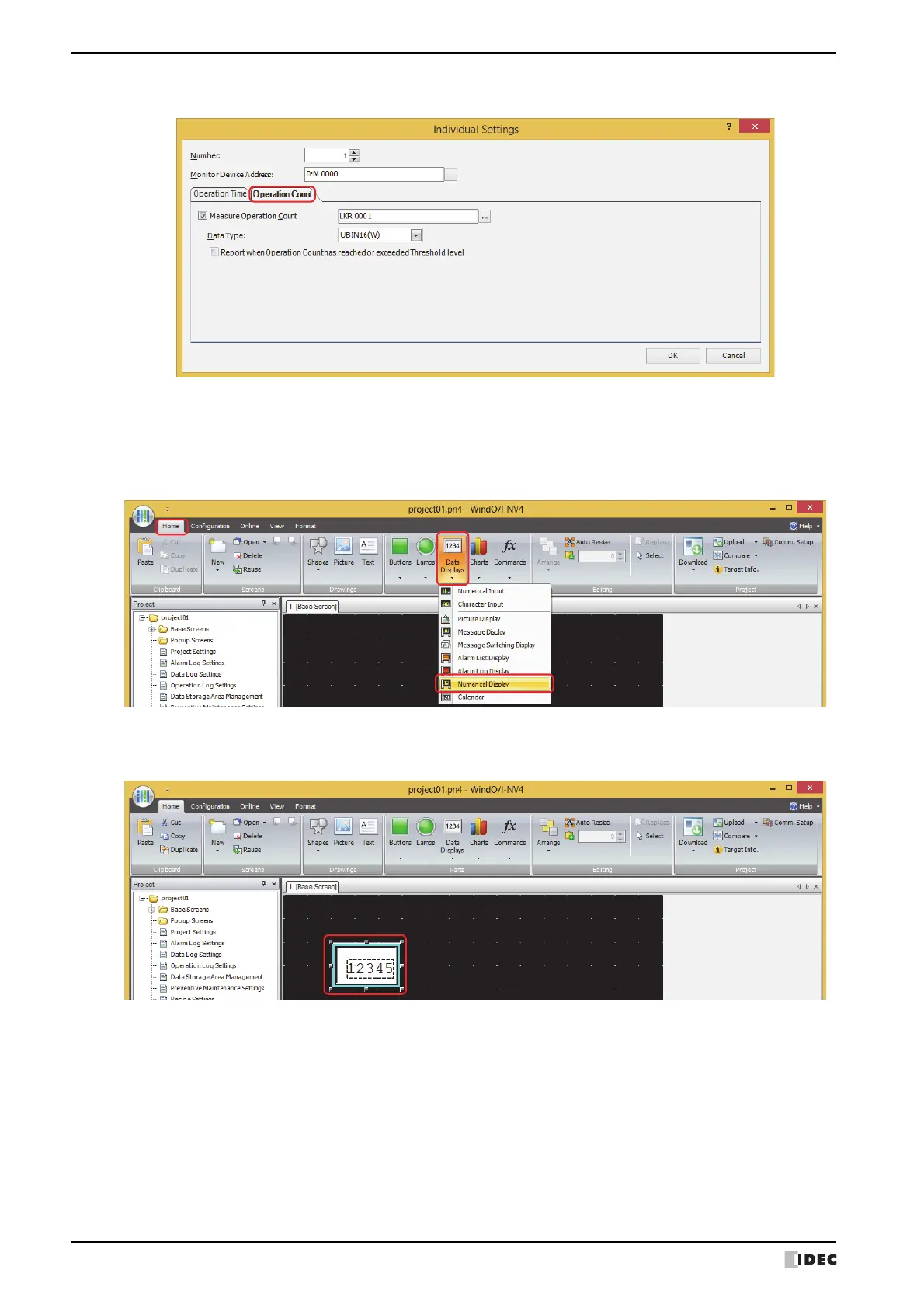
6 Click the Operation Count tab.
7 Select the Measure Operation Count check box and specify the destination device address for the counted
operation count.
8 Select the data type for the value of Measure Operation Count device address with Data Type.
9 On the Home tab, in the Parts group, click Data Displays, and then click Numerical Display.
10
Click a point on the edit screen where you wish to place the Numerical Display.
11
Double-click the dropped Numerical Display and the Properties dialog box is displayed.



 To Next Page
 Loading...