WindO/I-NV4 User’s Manual 4-19
1 Creating and Manipulating WindO/I-NV4 Project Data
4
Project Settings
1.6 Changing Project Settings
● Changing Product Series
This section describes how to change the product series set in the project data being edited.
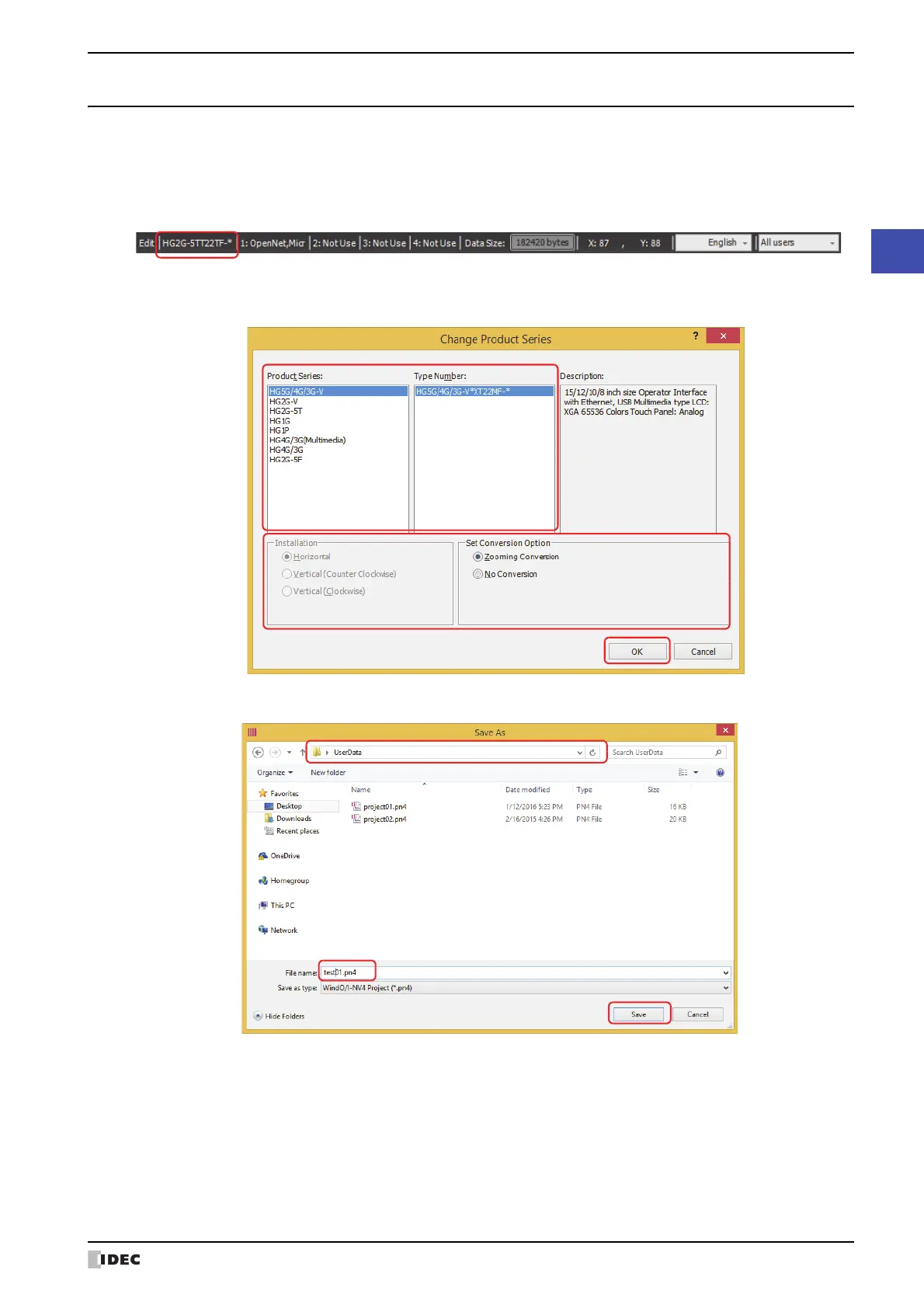
1 Click Change Product Series on the status bar.
The Change Product Series dialog box is displayed.
2 Select Product Series, Model, and Installation, and then click OK.
The Save As dialog box is displayed.
3 Specify the save location and file name, and then click Save.



 To Next Page
 Loading...