3 Project Settings Dialog Box
4-68 WindO/I-NV4 User’s Manual
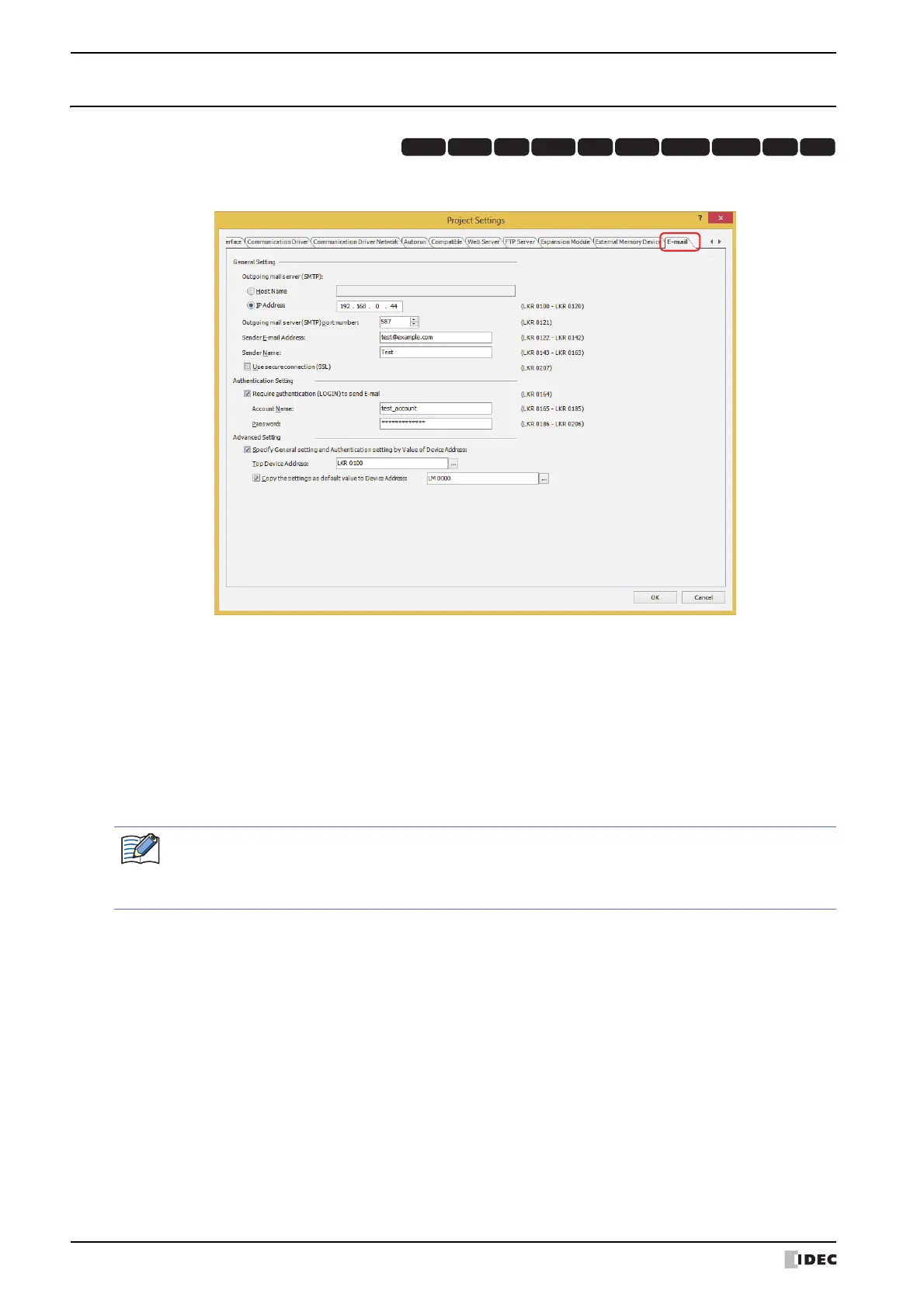
3.14 E-mail Tab
You can set the outgoing mail server (SMTP) to be used for sending an e-mail from MICRO/I. For details, refer to
Chapter 28 “4 E-mail Function” on page 28-40.
■ General Setting
HG3G
HG2G-5FHG5G-V HG4G-V HG3G-V HG2G-V HG2G-5T
HG4G HG1G HG1P
Outgoing mail server (SMTP): Selects the Outgoing mail server (SMTP) setting method.
Host Name: Specifies the Host Name of the outgoing mail server (SMTP).
The maximum number is 40 characters. Only alphanumeric characters
and symbols can be used.
IP Address: Specifies the IP address of the outgoing mail server (SMTP).
The format is “xxx.xxx.xxx.xxx”. “xxx” stands for a numeric value from
0 to 255.
If Host Name is selected, the IP address of the outgoing mail server (SMTP) is looked up and obtained from
the host name using the DNS server. In order to access a DNS server from the MICRO/I, the IP address of
the DNS server must be specified. For details, refer to “ When Ethernet is selected under Interface
Configuration” on page 4-40.



 To Next Page
 Loading...