WindO/I-NV4 User’s Manual 3-89
6 Sub Host Communication
3
Communication
6.4 Sub Host Communication Configuration Procedure
This section describes the configuration procedure for Sub Host Communication.
●
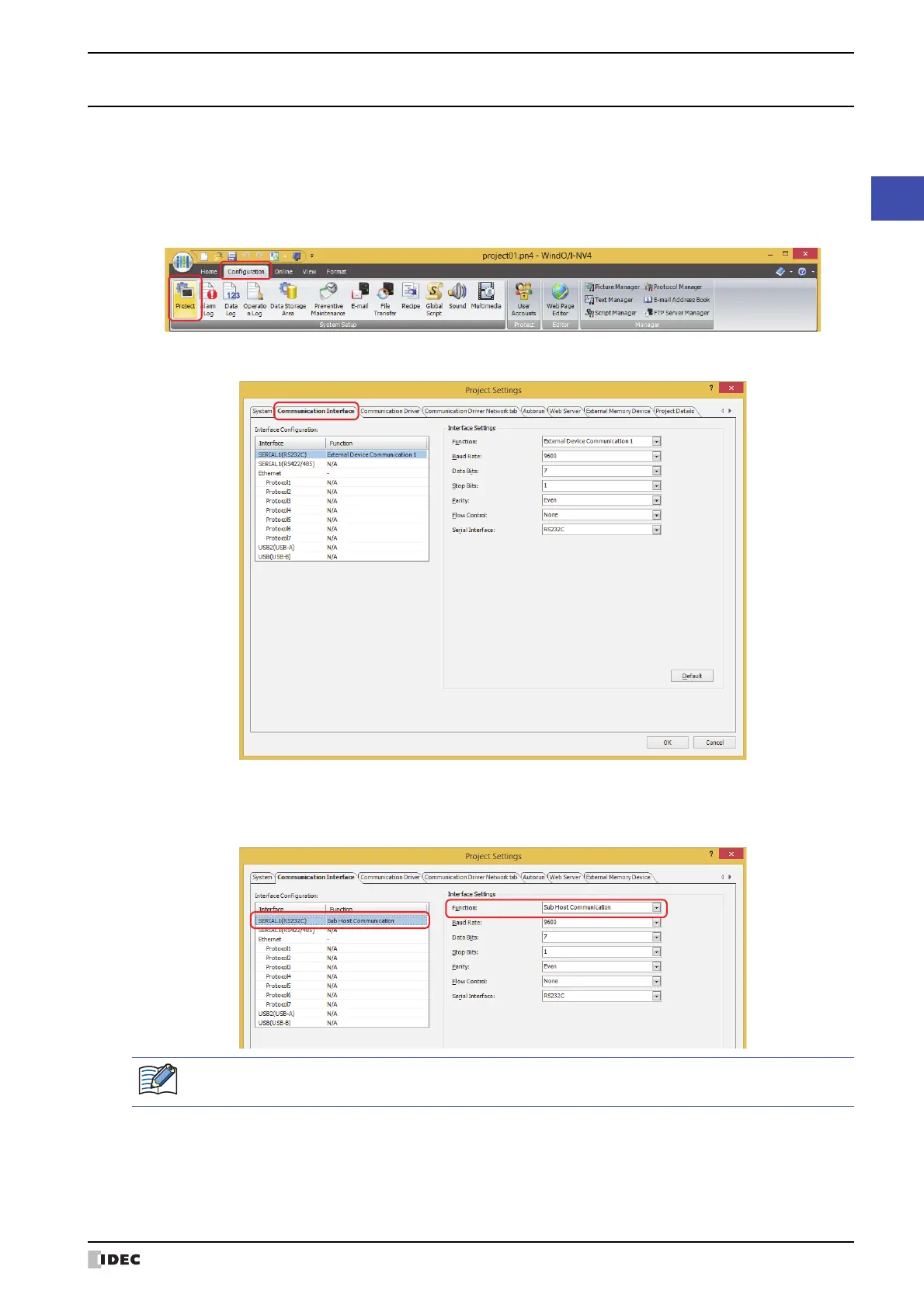
Setting Sub Host Communication for a communication interface
1 On the Configuration tab, in the System Setup group, click Project.
The Project Settings dialog box appears.
2 Click the Communication Interface tab.
3 Select the interface for Sub Host Communication under Interface Configuration, and then select the Sub Host
Communication in Function under Interface Settings.
The Sub Host Communication tab is displayed.
*1 HG5G/4G/3G/2G-V, HG4G/3G, HG2G-5F only
*2 HG1G/1P only
*3 HG2G-5T only
Serial Interface (COM1
*1
, COM2
*1
, COM
*2
, or SERIAL1
*3
) can be used for Sub Host Communication. Two or
more interfaces cannot be used at the same time.



 To Next Page
 Loading...