6 Multi-Command
12-38 WindO/I-NV4 User’s Manual
6.1 How the Multi-Command is Used
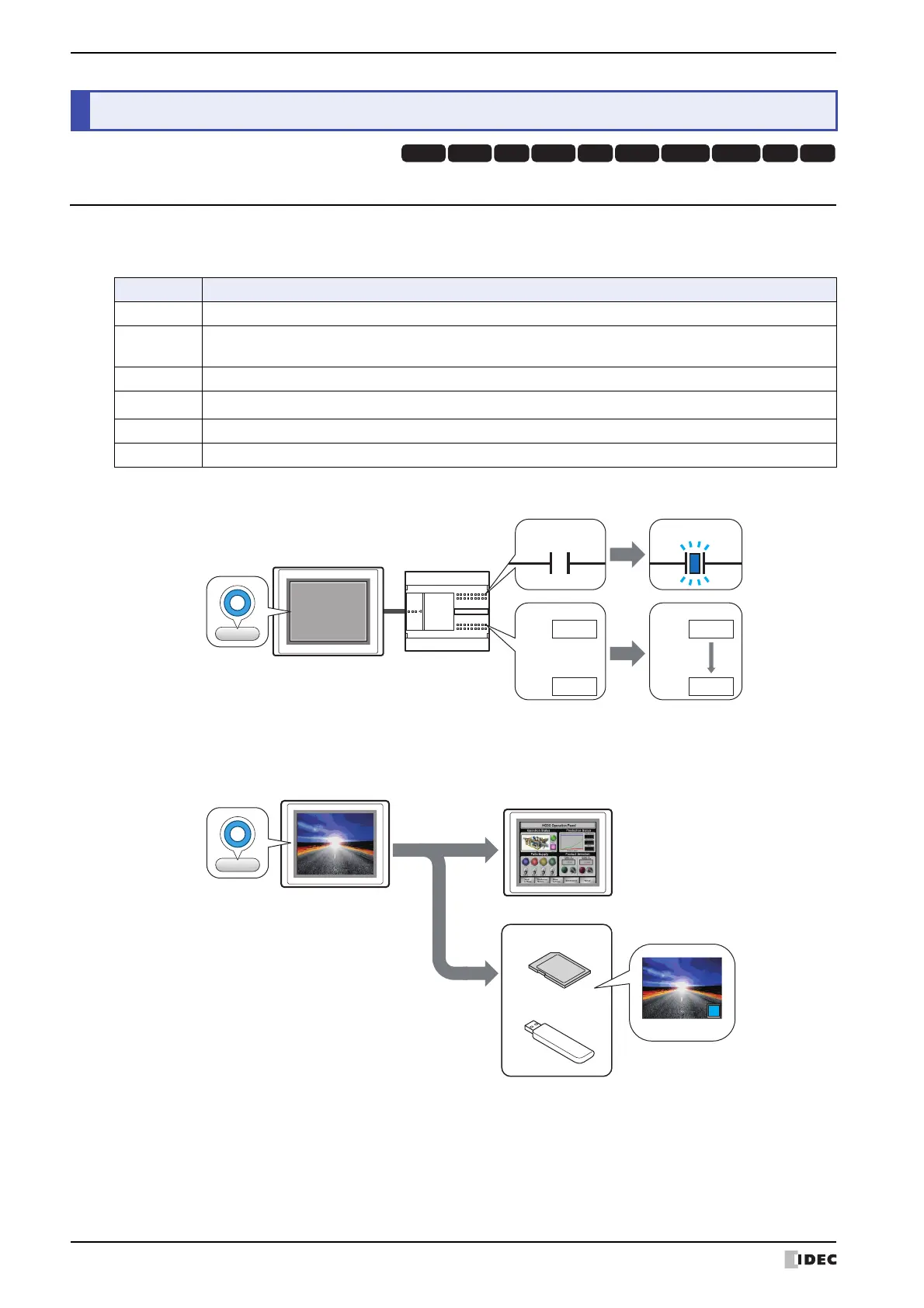
Executes multiple commands at once.
These commands can be assigned to a Multi-Command.
• Writes a 1 to a bit device, and the value in a word device to another device when the trigger condition is satisfied.
• Outputs a screenshot of the current screen to an external memory device
*1
, and then switches the Base Screen
when the trigger condition is satisfied.
*1 SD memory card for HG5G/4G/3G/2G-V, HG4G/3G and HG2G-5F, USB flash drive for HG2G-5T and HG1G/1P
6 Multi-Command
HG3G
HG2G-5FHG5G-V HG4G-V HG3G-V HG2G-V HG2G-5T
HG4G HG1G HG1P
Command Description
Bit Write Writes a 0 or 1 to the specified bit device.
Word Write
Writes a value to a word device. You can specify the destination address number indirectly, and perform
arithmetic on the value to be written.
Goto Screen Switches screens and opens other windows.
Print
Outputs a screenshot to the printer or the external memory device
*1
.
Key Performs downloads, uploads, and file copying. Also used to manipulate other parts.
Script Executes a script.
MICRO/I
External device
1
Condition
SatisfiedSatisfiedSatisfied
0
D0=
123
D1=
0
D0=
123
D1=
123
Move
USB flash drive
SD memory card
External Memory Device
MICRO/I
Image file
Condition
Satisfied
Satisfied



 To Next Page
 Loading...