WindO/I-NV4 User’s Manual 8-143
8 Selector Switch
8
Buttons
8.1 How the Selector Switch is Used
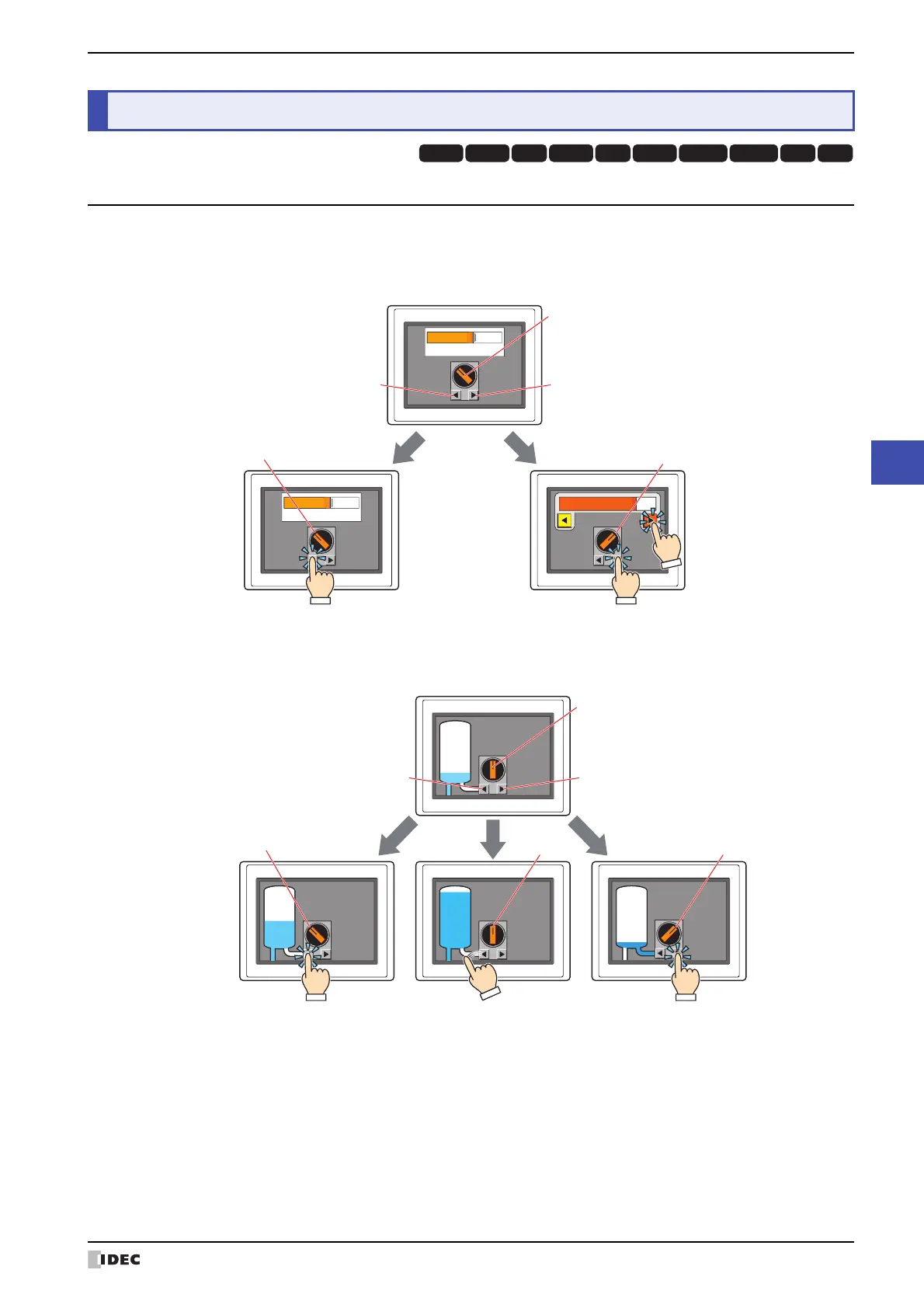
Writes a 0 or 1 to a bit device. This is an exclusive control that only writes a single value as 1 and all other values as 0.
• Switching between two Run Modes (Manual and Auto)
• Switching between three Run Modes (Filling - Stop - Discharge)
8 Selector Switch
HG3G
HG2G-5FHG5G-V HG4G-V HG3G-V HG2G-V HG2G-5T
HG4G HG1G HG1P
Automatic
Manual
Automatic
Auto Manual
Auto Manual Auto Manual
R-button
Ch2
Ch1
L-button
Knob
Press L-button to
switch to Auto.
Press R-button to
switch to Manual.
Operate
manually
FSD
FSD
FSD
FSD
R-button
Ch3Ch2Ch1
L-button
Knob
Press L-button to
switch to Filling.
Switch to Stop
(the operation differs according
to the switch type)
Press R-button to
switch to Discharge.



 To Next Page
 Loading...