WindO/I-NV4 User’s Manual 10-29
2 Character Input
10
Data Displays
2.3 Properties of Character Input Dialog Box
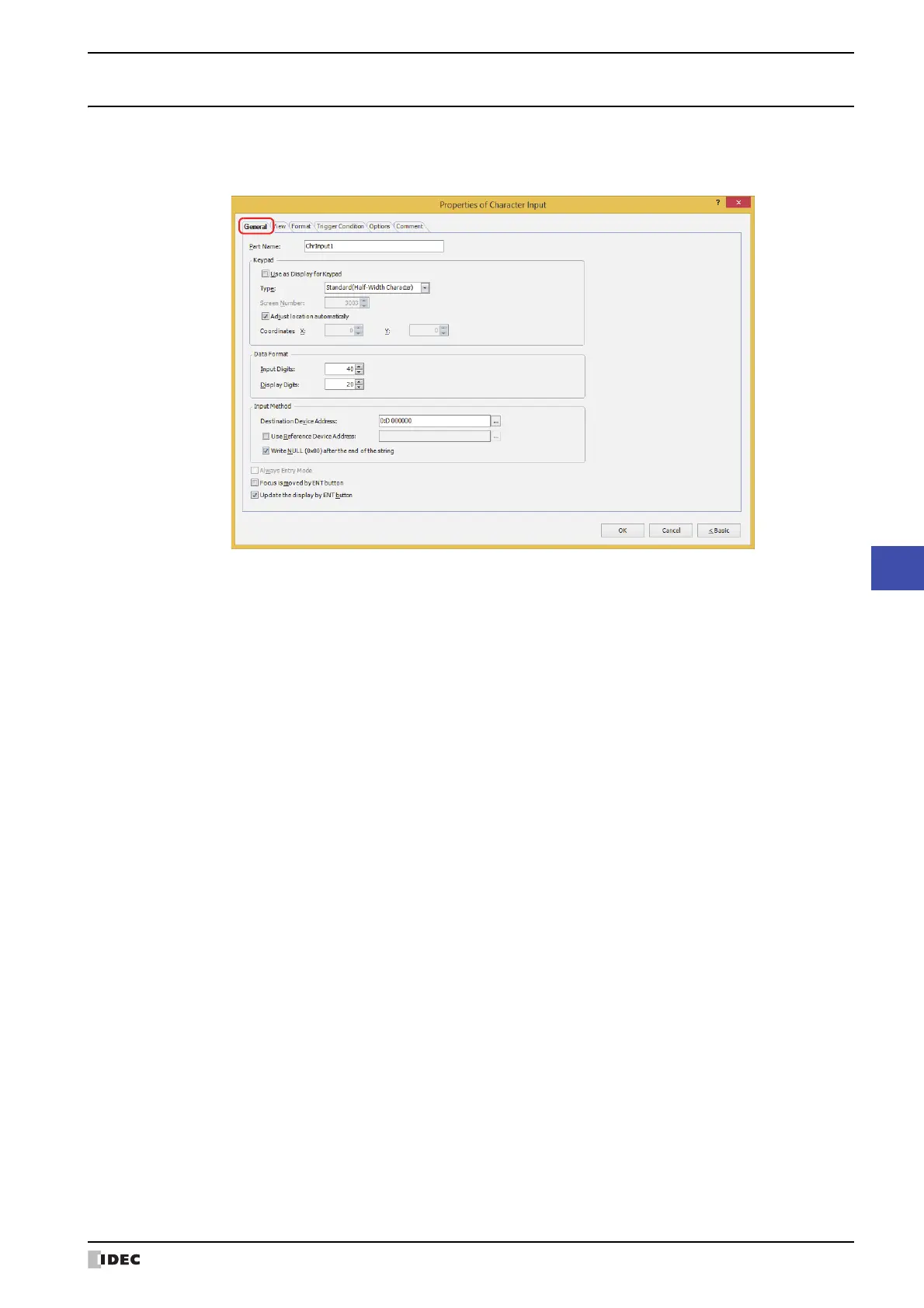
This section describes items and buttons on the properties dialog box.
●
General Tab
■ Part Name
Enter a name for the part. The maximum number is 20 characters.
■ Keypad
Configures the keypad for entering text in the Character Input.
*1 Advanced mode only
Use as Display for Keypad
*1
:
Select this check box to only use the Character Input as a part to display the text
entered with the keypad.
Type: According to the location where the keypad is configured, selects the type from the
following.
Standard(Half-Width Character): Uses the standard keypad for entering half-width
characters. The standard keypad is the keypad
configured as the popup screen for the standard
keypad. For details, refer to Chapter 5 “4.3 Standard
Keypad Popup Screen” on page 5-25.
Standard(Hiragana): Uses the standard keypad for entering full-width
characters. The standard keypad is the keypad
configured as the popup screen for the standard
keypad. For details, refer to Chapter 5 “4.3 Standard
Keypad Popup Screen” on page 5-25.
Popup: Uses a keypad configured as a popup screen.
Current Screen: Uses the keypad configured on the same screen as
the Character Input.
Screen Number: Specifies the screen number of the popup screen configured as the keypad (1 to 3015).
This option can only be configured if Popup is selected for Type.
Adjust location automatically: Select this check box to display the popup screen configured as the keypad in a location
where it will not overlap the Character Input.
This option can only be configured when Standard(Half-Width Character),
Standard(Hiragana) or Popup is selected for Type.



 To Next Page
 Loading...