4 Using the Data
17-16 WindO/I-NV4 User’s Manual
14
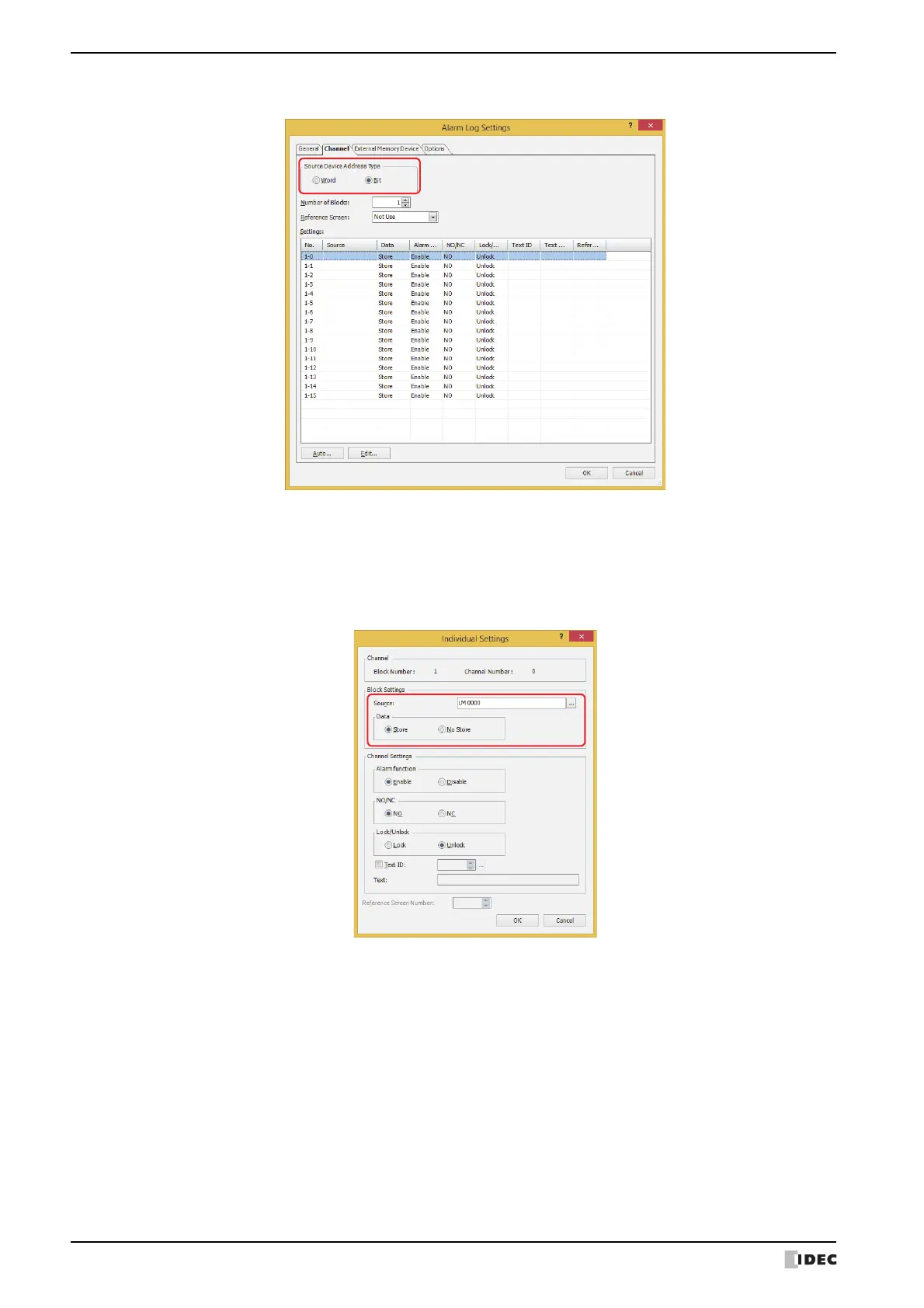
On the Channel tab, under Source Device Address Type, select Bit and specify Number of Blocks.
15
Select the channel number to register the level 1 Report Device Address to and click Edit.
The Individual Settings dialog box is displayed.
16
Specify the level 1 Report Device Address in Source and select Store under Data.
Set Source to the level 1 Report Device Address configured on the Operation Time tab in the Preventive
Maintenance settings Individual Settings dialog box.
17
Select Enable under Alarm function, select NO under NO/NC, and click OK.



 To Next Page
 Loading...