2 Text Groups and Text Configuration Procedure
19-10 WindO/I-NV4 User’s Manual
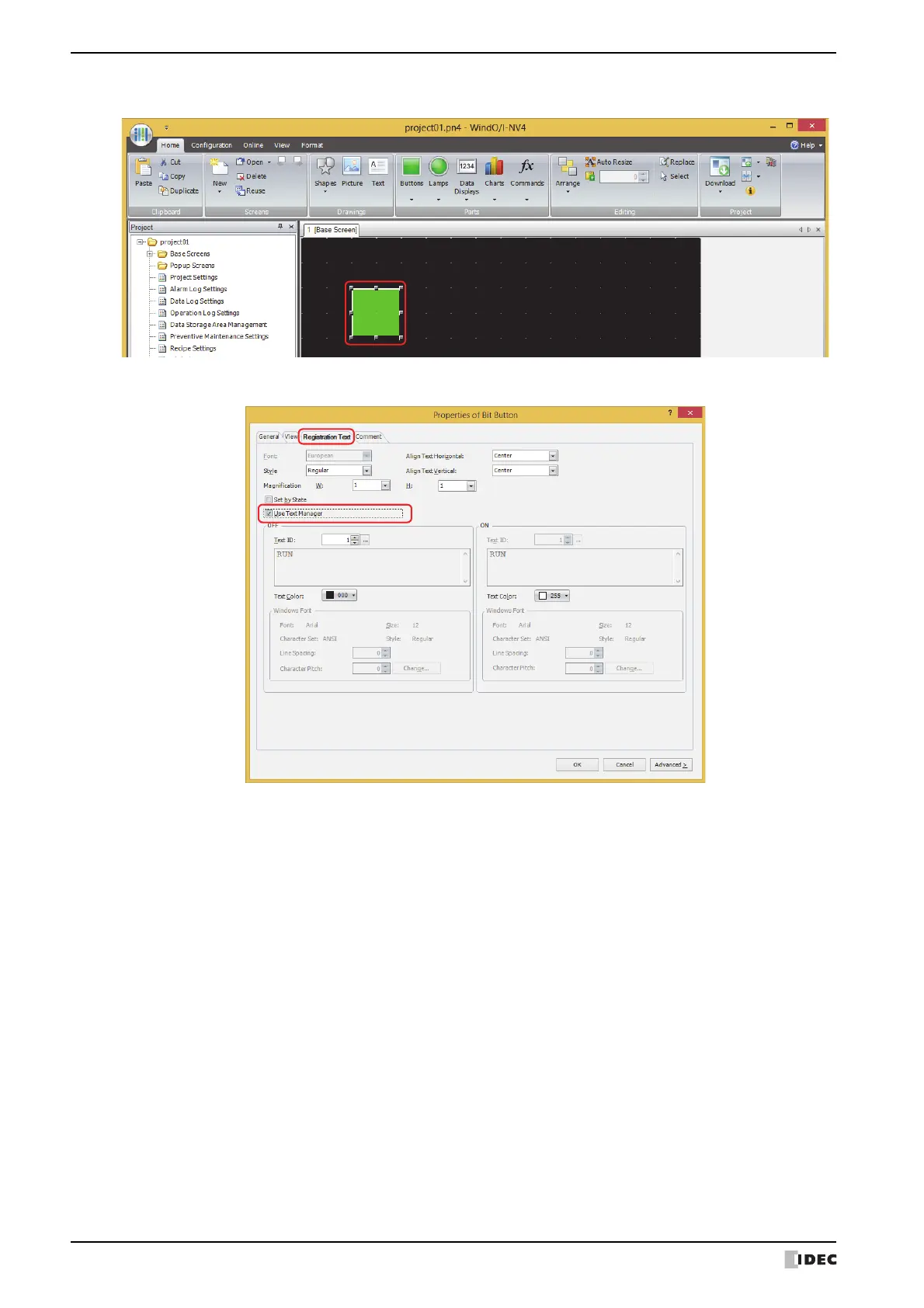
4 Double-click the dropped Bit Button and the properties dialog box is displayed.
5 Click the Registration Text tab, and then select the Use Text Manager check box.
6 Specify 1 for the Text ID under OFF.
7 Configure the settings on each tab as necessary, and then click OK.
The Properties of Bit Button dialog box closes.
8
Repeat steps 2 through 7 and create a Bit Button to use text ID 2 for the registration text.
This concludes configuring the settings to switch the displayed language by a value of device address.



 To Next Page
 Loading...