WindO/I-NV4 User’s Manual 20-5
2 Editing and Management of the Script
20
Script
2.1 Script Registration Procedure
This section describes the procedure to create a script and register it in the project.
The registered script can be used in a Multi-Button, Script Command, Multi-Command, Global Script, and Cyclic Script.
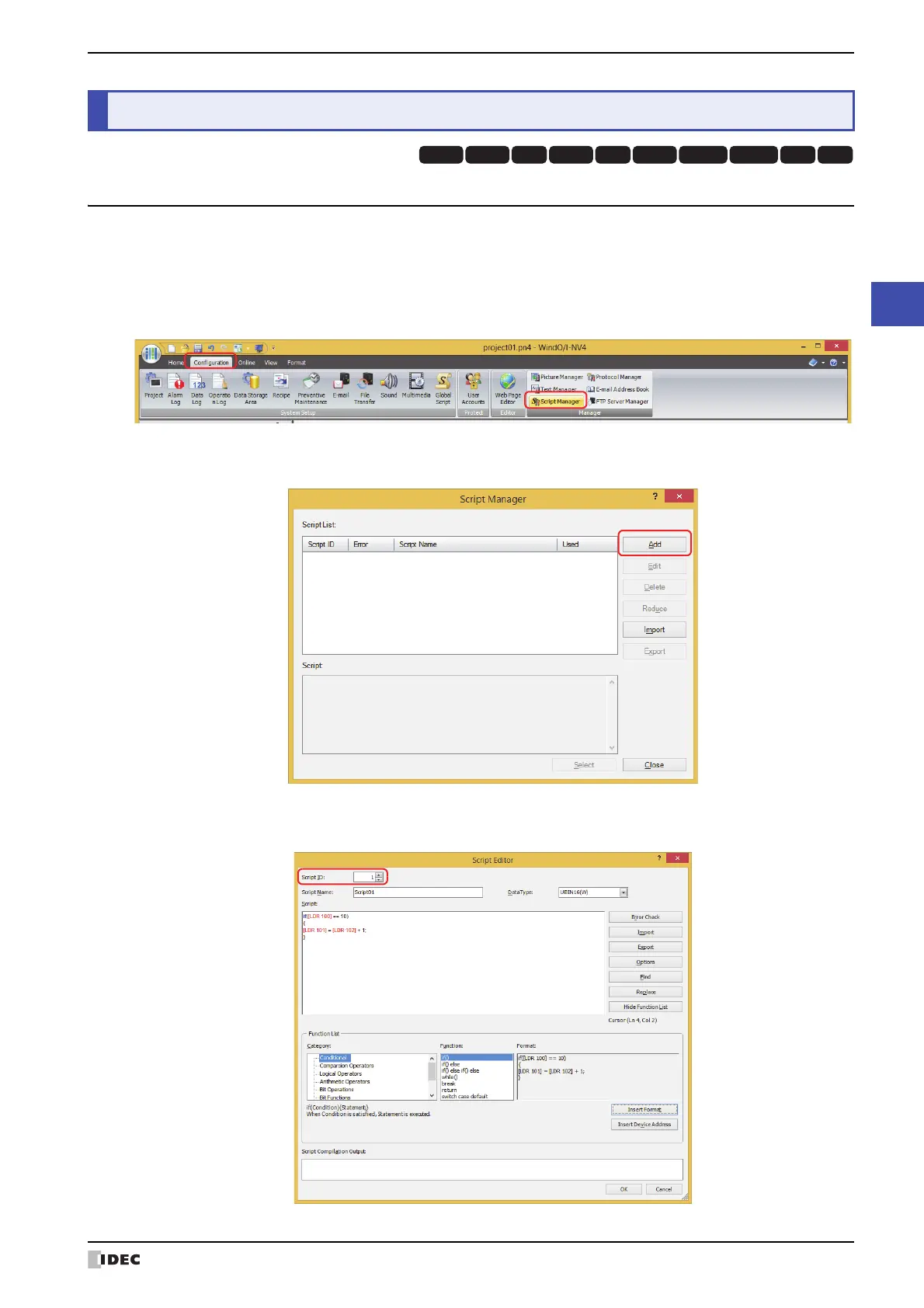
1 On the Configuration tab, in the Manager group, click Script Manager.
Script Manager opens.
2 Click Add.
Script Editor opens.
3 Specify Script ID.
When creating a new script, enter the script ID (1 to 32000).
2 Editing and Management of the Script
HG3G
HG2G-5FHG5G-V HG4G-V HG3G-V HG2G-V HG2G-5T
HG4G HG1G HG1P



 To Next Page
 Loading...