WindO/I-NV4 User’s Manual 23-11
2 Security Function Configuration Procedure
23
User Accounts and the Security Function
This section describes the configuration procedure for the Security function.
2.1 Creating and Editing User Accounts
● Creating a User Account
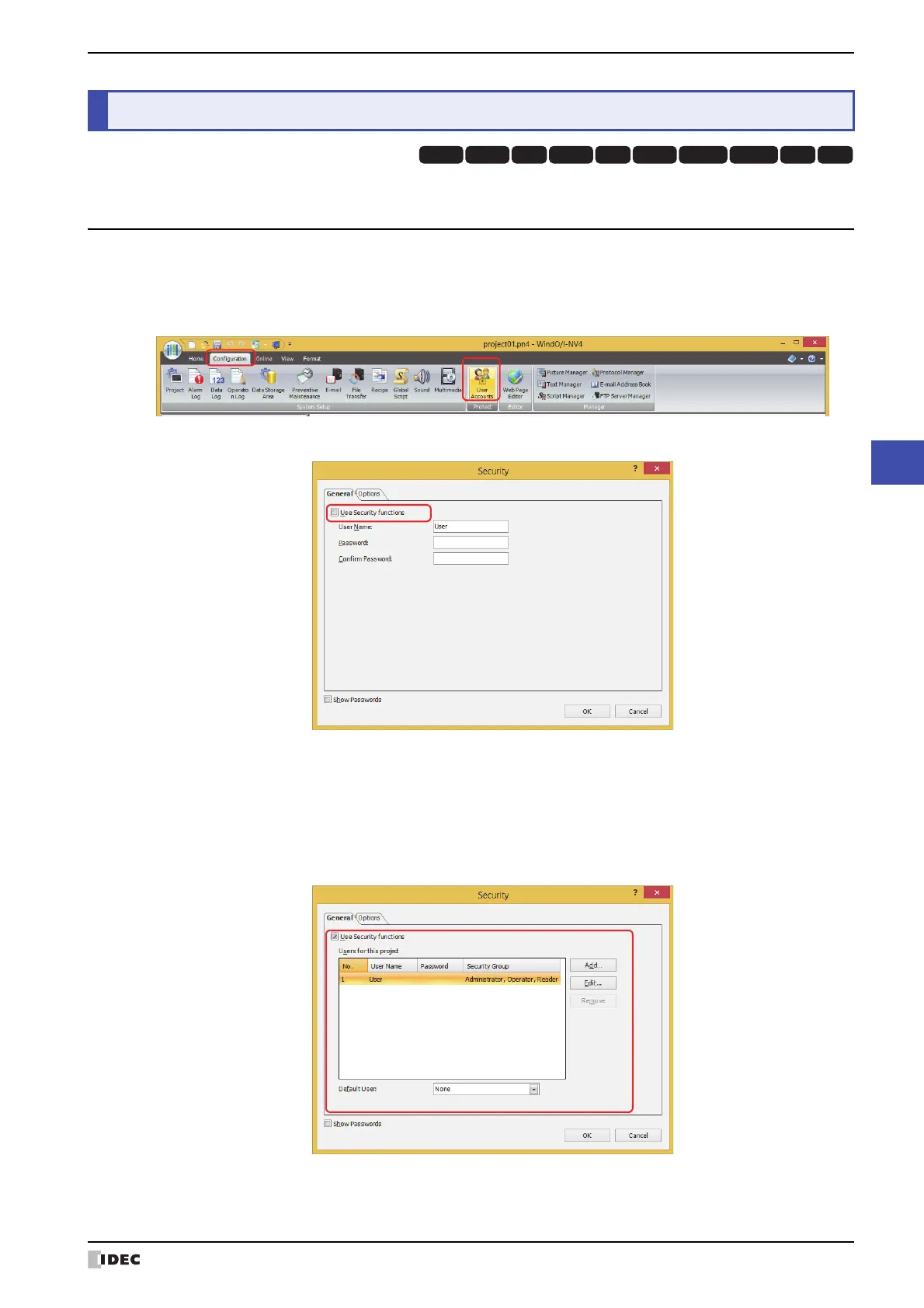
1 On the Configuration tab, in the Protect group, click User Accounts.
The Security dialog box is displayed.
2 Select the Use Security functions check box.
The settings related to user accounts are displayed.
The user account already provided with WindO/I-NV4 is as follows.
3 Click Add.
The New User Account dialog box is displayed.
2 Security Function Configuration Procedure
HG3G
HG2G-5FHG5G-V HG4G-V HG3G-V HG2G-V HG2G-5T
HG4G HG1G HG1P
No.: 1
User Name: User
Password: (blank)
Security Group: Administrator, Operator, Reader



 To Next Page
 Loading...