2 Security Function Configuration Procedure
23-22 WindO/I-NV4 User’s Manual
● Changing the Name of a Security Group
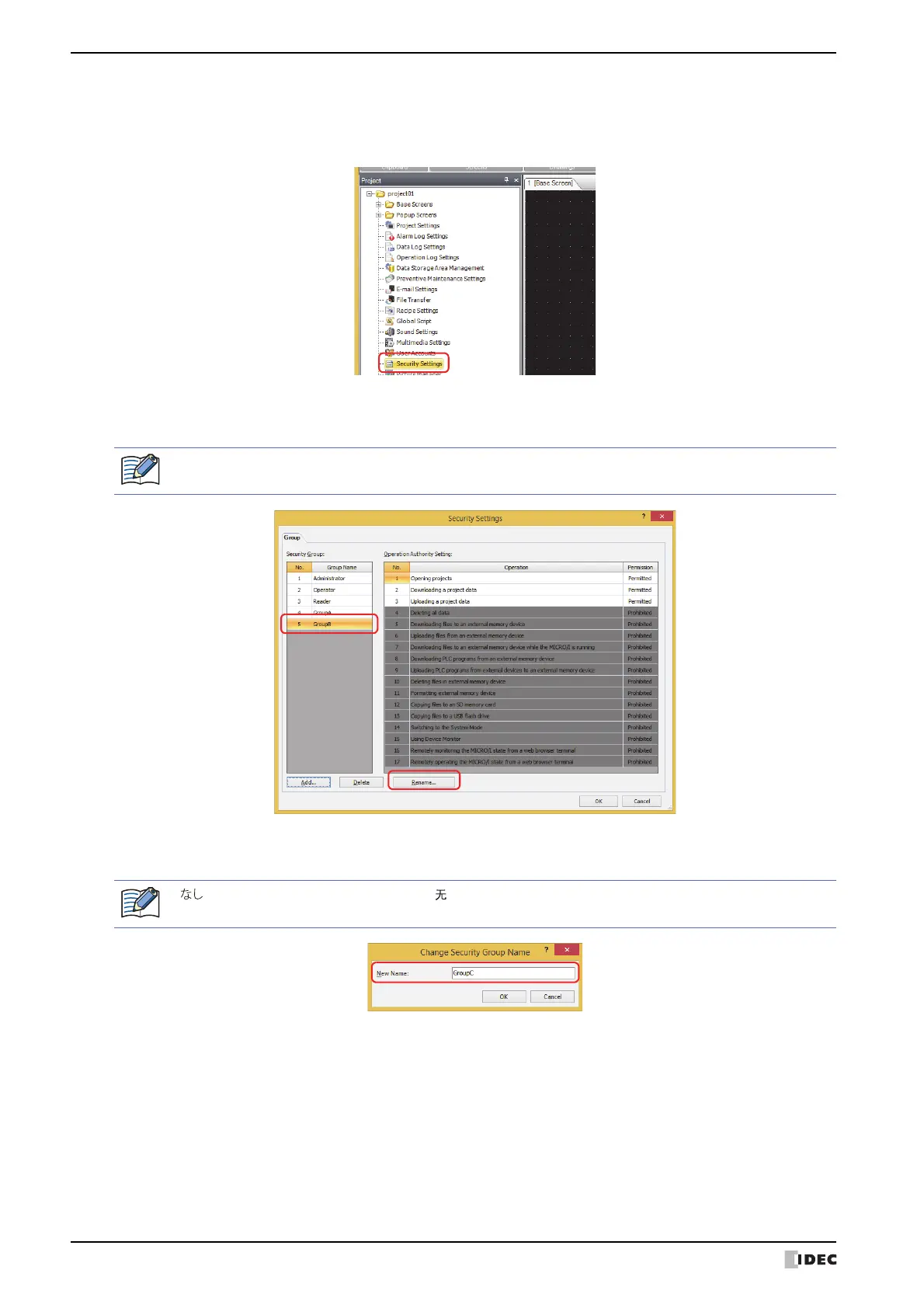
1 On the Project window, double click Security Settings.
The Security Settings dialog box is displayed.
2 Select the security group in Security Group to change the name of and click Rename.
The Change Security Group Name dialog box is displayed.
3 Change the name of the security group to the new group name in New Name.
The maximum number for the group name is 15 characters.
4 Click OK.
The Change Security Group Name dialog box closes.
5 Click OK.
The Security Settings dialog box closes.
This concludes changing the name of a security group.
The group name for Administrator, Operator, and Reader cannot be changed.
“ ” (Japanese), “None” (English), and “ ” (Chinese) cannot be used for the group name.



 To Next Page
 Loading...