EasyManua.ls Logo

IDEC MICRO/I HG1G-4VT22TF Series - Page 1297

IDEC MICRO/I HG1G-4VT22TF Series
1665 pages
Print Icon
To Next Page IconTo Next Page
To Previous Page IconTo Previous Page
Loading...
WindO/I-NV4 Users Manual 25-3
1 Monitoring with WindO/I-NV4
25
Monitor Function
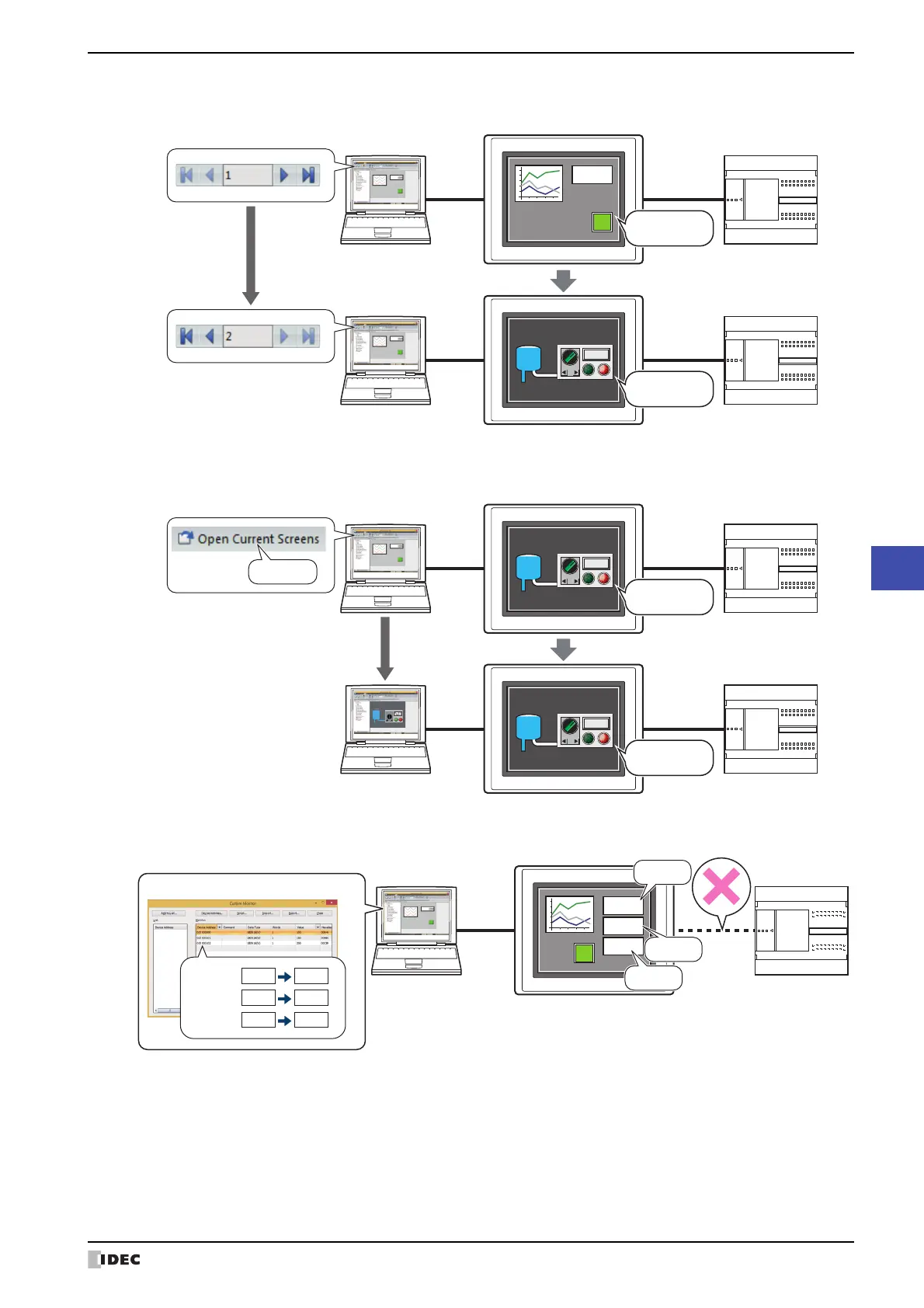
Switching to the screen of the MICRO/I
Opening current screen
Change values of device addresses and check the operation of project data offline
Computer
MICRO/I
Switches to Base Screen 2.
Full
Tank 1
External device
External device
Base Screen 1
Base Screen 2
130
Computer
MICRO/I
Opens
Base Screen 2.
Full
Tank 1
Full
Tank 1
External device
External device
Base Screen 2
Base Screen 2
Click
Computer
MICRO/I
100
150
200
Disconnect
External device
Custom Monitor in the Offline mode
D100
D102
D101
D100= 0
D101=
0
D102=
0
100
150
200

Table of Contents

Related product manuals