WindO/I-NV4 User’s Manual 28-25
3 FTP Client Function
28
Maintenance
● Configuring the Files to copy or move and the Trigger Condition
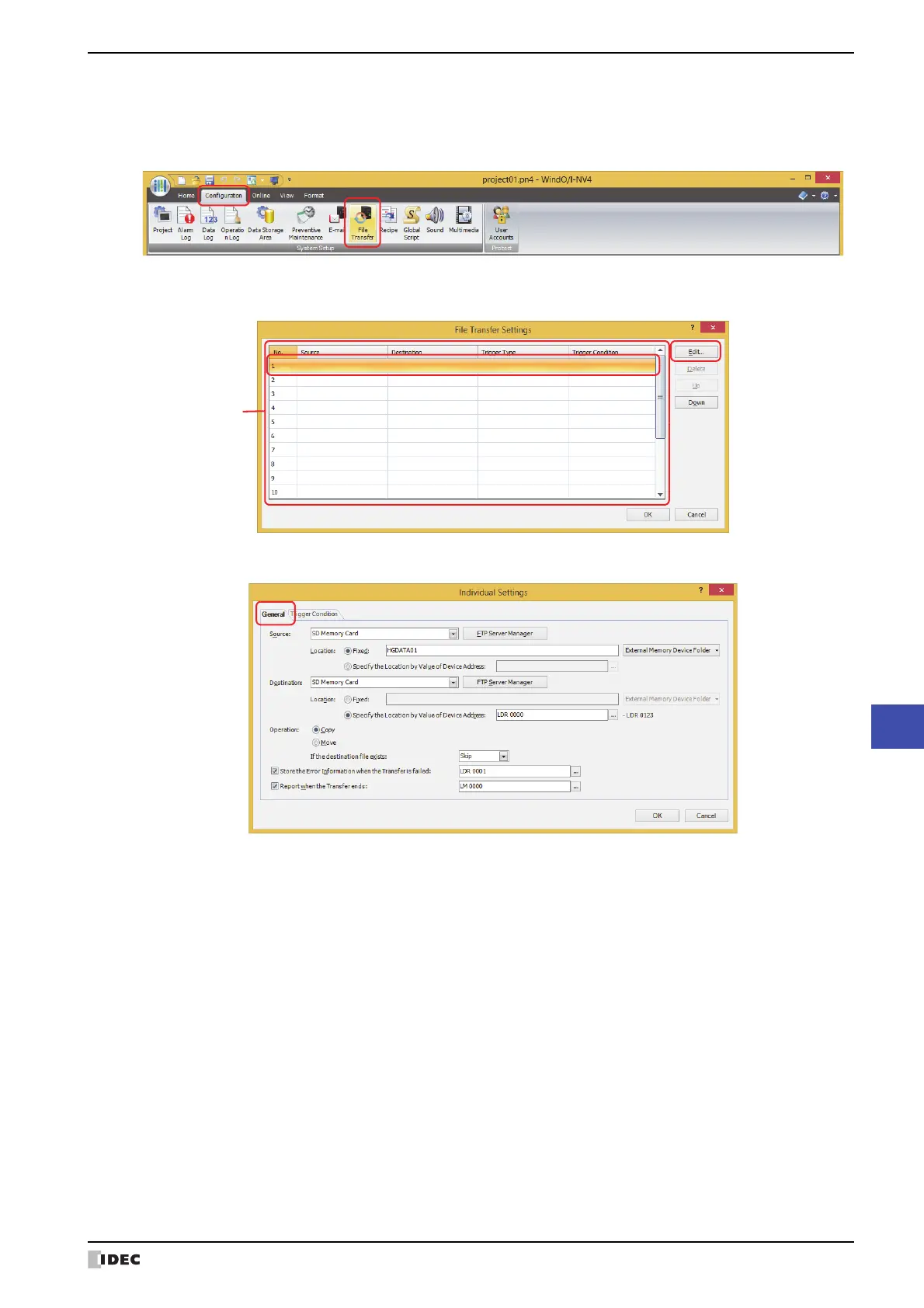
1 On the Configuration tab, in the System Setup group, click File Transfer.
The File Transfer Settings dialog box is displayed.
2 Select the number to configure the File Transfer Settings in (Settings), then click Edit.
The Individual Settings dialog box for the selected number is displayed.
3 Configure the items on the General tab.



 To Next Page
 Loading...