4 E-mail Function
28-46 WindO/I-NV4 User’s Manual
● Configuring the E-mail
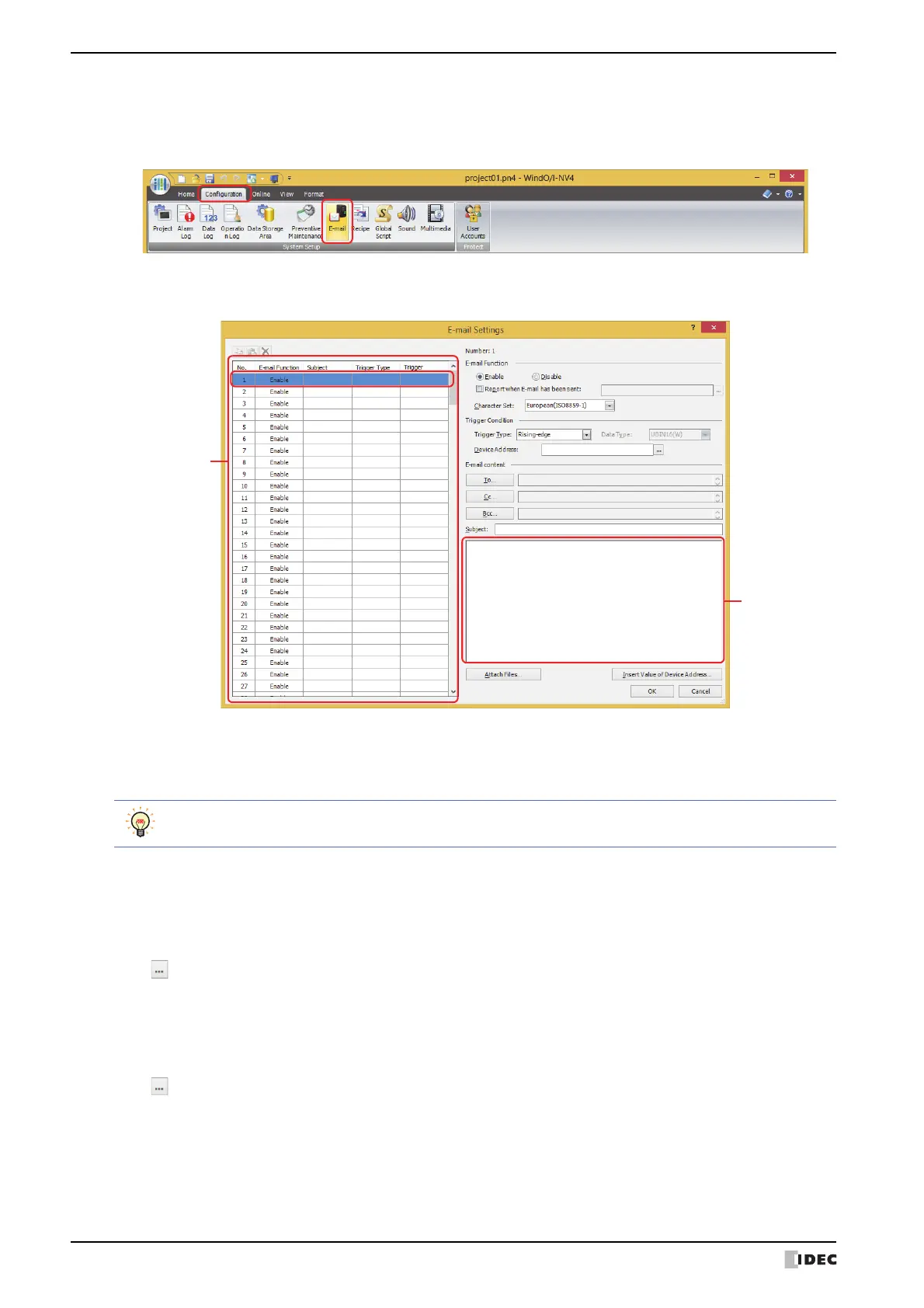
1 On the Configuration tab, in the System Setup group, click E-mail.
The E-mail Settings dialog box is displayed.
2 Select the number to use the E-mail function in (Settings).
The settings for the selected number are displayed in to the right of the list.
3 Selects the language to use with the Subject and the (Body) under the E-mail content as the Character Set from
the following.
ASCII, Japanese(Shift-JIS), Chinese(GB2312), European(ISO 8859-1)
4 Select the condition to send an e-mail in Trigger Type under Trigger Condition from the following.
■ Rising-edge
An e-mail is sent when the value of device address changes from 0 to 1.
Specify the bit device or the bit number of the word device as the condition.
Click to display the Tag Editor. For the device address configuration procedure, refer to Chapter 2 “5.1 Device
Address Settings” on page 2-68.
■ Falling-edge
An e-mail is sent when the value of device address changes from 1 to 0.
Specify the bit device or the bit number of the word device as the condition.
Click to display the Tag Editor. For the device address configuration procedure, refer to Chapter 2 “5.1 Device
Address Settings” on page 2-68.
Japanese(Shift-JIS), Chinese(GB2312), and European(ISO 8859-1) are encoded by Base64.



 To Next Page
 Loading...