WindO/I-NV4 User’s Manual 28-51
4 E-mail Function
28
Maintenance
● How to use the E-mail Address Book in another project
To use the e-mail addresses and the comments registered to the E-mail Address Book in another project, save the
settings of the E-mail Address Book as a file, and then import it to a project. Note, the E-mail Groups and the device
addresses to specify the e-mail address are not supported.
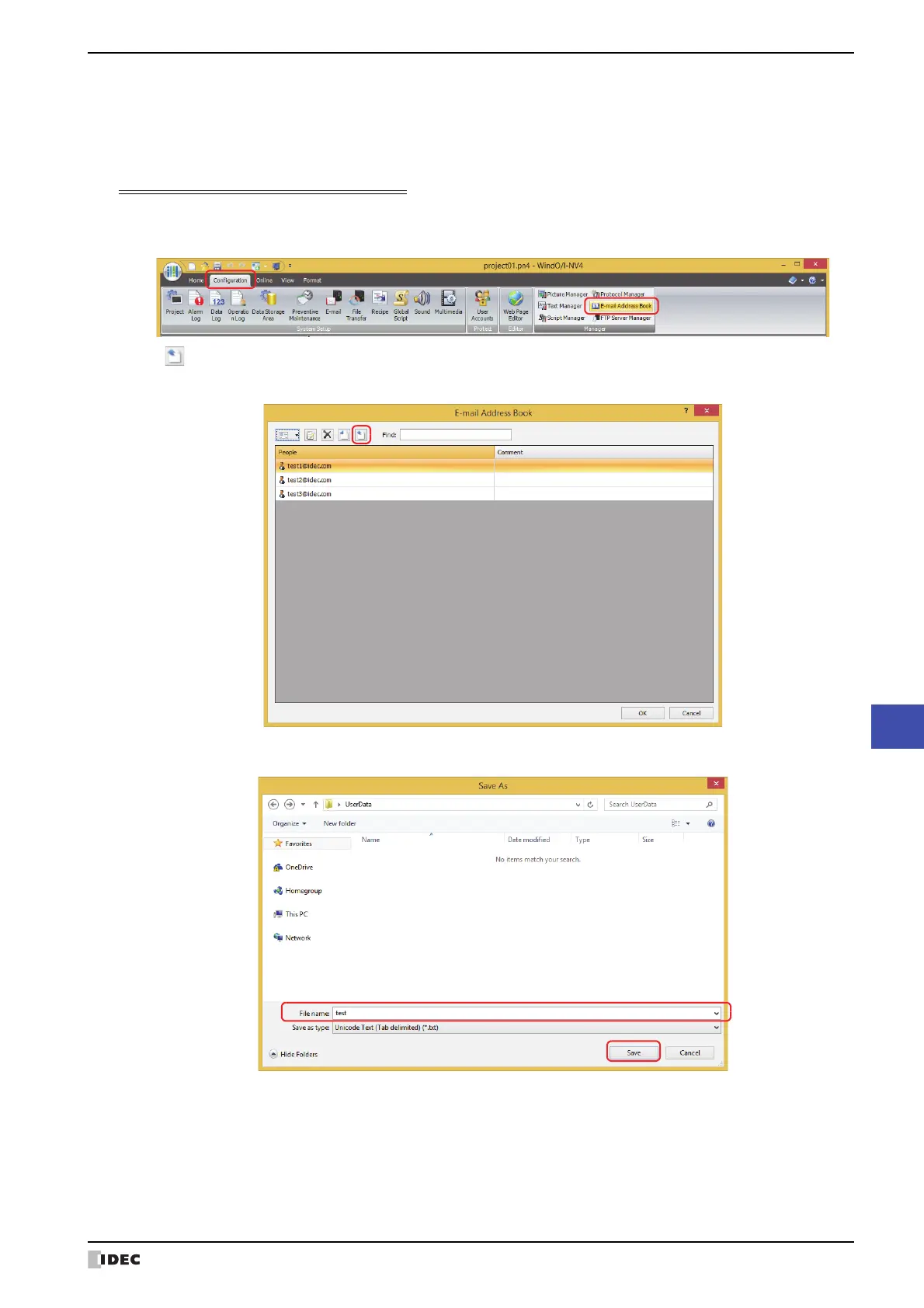
Save the E-mail Address Book settings as a file
1 On the Configuration tab, in the Manager group, click E-mail Address Book.
The E-mail Address Book dialog box is displayed.
2 Click (Export).
The Save As dialog box is displayed.
3 Select the save location, enter a File name, and then click Save.



 To Next Page
 Loading...