2 PLC Program Transfer Function
29-18 WindO/I-NV4 User’s Manual
2.4 Creating ZLD Project File
Before transferring a PLC program, using the PLC Program Transfer Function, it must be converted to a ZLD Project
File(.zld).
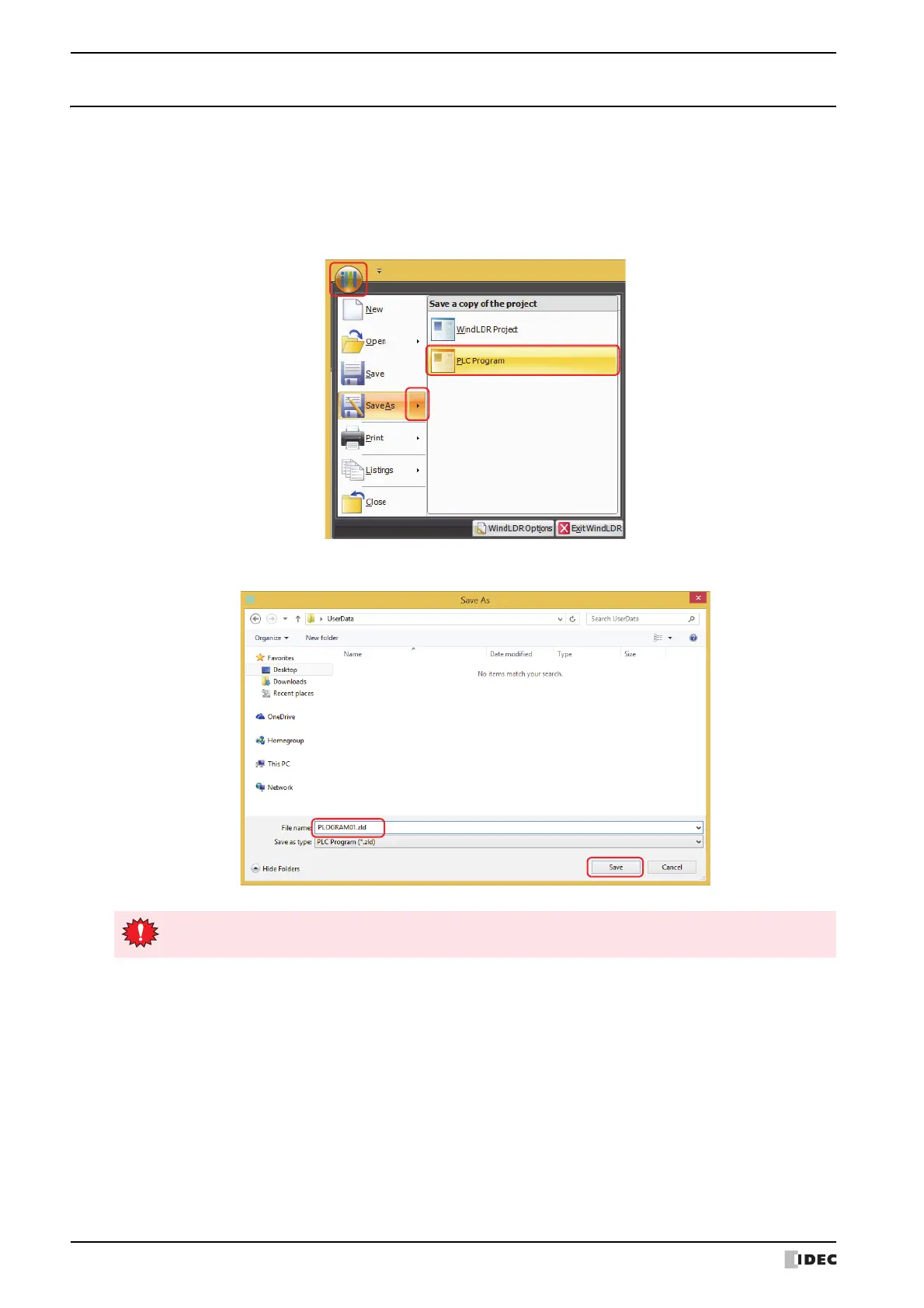
1 Open the PLC program to to be transferred using WindLDR.
2 Click to the right of Save As on the application menu and click PLC Program.
The Save As dialog box is displayed.
3 Enter a file name and click Save.
When using a PLC program with the PLC program transfer function, always enter the file name as
alphanumeric characters.



 To Next Page
 Loading...