WindO/I-NV4 User’s Manual 31-17
1 External Memory Devices
31
External Memory Devices
1.8 Formatting the External Memory Device
● Formatting an external memory device using the Online Function in WindO/I-NV4
The external memory device inserted in the MICRO/I can be formatted with the WindO/I-NV4 online function.
Using the WindO/I-NV4, the following external memory devices are accessible.
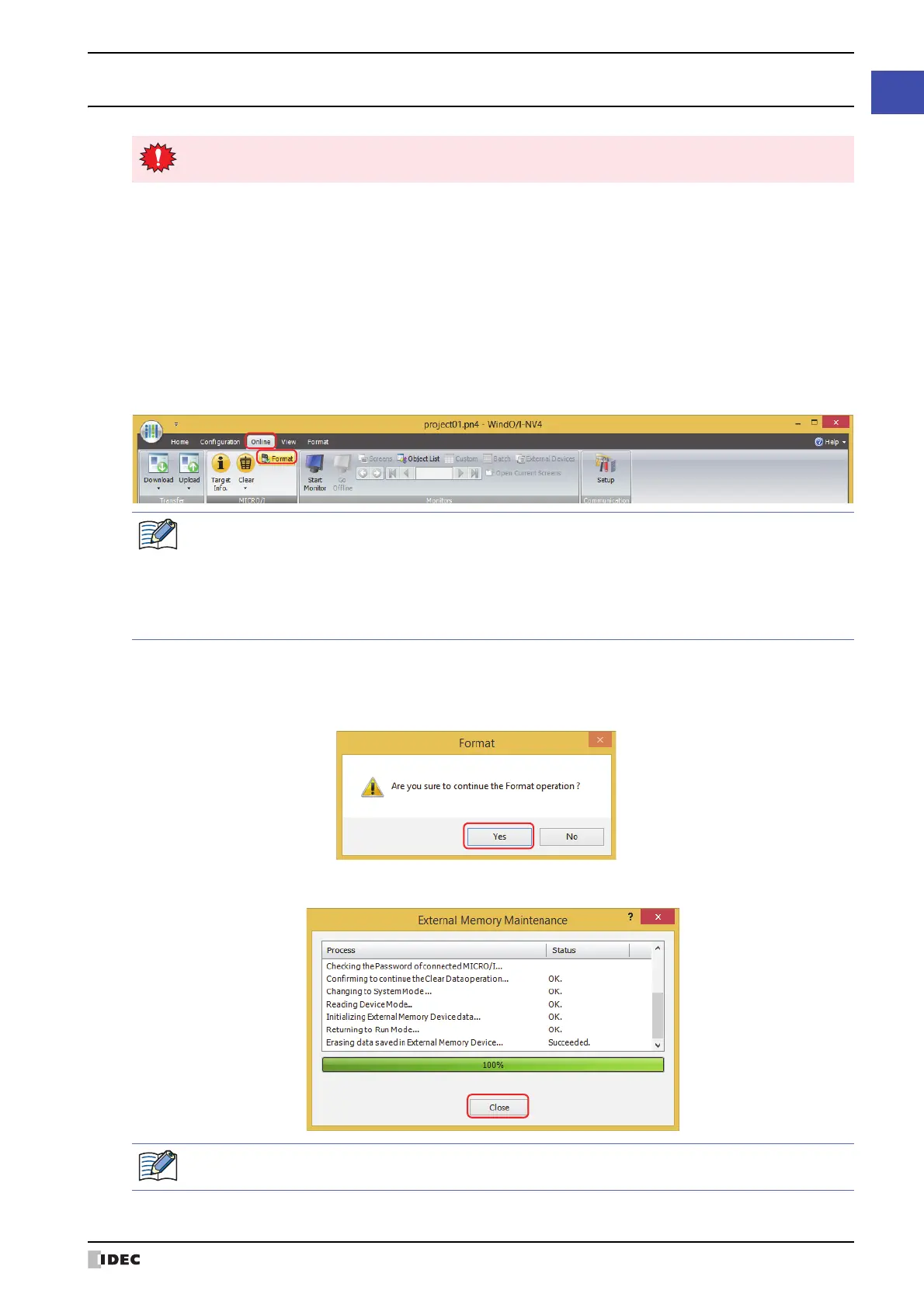
1 On the Online tab, in the MICRO/I group, click Format.
A confirmation message appears warning that existing data will be deleted.
2 Click Yes.
The External Memory Maintenance dialog box appears and formatting begins.
3 Click Close.
Always format the external memory device before using it.
HG5G/4G/3G/2G-V, HG4G/3G, HG2G-5F: SD memory card
HG2G-5T, HG1G/1P: USB flash drive
•In Communication Settings, Communicate with must be set to MICRO/I in advance, and Port
must be set to USB in advance. For details on how to configure these settings, refer to “Communication
settings” on page 31-4.
• If a project has been saved on the external memory device with security enabled, a dialog appears for
you to enter a user name and password. For details, refer to Chapter 23 “User Accounts and the Security
Function” on page 23-1.
After completing a format of the external memory device, the External Memory Device folder is
automatically created when going to the Run Mode.



 To Next Page
 Loading...